Standalone Cornerstone
In this article, we're going to explain how to install the Cornerstone plugin when you're using a third party theme, plus explain how it can be integrated directly with other themes and plugins.
Standalone Cornerstone Overview
Cornerstone is a powerful family of website builders. Pro users have access to all of Cornerstone's builders, and they are built into the theme. X users have access to the Page Builder, and it is managed as a separate plugin (included with your purchase). The standalone version of Cornerstone, explained in this article, is for use with other third party themes and builders.
How to Download the Cornerstone Plugin Installation File
To download the installation zip file of the Cornerstone plugin go to your Themeco Dashboard and look for the license on the left hand side. Then click on the Download button and the installation zip file of the Cornerstone plugin will be downloaded to your computer.
How to Install the Cornerstone Plugin
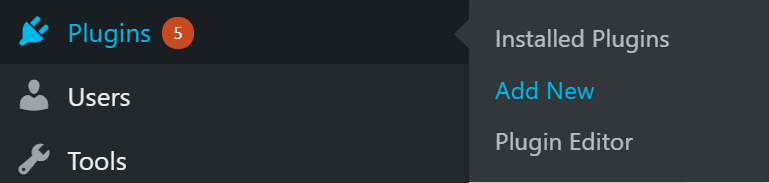
Now you've downloaded the Cornerstone plugin; we're ready to install it! In your WordPress dashboard, hover over Plugins on the left-hand side menu and then click on Add New menu item:
Install the plugin zip file by clicking on Upload Plugin followed by Choose file and locating the file from your computer. Once found, you can click Install Now:

Once installed, click Activate Plugin to activate the Cornerstone plugin on your WordPress installation:

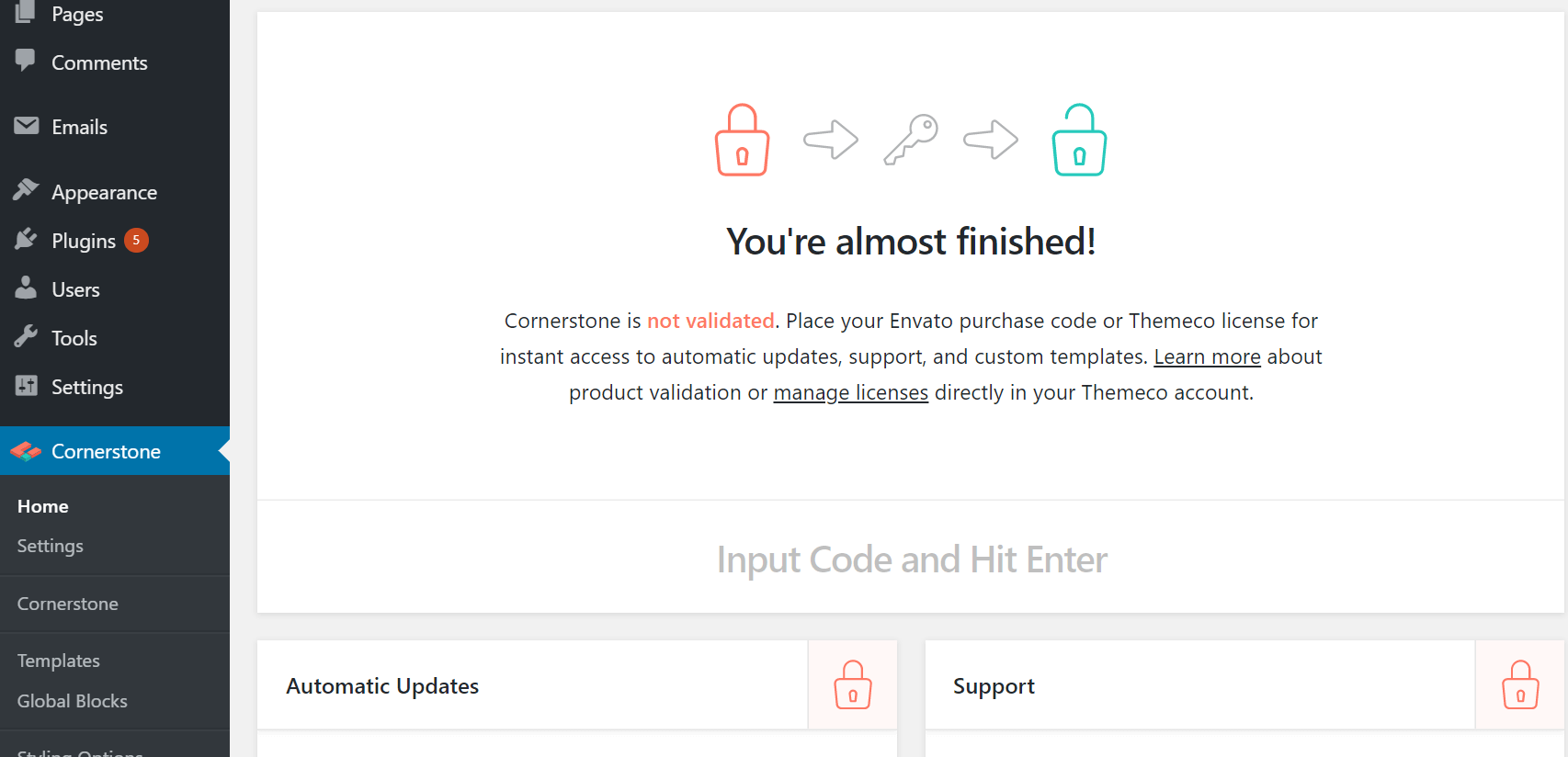
Now that you've installed the Cornerstone plugin you will have the Cornerstone menu item available in the left sidebar of your WordPress Admin: Create your own plugins containing new Cornerstone elements (perhaps from your pre-existing shortcodes). Add your own styling to Cornerstone elements. You may even turn off native styling entirely.
How to Integrate Cornerstone into a Third Party Theme
If you are a theme developer and are interested in integrating the Cornerstone plugin into your theme, follow the steps below.
Do’s and Don’ts
Before the decision of the Cornerstone integration to a third party theme, consider the points below:
- DO create your own plugins containing new Cornerstone elements (perhaps from your pre-existing shortcodes).
- DO add your own styling to Cornerstone elements. You may even turn off native styling entirely.
- DO NOT change the markup of our elements or shortcodes. This is important for data portability.
- DO NOT alter the user interface in any way, including introducing new controls, or custom builder features.
- DO NOT extend existing elements, including sections, rows, and columns, with new controls, although your custom theme styling could be used to change how they appear.
If you stick to our documented APIs, this won’t be a concern, but especially in WordPress, there are always workarounds, and we request that you avoid them.
We do understand this is more restrictive than what other builders allow, but we are committed to preserving the Cornerstone user experience - no matter what theme or combination of plugins is used. We’re also committed to preserving the portability of content created with Cornerstone. If Cornerstone is lacking a certain control or feature you need, feel free to reach out and let us know. We may be able to work with you on making it part of the core plugin.
Bundling Cornerstone in your theme
To bundle the Cornerstone to your theme follow the steps mentioned here.
Functions and Hooks for Theme Developers
We provide a series of functions and hooks that you can use in your theme to customize the Cornerstone usage experience which we list here:
Hiding Themeco Links
As mentioned above, there are still (and always will be) some connection between all Cornerstone users and Themeco. We offer automatic updates and custom templates to validated installs. We don’t offer a way to remove the validation screen of Manage Licenses link and would ask that you do not tamper with this as part of your theme integration.
That being said, we do understand that you may want to limit exposure to our branding in your own products. And we offer several flags that can be set via the cornerstone_theme_integration function to hide these. Here’s the list of things that can be removed:
- Cornerstone’s global validation notice. We remind people with a dismissible notice to validate. But we understand you may not want them seeing this with each update.
- Themeco Offers. Should we ever introduce something that would be considered promotion through Cornerstone, you can ensure it will be turned off in advance, avoiding conflict of interest.
- Purchase link. On the Cornerstone home page, there is usually a link to purchase another license. This goes to our sales page, so we understand if you’d like to remove it.
- Support box. The home page also has a box containing links to our knowledge base and support. While we are happy for your users to have the chance to read our articles, this is at your discretion.
To remove all of the above, you can use this code from within the after_theme_setup hook of WordPress:
cornerstone_theme_integration( array(
'remove_global_validation_notice' => true,
'remove_themeco_offers'           => true,
'remove_purchase_link'            => true,
'remove_support_box'              => true
) );
Additional Consideration:
- This does not prevent the user from re-enabling support themselves on the Cornerstone settings page.
- This function should NOT be used in plugins. It should only be called once, as each call will overwrite the previous declaration.
Removing Cornerstone front-end styles
If you are going to be restyling Cornerstone elements in your own stylesheets, there is a quick and easy way to prevent Cornerstone from enqueuing the built-in styles on the front end.
add_filter( 'cornerstone_enqueue_styles', '__return_false' );How to Integrate Cornerstone into a Third Party Plugin
If you are a plugin developer and are interested in integrating the Cornerstone plugin into your own plugin, follow the steps below.
Do’s and Don’ts
Before the decision of the Cornerstone integration to a third party theme, consider the points below:
Do's:
- Create brand new Cornerstone elements.
- Create Cornerstone elements to wrap your shortcodes, allowing them to be used in the page builder
Don'ts:
- Don’t change the markup of our elements or shortcodes. This is important for data portability.
- Don’t alter the user interface in any way, including introducing new controls, or custom builder features.
- Don’t extend existing elements with new controls, including sections, rows, and columns.
If you stick to our documented APIs, this won’t be a concern, but especially in WordPress, there are always workarounds, and we request that you avoid them.
We do understand this is more restrictive than what other builders allow, but we are committed to preserving the Cornerstone user experience - no matter what theme or combination of plugins is used. We’re also committed to preserving the portability of content created with Cornerstone. If Cornerstone is lacking a certain control or feature you need, feel free to reach out and let us know. We may be able to work with you on making it part of the core plugin.
Functions and Hooks for Plugin Developers
Most Cornerstone plugin development will be focused around elements. We have a number of guides on our APIs so check out the Resources > Developers section of our docs.
Actions and Hooks
See our guide on and list on actions and hooks here.
Element API
See our Element API primer guide here. Also check out our Element API reference guide here.
Summary
We've talked about the standalone version of the Cornerstone plugin and how to download and install it. Next, we talked about the do's and don'ts you need to consider when integrating Cornerstone into a third party theme or plugin.
See something inaccurate? Let us know