Global Variables
Define reusable CSS custom properties site-wide from inside the Cornerstone builder and reference them anywhere through Dynamic Content.
@since Cornerstone 7.9.0+
Global Variables let you define named values once and reuse them anywhere on your site — in inline styles, custom CSS, or through Dynamic Content. Under the hood each variable is emitted as a CSS custom property on :root, so it is available to every element on every page without any extra work.
Managing Variables
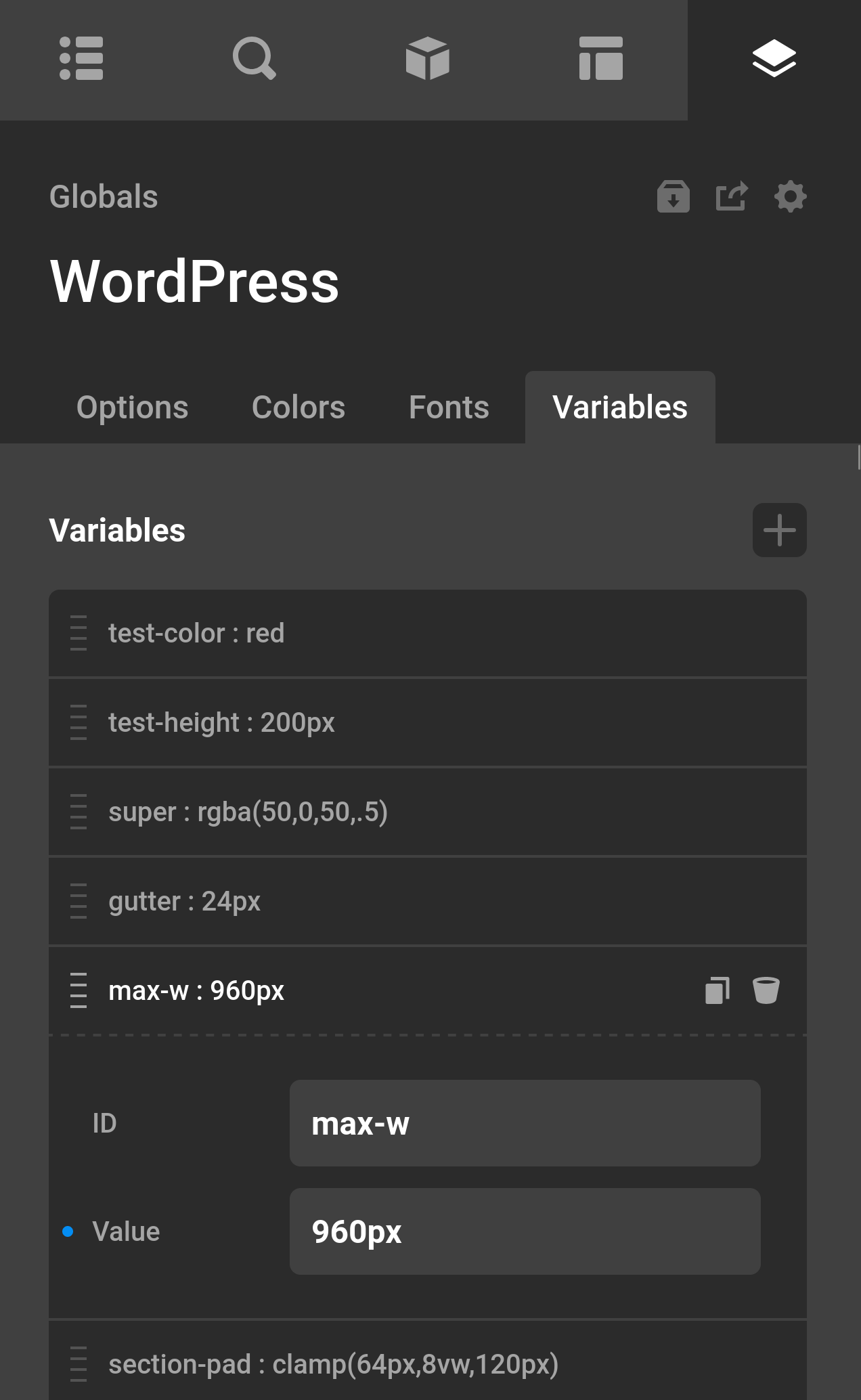
Open the Globals panel in Cornerstone and select the Variables tab. You will see a list manager where each row represents one variable. Each row has two fields:
| ID | The variable name. The -- prefix is added automatically if you omit it (e.g. brand-color becomes --brand-color). |
| Value | Any valid CSS value: a hex color, a rem length, a font stack, another var() reference, and so on. |
| Field | Description |
|---|
Click Add Item to create a new variable, fill in both fields, then save. The change is written to your theme options and the CSS is regenerated immediately.
Using Variables in CSS
Once saved, every variable is available as a CSS custom property on :root:
:root {
  --brand-color: #3a86ff;
  --body-font-size: 1rem;
  --max-content-width: 1200px;
}
You can reference them anywhere CSS custom properties are valid:
.my-element {
  color: var(--brand-color);
  font-size: var(--body-font-size);
  max-width: var(--max-content-width);
}
This includes the Custom CSS fields throughout the builder, the CSS tab on any element, and any external stylesheet.
Using Variables via Dynamic Content
Two Dynamic Content fields are available under the Global group so you can pipe variable values directly into element controls.
Global Variable (var)
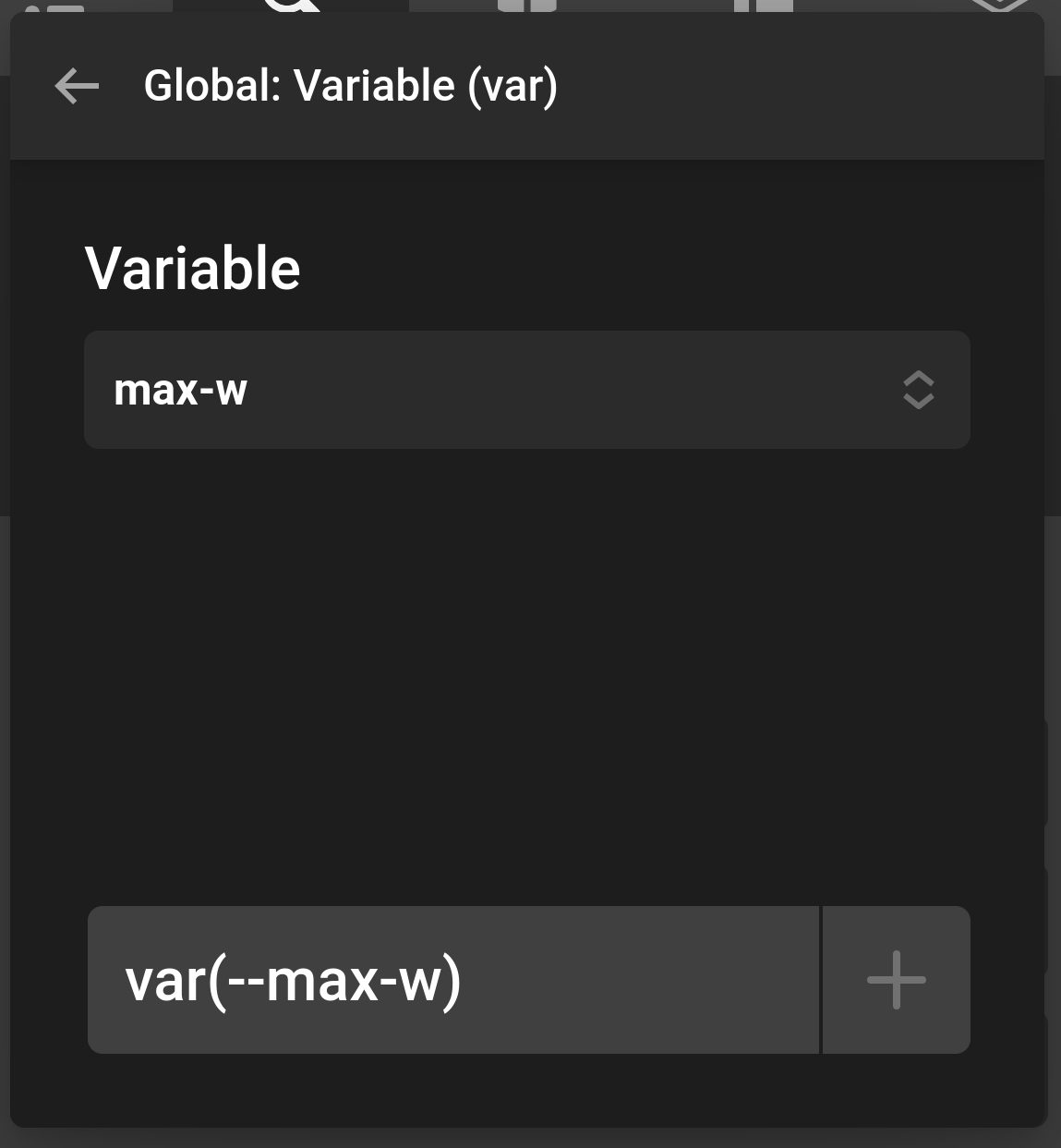
Returns the CSS var() expression for the variable. Use this when the destination control accepts a CSS value — for example, a colour input, a background, or any field that will be rendered inside a style attribute.
{{dc:global:variable id="brand-color"}}Output:
var(--brand-color)Global Variable (raw)
Returns the stored value itself, without any CSS wrapping. Use this when you need the bare value — for example, to display a hex code in a text element, pass it to a Twig expression, or feed it into a looper field.
{{dc:global:variable-raw id="brand-color"}}Output:
#3a86ff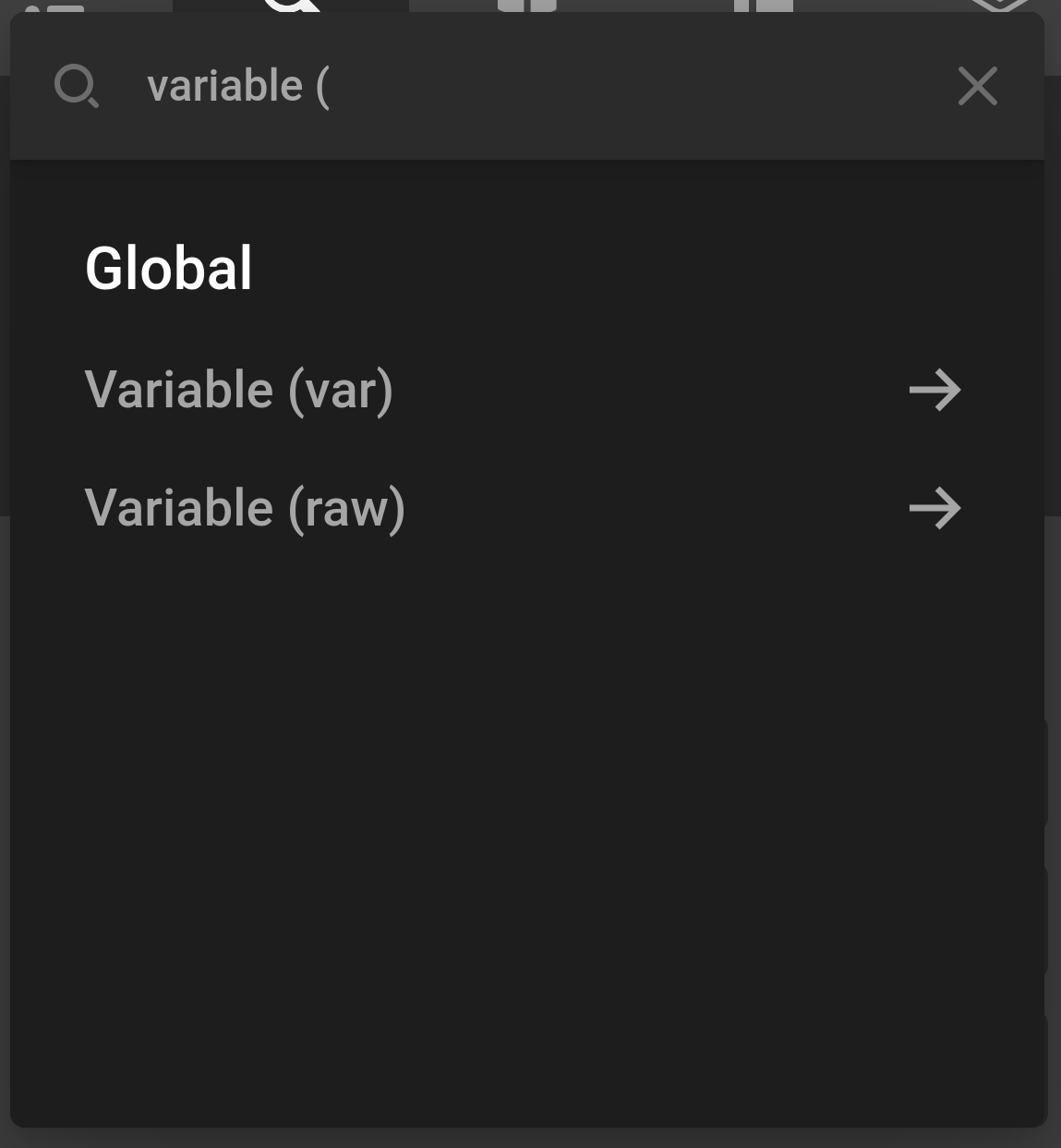
Both fields show a dropdown of your registered variables so you can pick one without typing the ID manually.
Advanced: PHP Filters
Disabling Global Variables entirely
If you want to remove the Variables tab and suppress all CSS output — for instance in a headless or API-only context — add this filter to your child theme or plugin:
add_filter( 'cs_global_variables_enabled', '__return_false' );Filtering the registered tabs list
The cs_app_global_tabs filter runs after all tabs have been collected and before the list is sent to the frontend. You can use it to reorder tabs, remove a tab, or inject a tab definition without calling cs_global_tab_register() directly:
add_filter( 'cs_app_global_tabs', function( $tabs ) {
  // Remove the built-in Variables tab
  $tabs = array_filter( $tabs, function( $tab ) {
    return $tab['id'] !== 'manage-variables';
  } );

  return array_values( $tabs );
} );
Reading all variables in PHP
Use cs_stack_get_value to read the raw variables array at any point on the frontend or in your own integrations:
$variables = cs_stack_get_value( 'cs_theme_variables' );

// $variables is an array of [ 'id' => string, 'value' => string ] items
foreach ( $variables as $var ) {
  $id    = $var['id'];
  $value = $var['value'];
  // do something...
}
Writing or seeding variables programmatically
You can set the variables array from code. This is useful for seeding defaults on theme activation or when migrating from another system:
// Runs once on theme activation — won't override values the user has already set
add_action( 'after_switch_theme', function() {
  $existing = cs_stack_get_value( 'cs_theme_variables' );

  if ( ! empty( $existing ) ) {
    return; // User already has variables; leave them alone
  }

  cs_stack_set_value( 'cs_theme_variables', [
    [ 'id' => 'brand-color',       'value' => '#3a86ff' ],
    [ 'id' => 'brand-color-dark',  'value' => '#2563eb' ],
    [ 'id' => 'body-font-size',    'value' => '1rem' ],
    [ 'id' => 'max-content-width', 'value' => '1200px' ],
  ] );
} );
Injecting a variable value at render time
If you need a variable's value to be computed dynamically on each page load rather than stored statically, you can append to the CSS output using the cs_after_styling action:
add_action( 'cs_after_styling', function() {
  $user_color = get_user_meta( get_current_user_id(), 'preferred_color', true );

  if ( $user_color ) {
    cornerstone( 'Styling' )->addStyles(
      'user-variables',
      ':root { --user-preferred-color: ' . sanitize_hex_color( $user_color ) . '; }',
      1
    );
  }
} );
See Also
See something inaccurate? Let us know