Cornerstone Forms Validations
Protect your Forms with built-in Validation rules that check required fields, character counts, emails, numbers, dates and more.
The Basics
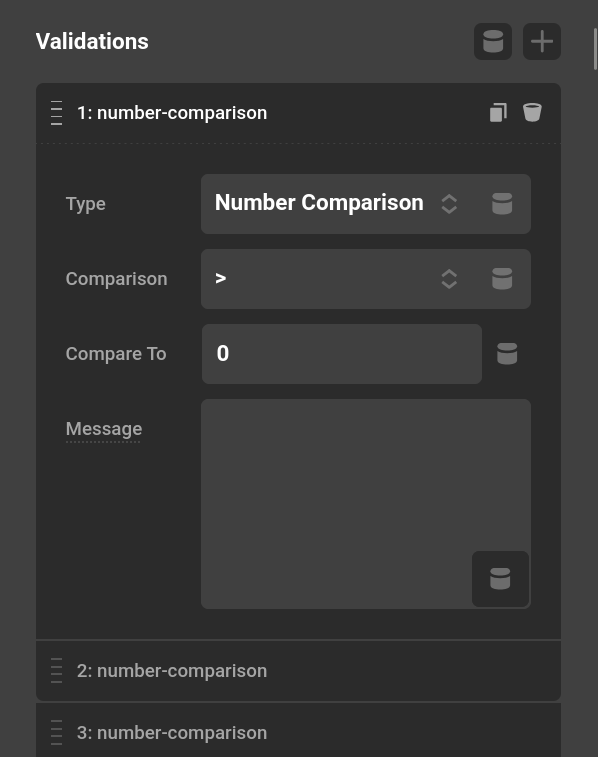
Click on the Validations Input to show the list of Validations. Each Validation can have its own custom error message.
Required
One of the most simple Validations, this will check if there is any data for the Input.
Value
This Validation checks if a value is equal to a value. It can be useful for a quiz or a honeypot field to check if a value is empty.
Character Comparison
This Validation can check the data has a certain number of characters. This can be useful if you want to ensure the user will send you at least 100 characters. Or if you want to prevent long messages by having less than 100 characters.
Date
An example here would be if you want to age-gate a Form or page for people over the age of 21.
This Validation checks if the Input is a valid email. This uses the WordPress function is_email internally.
Nonce
This is a very specific Validation that uses the wp_verify_nonce function. You should use the Nonce prefab if you want a Nonce added to your Form as it will setup everything for you. See CAPTCHA & Security for more on Nonce setup.
Number Comparison
You can use this Validation to ensure a number is equal, greater, or less than a comparison number. Using two of these Validations can get you a valid range of numbers using greater and less than.
ValidChoices
If you want a certain number of answers, you can use this Validation to have answers within the choices. When using the Select Element and Radio and Check list Elements this is unnecessary and will check if the data is in the valid options.
Summary
Validations ensure your Forms collect clean, reliable data. They work alongside Conditions for visibility control and Actions for post-submission processing.
- Cornerstone Forms Overview — Getting started with Forms
- Form Elements — All available Form Elements
- Form Actions — What happens after submission
- Form Conditions — Control Form visibility
- Dynamic Content — Access Form data with tokens
- Developer Guide — Build custom Validations
See something inaccurate? Let us know