Document Assets
Enqueue custom scripts and stylesheets on a per-document basis or globally across your entire site — all from inside Cornerstone without touching a plugin or functions.php.
@since Cornerstone 7.9.0+
Document Assets lets you attach external scripts and stylesheets directly to any Cornerstone document (page, template, header, footer, etc.) through a dedicated Custom Assets panel in the builder. A matching panel in Theme Options enqueues assets globally across every page of your site.
Accessing Document Assets
Per-Document (page, layout, or component settings)
Open any document in Cornerstone. In the builder's document settings panel, scroll to the Custom Assets group.
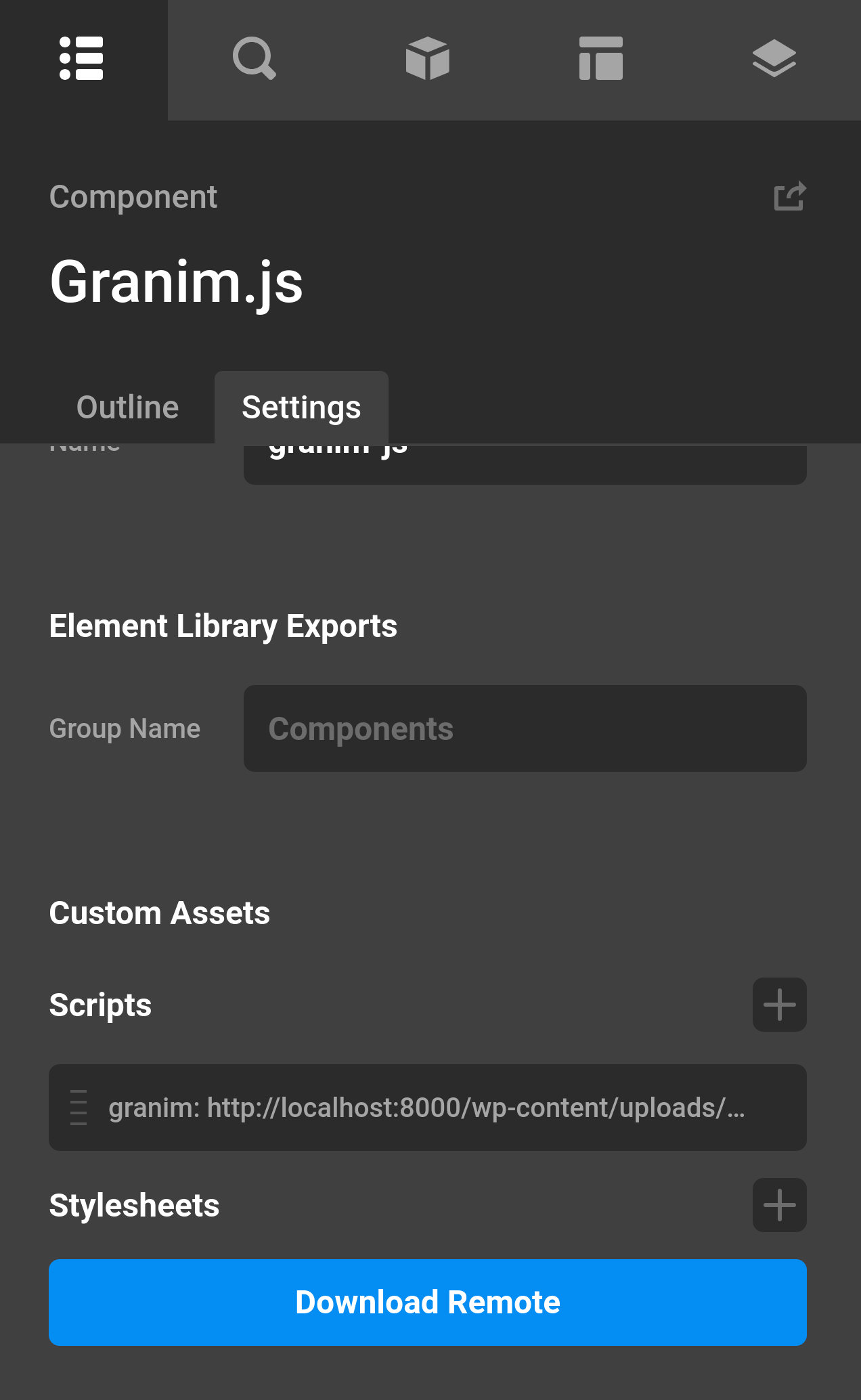
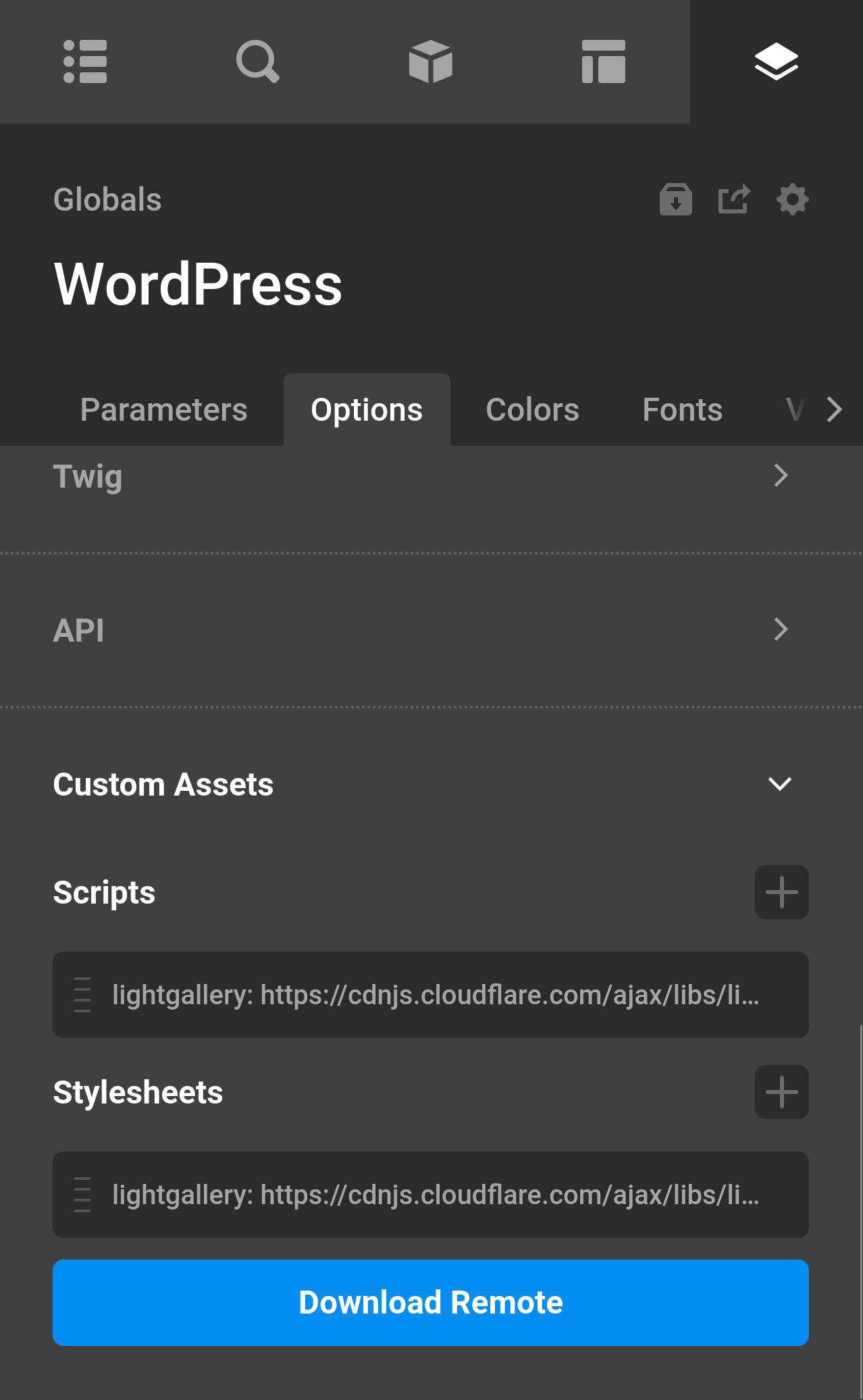
Global (Theme Options)
From the Cornerstone dashboard, go to Theme Options and open the Custom Assets module. Assets added here are enqueued on every page of your site.
Scripts
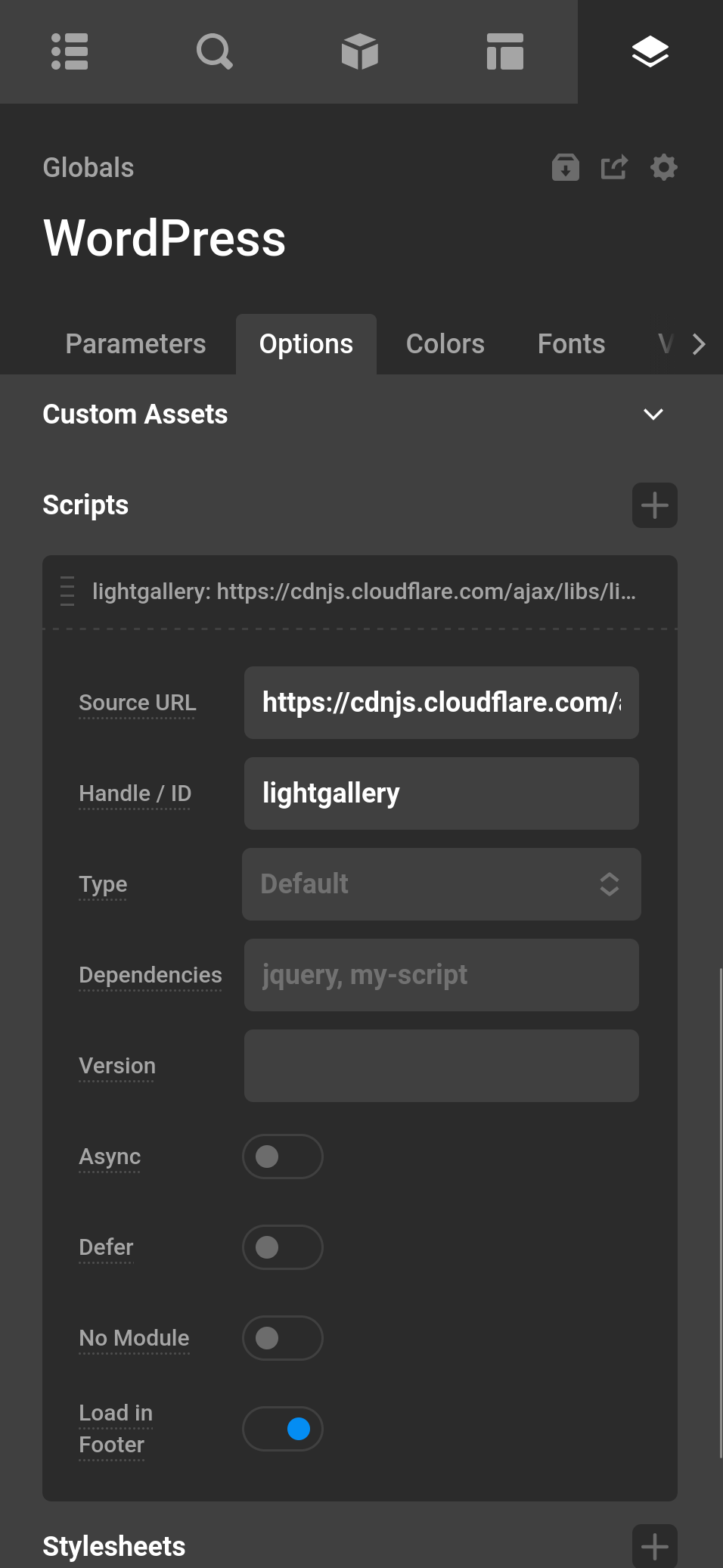
Each script entry is registered and enqueued via WordPress's wp_enqueue_script() and supports the following fields:
| Source URL | The full URL of the script file to load. |
| Handle / ID | A unique WordPress script handle. If left blank, a handle is auto-generated (cs-doc-script-0, etc.). Use a handle to target this script with wp_script_add_data() or to declare it as a dependency elsewhere. |
| Type | Sets the type attribute on the <script> tag. Choose Default (no attribute) or Module (type="module"). |
| Dependencies | Comma-separated list of handles that must load before this script (e.g. jquery, my-other-script). |
| Version | A version string appended as a query parameter for cache-busting (e.g. 1.2.0). Leave blank to omit. |
| Async | Adds the async loading strategy. The script downloads in parallel with parsing and executes as soon as it is available. |
| Defer | Adds the defer loading strategy. The script downloads in parallel with parsing and executes after the document is parsed. |
| No Module | Adds the nomodule attribute. Useful for serving fallback scripts to browsers that do not support ES modules. |
| Load in Footer | When enabled (default), the script is output before </body>. Disable to place it in <head>. |
| Field | Description |
|---|
Example: loading an ES module with a fallback
Add two entries:
src→ your module URL, Type →Modulesrc→ your legacy bundle, No Module → enabled
Browsers that support ES modules will load entry 1 and ignore entry 2; older browsers do the opposite.
Stylesheets
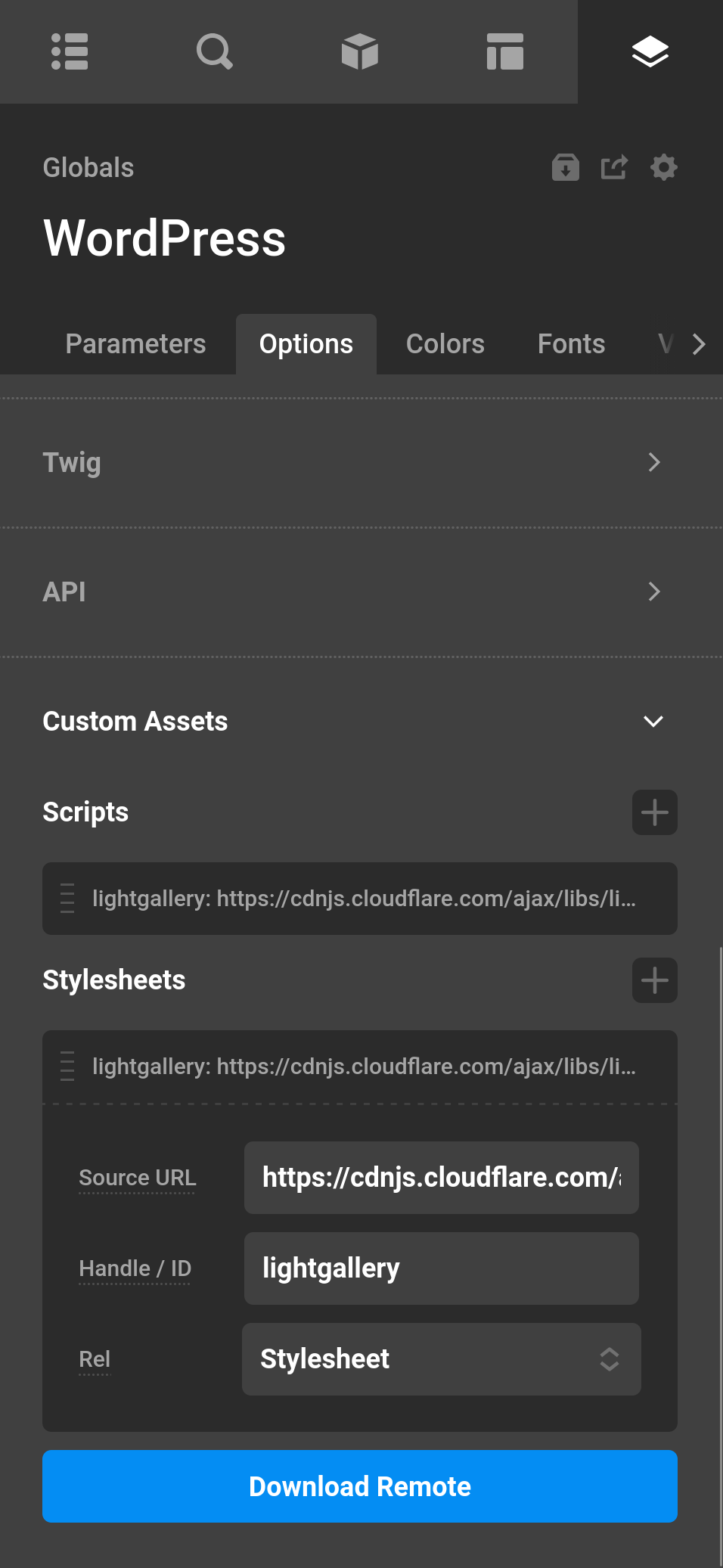
Each stylesheet entry is registered via wp_enqueue_style() and supports:
| Source URL | The full URL of the stylesheet or resource to link. |
| Handle / ID | A unique WordPress style handle. Auto-generated if blank. |
| Rel | Sets the rel attribute on the <link> tag. |
| Media | Sets the media attribute on the <link> tag. This attribute can specify which type of devices use this stylesheet. See this page for more info on this attribute. |
| Field | Description |
|---|
Rel options:
stylesheet | Standard stylesheet — loaded and applied immediately (default). |
preload | Hints the browser to fetch the resource early without applying it. Pair with an onload attribute or a second <link rel="stylesheet"> entry. |
prefetch | Low-priority hint to fetch the resource for a likely future navigation. |
modulepreload | Preloads an ES module and its dependencies. |
alternate | Alternate stylesheet (e.g. a print or high-contrast variant). |
| Value | Use case |
|---|
Download Remote
The Download Remote button will take any external URL resource and place that file into your uploads folder. Plenty of JS and CSS libraries will give you a CDN URL and with this feature you can serve the files yourself.
By default, downloaded files are saved to a cs-assets folder inside the WordPress uploads directory (wp-content/uploads/cs-assets).
Changing the download folder
Use the cs_document_assets_upload_folder filter to change the folder name used for downloaded assets. The default value is cs-assets:
add_filter( 'cs_document_assets_upload_folder', function( $folder ) {
	return 'my-custom-assets';
} );
With the example above, downloaded files are saved to wp-content/uploads/my-custom-assets and served from the matching URL.
Asset Priority
When multiple sources provide assets for a page, they are enqueued in this order:
- Global — assets defined in Theme Options → Custom Assets
- Document — assets attached to the current page or template
- Component — assets from any Cornerstone components used by that document (collected recursively)
Later entries in each list are enqueued after earlier ones, but standard WordPress dependency resolution applies — scripts with declared dependencies always load after their deps regardless of order.
Permissions
In the Cornerstone Settings permission editor under the Global section you can enable or disable users from editing Custom Assets. When disabled the controls will not be displayed and editing Custom Assets will be disabled. Look for the Custom Assets checkbox.
Disabling Document Assets
If you need to disable the entire feature, add the following to your theme's functions.php:
add_filter( 'cs_document_scripts_enabled', '__return_false' );See something inaccurate? Let us know