Release
Notes
September 14, 2026
6.9.4
7.9.4
10.9.4
Cornerstone keeps finding new ways to surprise and delight, and this release is no exception! It’s packed with powerful new features, thoughtful improvements, and refinements that make building faster, easier, and more intuitive.
But this cycle is about more than improving the experience.
From new Globals and Icons to smarter controls and more efficient workflows, Cornerstone continues to give you greater power over every part of your site. And with the arrival of the new Table Element and Data Tables, you can now design, search, sort, filter, and paginate dynamic data in ways that simply weren’t possible before.
More control. More possibility. More Cornerstone.
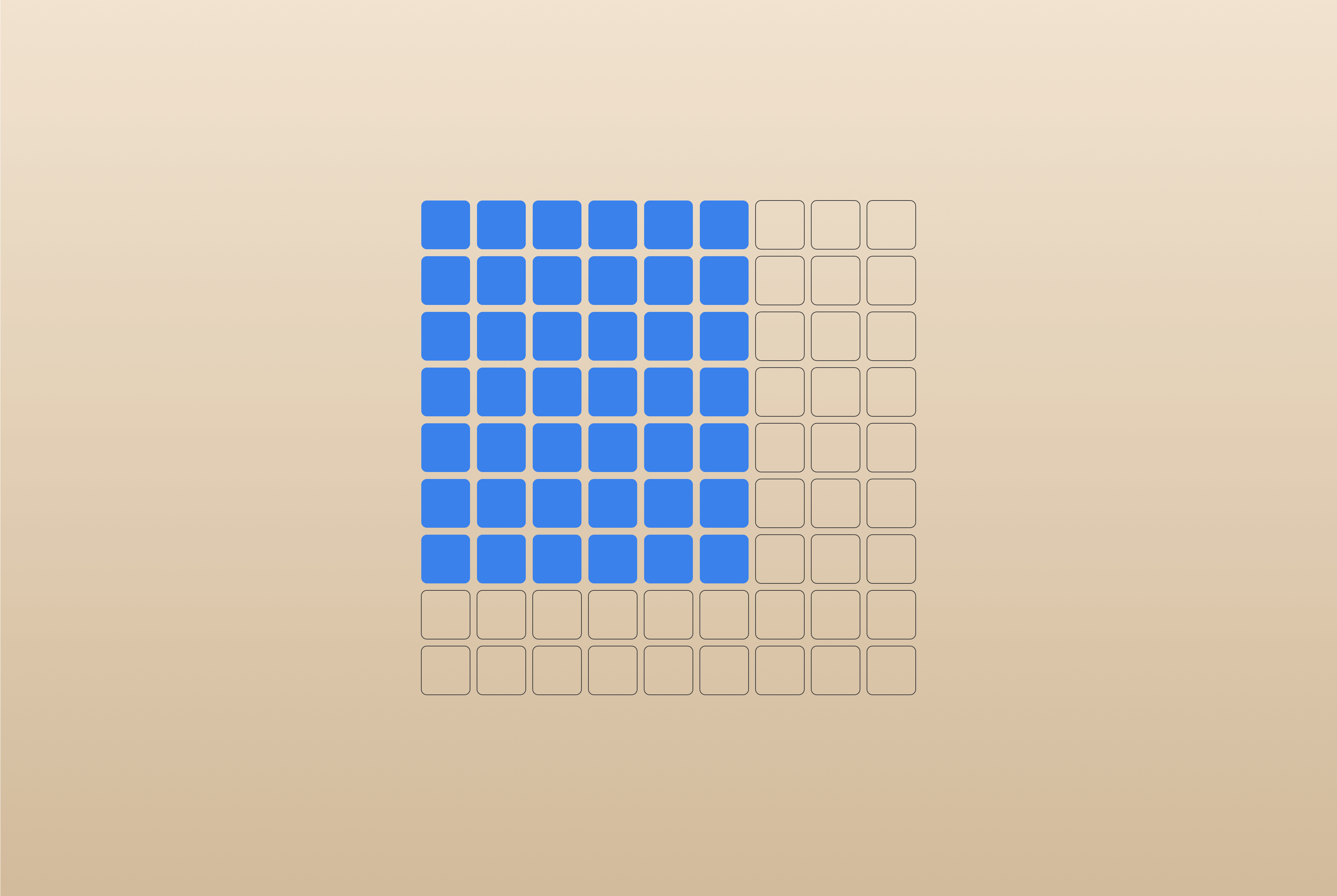
Table Element
Somebody call the ’90s because they want their Element back.
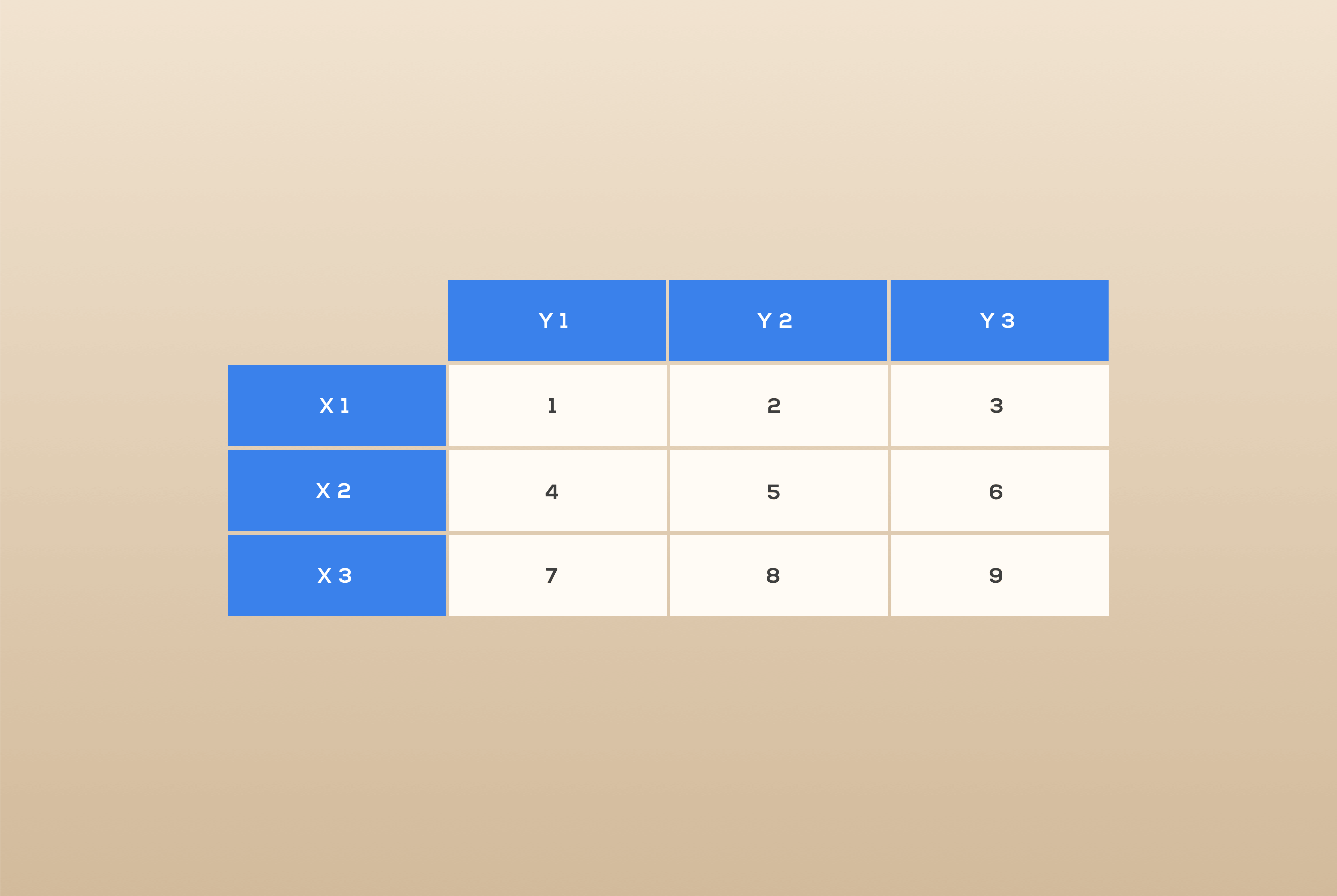
Then again, tables never really went out of style. They have always been one of the best ways to organize and display unique data, so we decided it was time Cornerstone had one of its own. Meet the new Table Element, built specifically for Cornerstone and ready to configure and style with all the power and flexibility of the builder.
But you know us. We couldn’t just give you a table and call it a day.
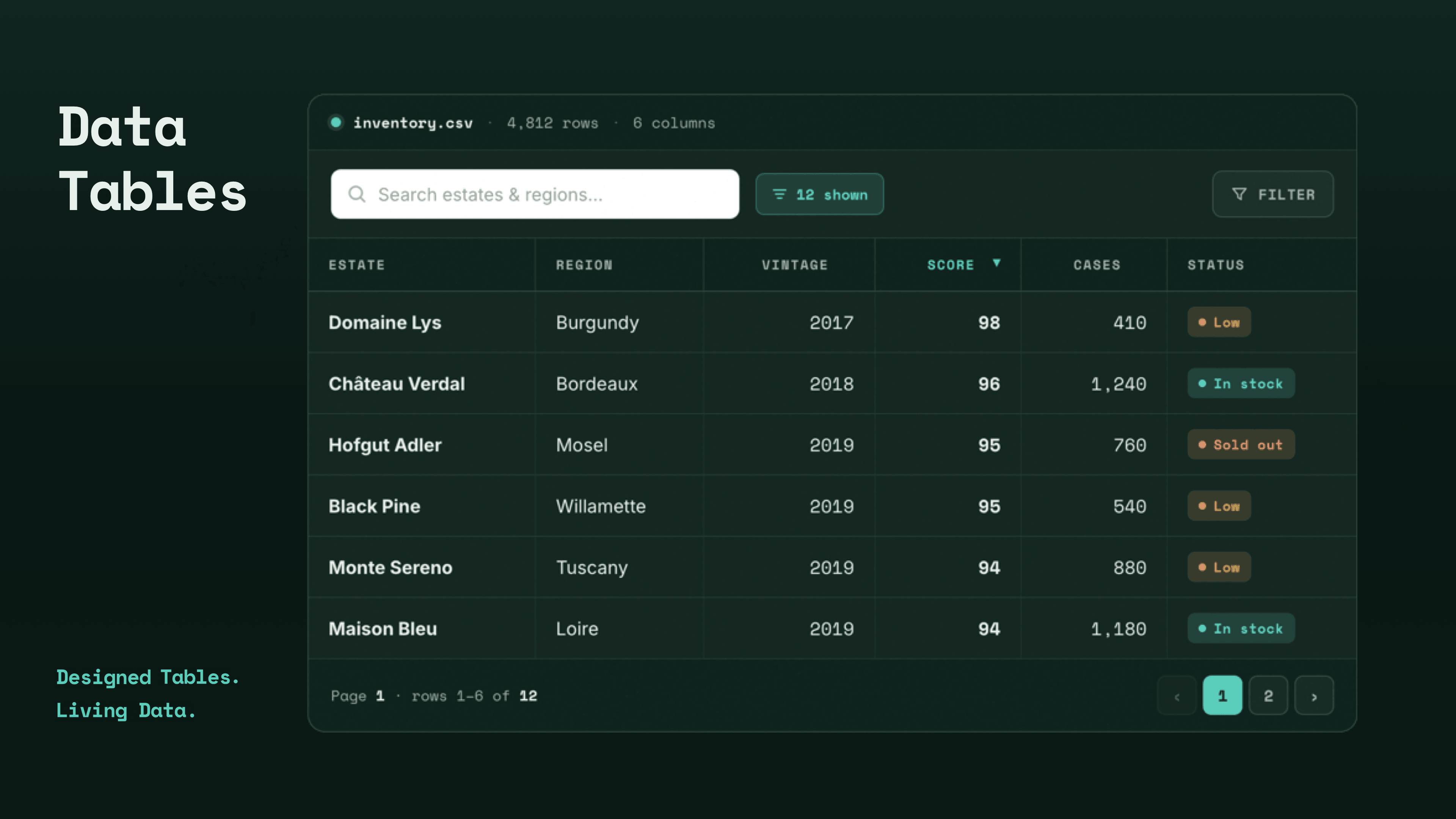
If you’re ready to send your tables into another stratosphere, say hello to Data Tables. This powerful new plugin lets you fully design, sort, search, filter, and paginate your data. Use AJAX to keep massive datasets fast and responsive, transform tables into mobile-friendly cards, add fixed headers, and much, much more.
Data Tables is the newest addition to Max. More details below.
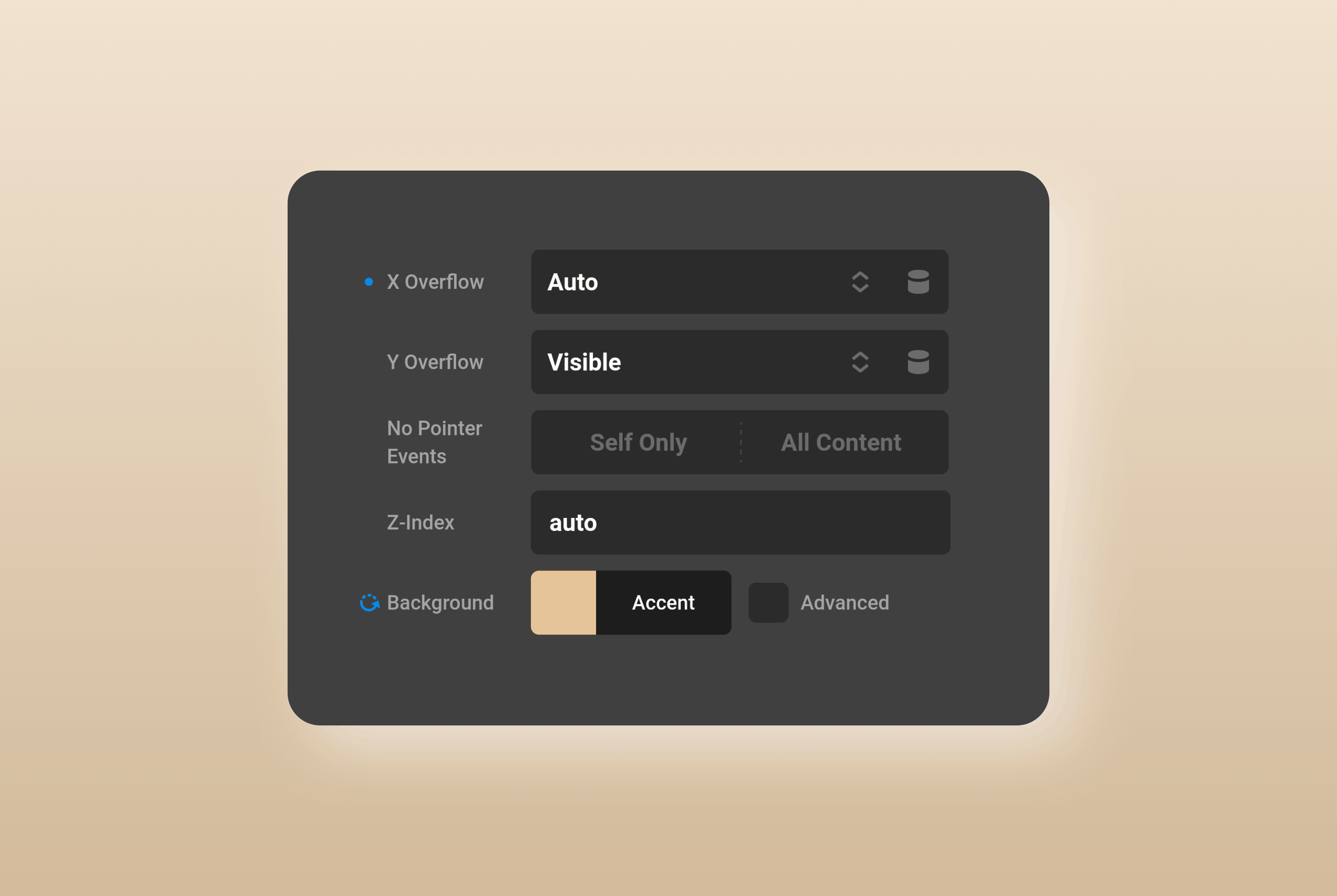
Modified Controls UI
Ever wonder exactly what you’ve changed? Modified Controls gives you an instant view of every Element and Theme Options setting that differs from its default. Jump directly to any modified control, reset it with a click, or use Toggle Controls Visibility to hide everything you haven’t changed. It’s a faster, cleaner way to focus on the things that matter.
Convert to Component
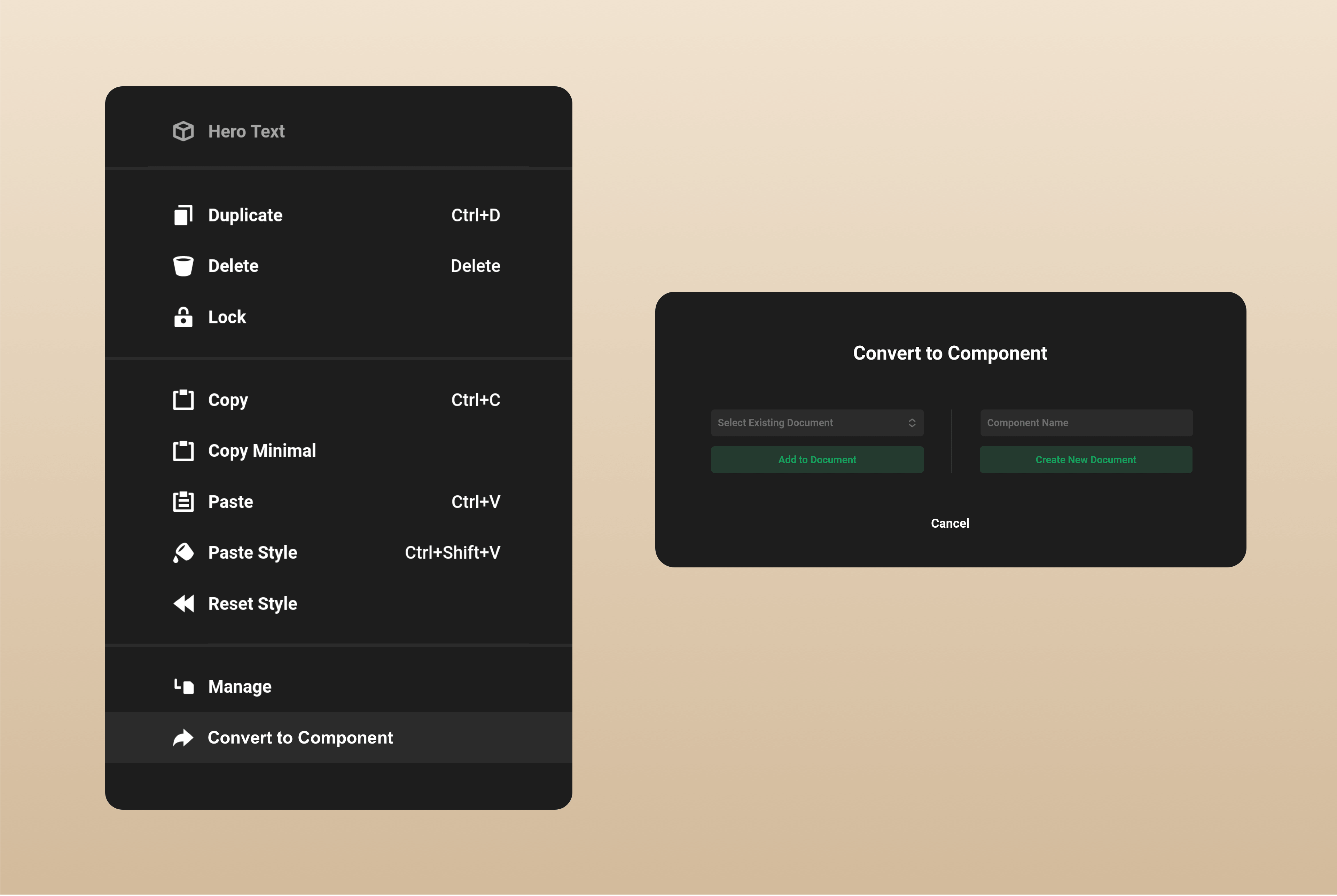
We’ve all been there. You finish designing the perfect Element, then realize you want to use it somewhere else on your site. You could create a new Component and start copying and pasting, but now there’s a much faster way.
Open the Convert to Component context menu (right click), then choose whether to create a new Component or add the Element to an existing one. Once you’re done, the Component opens automatically and your original Element is replaced with the new Component, ready to use anywhere.
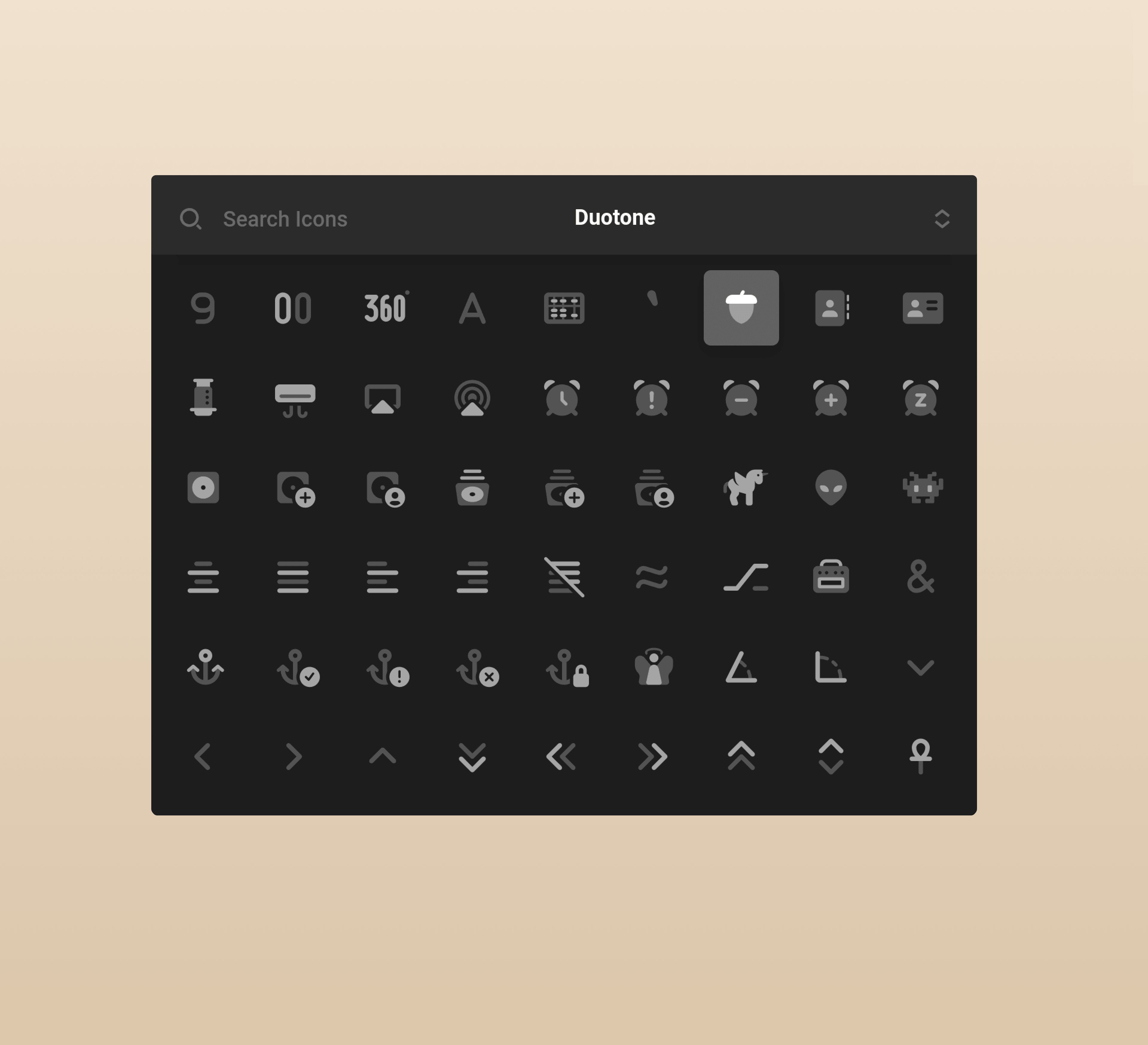
Awesome Duotone Icons
Font Awesome Duotone icons have arrived in Cornerstone. These distinctive icons use two layers, with a softer secondary layer adding depth and contrast to the primary color. It’s an easy way to bring more dimension, personality, and visual impact to your designs.
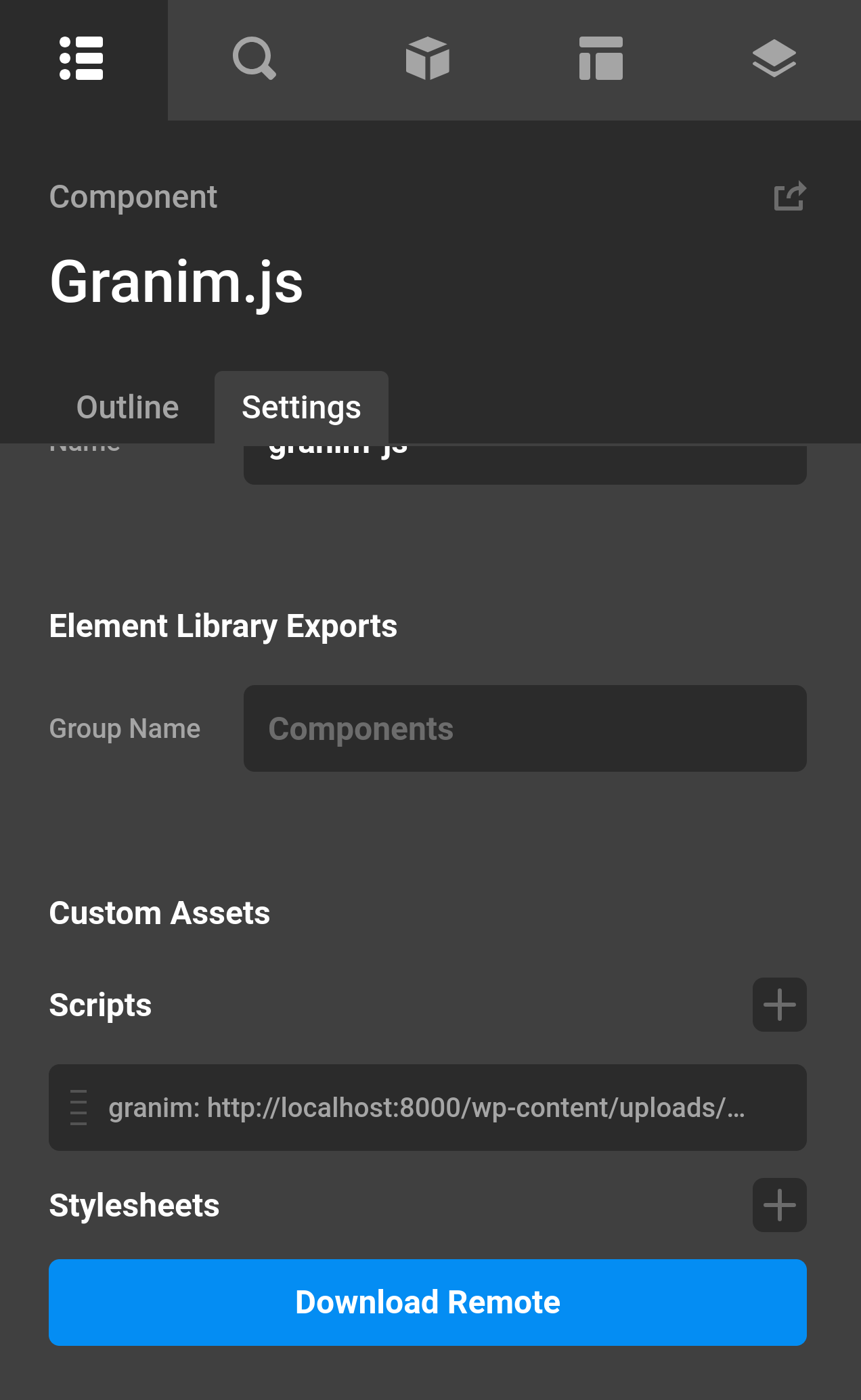
Custom Document Assets
Say goodbye to creating a Child Theme just to load an external script. Custom Document Assets lets you add scripts and CSS stylesheets directly from Theme Options or at the individual Document level right to Cornerstone. Pair it with Components or Parameters, and you can build entirely new custom Elements powered by external JavaScript libraries.
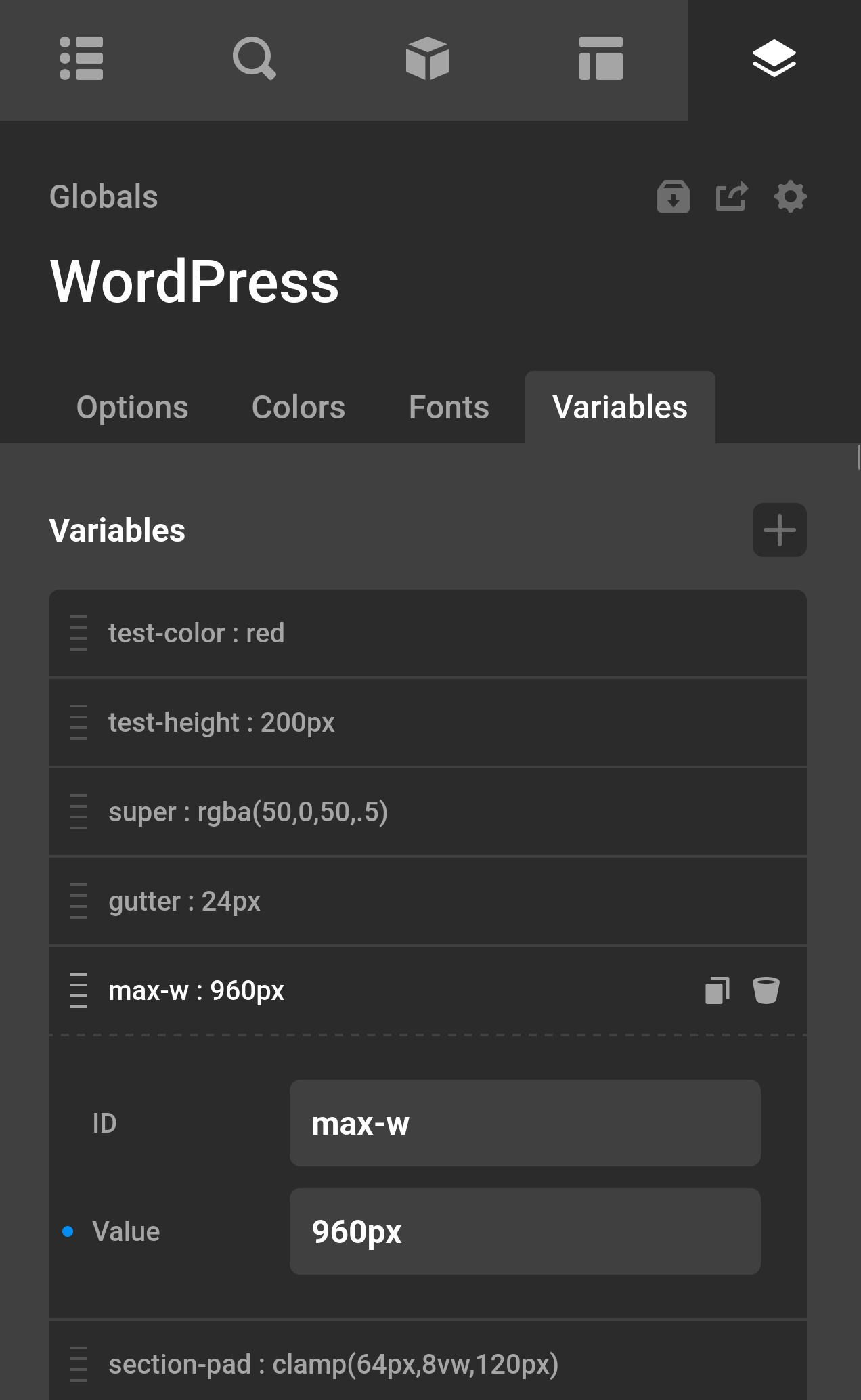
Global Variables
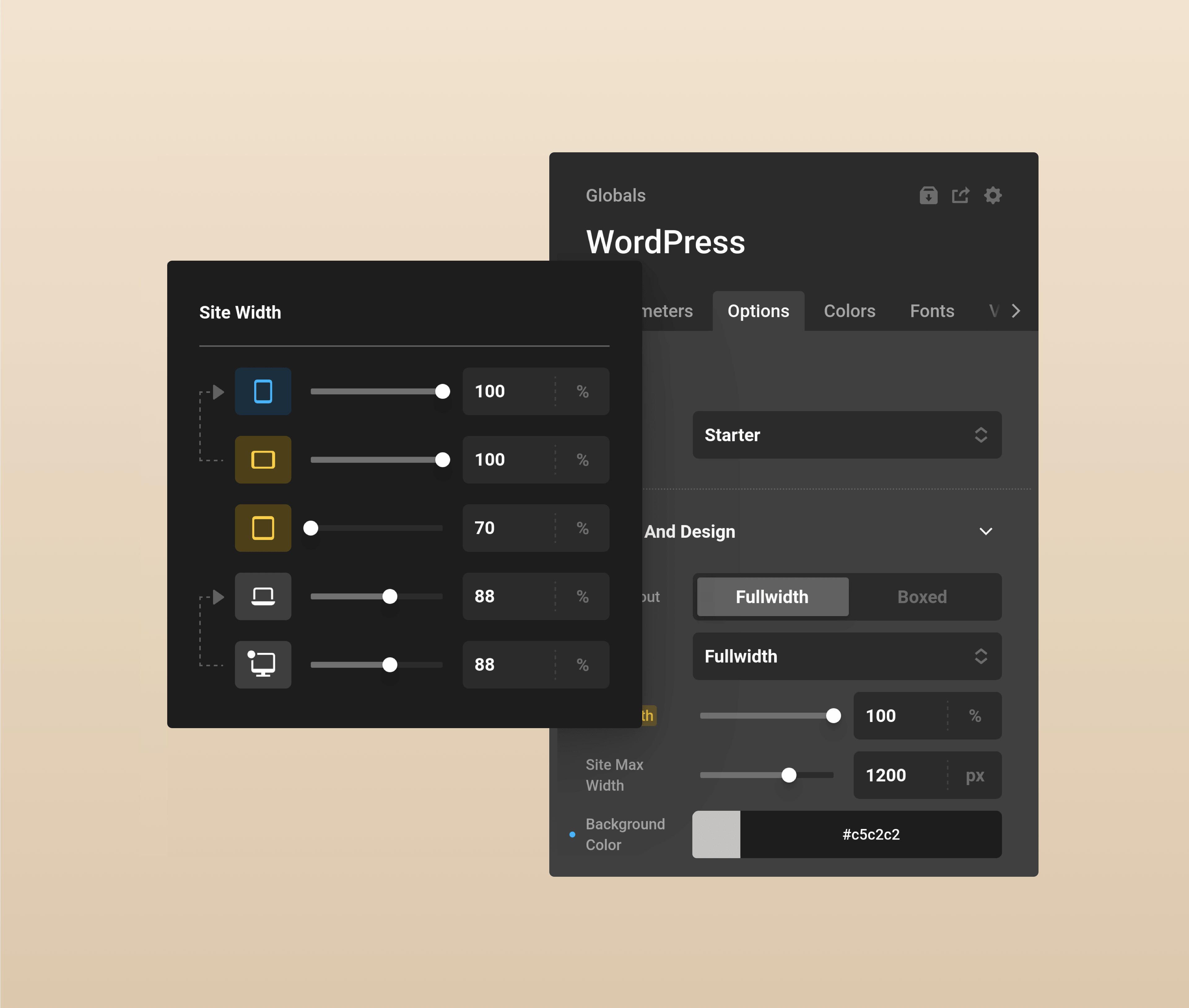
CSS Variables get the full Cornerstone treatment with the all new Globals. Just like Colors and Fonts, you can create reusable values for anything from padding and gaps to font sizes and more. Use a Global throughout your site, then update it once to change every instance. Best of all, you can define different values at each breakpoint, giving you precise control over how your site adapts from desktop to mobile.
Theme Options Breakpoints
A number of Theme Option values can now be customized at individual breakpoints. Set different site max widths for desktop, tablet, and mobile to gain even greater control over how your designs respond across devices.
This functionality is available across every Stack and will remain a valuable addition to Theme Options moving forward.
But Wait, There's More
- All Elements with Looper Consumer Controls now also have Looper Provider Controls.
- Changing a Global Color will also change the same colors if they were used on a separate Document like another Page, Header, or Footer.
- Icon Dynamic Content lets you add an icon anywhere HTML is accepted.
Data Tables
Data Tables is the most comprehensive table plugin on the market. Fully native to Cornerstone, you can search, sort, filter, and paginate your data, use AJAX to handle large datasets, and style every detail with the full power of everyone's favorite builder.
But that's really just scratching the surface. You can also source tables from text, JSON, Post Types, or even external data. There are no rigid templates and no technical ceiling — just complete freedom to design and display your data, your way.
👉🏼 Purchase Data Tables
(Lifetime Deal & Unlimited Use)
👉🏼 Purchase The Cornerstone Builder Suite
(All Builder Features & All Products)
Go Pro
We've created the most advanced builder in WordPress, and we invite you to join us! Through impressive new features, world-class support, and powerful addons including courses, expansion packs, and plugins — discover why the Cornerstone Builder is the perfect choice for your next personal or client website. Prices from just $99/yr.
Changelog
- Pro 6.9.4 - September 15, 2026
- Feature: Component usage list in the Manage Element window
- Updated: Accessibility updates around menus, jump links, and aria-expanded usage in toggles
- Updated: TSS subtle speed improvements
- Updated: Modern Events Calendar will receive theme licensing information from us for future Pro support
- Bugfix: ACF icon tab flex fix was affecting too many places in the ACF UI
- Bugfix: CSV looper was capable of utilizing url schemas that are not valid to CSVs
- Cornerstone 7.9.4 - September 15, 2026
- Feature: Component usage list in the Manage Element window
- Updated: Accessibility updates around menus, jump links, and aria-expanded usage in toggles
- Updated: TSS subtle speed improvements
- Bugfix: ACF icon tab flex fix was affecting too many places in the ACF UI
- Bugfix: CSV looper was capable of utilizing url schemas that are not valid to CSVs
- X 10.9.4 - September 15, 2026
- Updated: Accessibility updates around menus, jump links, and aria-expanded usage in toggles
- Updated: Modern Events Calendar will receive theme licensing information from us for future Pro support
- Pro 6.9.3 - September 1, 2026
- Feature: Certain element conditions will be automatically converted to their translation counter parts when using WPML
- Feature: Menu looper will have titles similar to the menu elements select box and menu locations are selectable in the menu looper
- Updated: pt unit value supported in font size based unit sliders
- Updated: _cornerstone_data WPML config uses copy-once which was causing issues with Polylang when using just copy
- Bugfix: Accordion using gradients on header text would have strange hover issues
- Bugfix: When adding in a Global value, like Color or Font, and the ID you were adding conflicted with another ID the list would glitch out
- Bugfix: Pagination buttons using gradients would conflict with colors and not display properly
- Bugfix: Element inspector label update would have unexpected results when in split mode and selecting another element when the label was being edited
- Bugfix: Theme options breakpoints would not be at the right widths when the base breakpoint was the largest possible breakpoint
- Bugfix: Using Twig on a group parameter would not always output the correct value
- Cornerstone 7.9.3 - September 1, 2026
- Feature: Certain element conditions will be automatically converted to their translation counter parts when using WPML
- Feature: Menu looper will have titles similar to the menu elements select box and menu locations are selectable in the menu looper
- Updated: pt unit value supported in font size based unit sliders
- Updated: _cornerstone_data WPML config uses copy-once which was causing issues with Polylang when using just copy
- Bugfix: Accordion using gradients on header text would have strange hover issues
- Bugfix: When adding in a Global value, like Color or Font, and the ID you were adding conflicted with another ID the list would glitch out
- Bugfix: Pagination buttons using gradients would conflict with colors and not display properly
- Bugfix: Element inspector label update would have unexpected results when in split mode and selecting another element when the label was being edited
- Bugfix: Theme options breakpoints would not be at the right widths when the base breakpoint was the largest possible breakpoint
- Bugfix: Using Twig on a group parameter would not always output the correct value
- X 10.9.3 - September 1, 2026
- Updated: _cornerstone_data WPML config uses copy-once which was causing issues with Polylang when using just copy
- Bugfix: Theme options breakpoints would not be at the right widths when the base breakpoint was the largest possible breakpoint
- Pro 6.9.2 - August 18, 2026
- Feature: Inline flex option for all elements that have flexbox controls
- Feature: Convert to Global color option in the color picker
- Updated: Document list will wait to a bit before sending the REST request to limit number of requests sent and to speed up the process
- Updated: WooCommerce Product category condition will also work on product category pages and not just specific WooCommerce default loop setup
- Bugfix: Markup designated colors like in the Cornerstone Charts did not work in preview with global colors
- Bugfix: Slot based singular components did not render properly in the preview. For example a Forms select component that was also a slot
- Bugfix: Certain components were rendering their entire document and not specific components
- Cornerstone 7.9.2 - August 18, 2026
- Feature: Inline flex option for all elements that have flexbox controls
- Feature: Convert to Global color option in the color picker
- Updated: Document list will wait to a bit before sending the REST request to limit number of requests sent and to speed up the process
- Updated: WooCommerce Product category condition will also work on product category pages and not just specific WooCommerce default loop setup
- Bugfix: Markup designated colors like in the Cornerstone Charts did not work in preview with global colors
- Bugfix: Slot based singular components did not render properly in the preview. For example a Forms select component that was also a slot
- Bugfix: Certain components were rendering their entire document and not specific components
- X 10.9.2 - August 18, 2026
- Updated: WooCommerce Product category condition will also work on product category pages and not just specific WooCommerce default loop setup
- Pro 6.9.1 - August 11, 2026
- Feature: Headlines have an inline flex option
- Updated: Comment list element will display comments on a post that had prior comments, but now have their comments turned off
- Bugfix: Duotone icons that had a fixed width and a different font-size would not display properly
- Bugfix: Theme Options using breakpoints when the base breakpoint was not the largest would not display properly
- Bugfix: Built in headers would lose their styling when editing the theme options
- Bugfix: Social descriptions would give an error on a post that was not valid
- Cornerstone 7.9.1 - August 11, 2026
- Feature: Headlines have an inline flex option
- Updated: Comment list element will display comments on a post that had prior comments, but now have their comments turned off
- Bugfix: Duotone icons that had a fixed width and a different font-size would not display properly
- Bugfix: Theme Options using breakpoints when the base breakpoint was not the largest would not display properly
- X 10.9.1 - August 11, 2026
- Bugfix: Built in headers would lose their styling when editing the theme options
- Bugfix: Social descriptions would give an error on a post that was not valid
- Pro 6.9.0 - August 4, 2026
- Feature: Table Element
- Feature: Font Awesome Duotone singular color support
- Feature: Theme options can have breakpoint values
- Feature: Modified Control UI
- Feature: Create as Component context menu option
- Feature: Custom Document Assets
- Feature: Global Variables
- Feature: Icon Dynamic Content let's you add an icon anywhere it would accept HTML
- Feature: Action control type
- Feature: Cell element has a margin control
- Feature: Icon element has a stroke color control
- Feature: Control List Editor has an import and export option. For the Variables list, Twig, and External API globals
- Feature: Post dynamic content original post setting
- Updated: All elements that had Looper Consumer controls also have Looper Provider controls
- Updated: Changing a global color will also change the same colors if they were used on a separate document on the page, like a Header or Footer
- Updated: Font Awesome 7.3.0
- Updated: Context menu dividing lines are full width
- Updated: Choose control breakout mode reset will reset to initial parameter value if supplied in the parameter JSON
- Updated: Update URI provided for cornerstone plugin
- Updated: wpml-config.xml updated with WPMLs version
- Updated: Legacy CSS functions like alpha is supported
- Bugfix: When using a mobile base breakpoint, various controls would not display their breakpoint values proplery
- Bugfix: Group parameter issue when using isVar
- Bugfix: Type error on admin enqueue with invalid permissions
- Bugfix: Multisite theme update check was not checking if a theme was a valid directory
- Bugfix: WP CLI plugin updates not getting checked properly
- Bugfix: CTRL+Z undo didn't work unless a document was open
- Bugfix: Deprecated element permissions were improperly showing they were enabled
- Cornerstone 7.9.0 - August 4, 2026
- Feature: Table Element
- Feature: Font Awesome Duotone singular color support
- Feature: Modified Control UI
- Feature: Create as Component context menu option
- Feature: Custom Document Assets
- Feature: Global Variables
- Feature: Icon Dynamic Content let's you add an icon anywhere it would accept HTML
- Feature: Action control type
- Feature: Cell element has a margin control
- Feature: Icon element has a stroke color control
- Feature: Control List Editor has an import and export option. For the Variables list, Twig, and External API globals
- Feature: Post dynamic content original post setting
- Updated: All elements that had Looper Consumer controls also have Looper Provider controls
- Updated: Changing a global color will also change the same colors if they were used on a separate document on the page, like a Header or Footer
- Updated: Font Awesome 7.3.0
- Updated: Context menu dividing lines are full width
- Updated: Choose control breakout mode reset will reset to initial parameter value if supplied in the parameter JSON
- Updated: Update URI provided for cornerstone plugin
- Updated: wpml-config.xml updated with WPMLs version
- Updated: Legacy CSS functions like alpha is supported
- Bugfix: When using a mobile base breakpoint, various controls would not display their breakpoint values proplery
- Bugfix: Group parameter issue when using isVar
- Bugfix: Type error on admin enqueue with invalid permissions
- Bugfix: WP CLI plugin updates not getting checked properly
- Bugfix: CTRL+Z undo didn't work unless a document was open
- Bugfix: Deprecated element permissions were improperly showing they were enabled
- X 10.9.0 - August 4, 2026
- Updated: Font Awesome 7.3.0
- Updated: wpml-config.xml updated with WPMLs version
- Bugfix: Multisite theme update check was not checking if a theme was a valid directory
- Bugfix: WP CLI plugin updates not getting checked properly
FAQ
Status
- 08/03/26: Pro 6.9.0, X 10.9.0, and Cornerstone 7.9.0 available via manual updates
- 08/10/26: Pro 6.9.1, X 10.9.1, and Cornerstone 7.9.1 available via automatic and manual updates
- 08/17/26: Pro 6.9.2, X 10.9.2, and Cornerstone 7.9.2 available via automatic and manual updates
- 08/31/26: Pro 6.9.3, X 10.9.3, and Cornerstone 7.9.3 available via automatic and manual updates
- 09/14/26: Pro 6.9.4, X 10.9.4, and Cornerstone 7.9.4 available via automatic and manual updates
The following confirmed issues are specific to this cycle. If listed here we are planning to address it in a subsequent point release. Items will be crossed off as they are corrected and you will see corresponding notes in the changelog above.
- None reported so far