Setting font styles

Hi,

I set up a font type in Font Manager for Title, which is the field that displays “Instructors” below. But it didn’t change the appearance. And all the font sizes are too big, which nothing I do in the stepped area seems to change.

I am used to setting up font sizes for my h1, h2 etc but I don’t see a way to control that, just the weight and font. What am I doing wrong!

Thanks
Hi @pforastiero,

Thank you for writing in, Content Font Size generally can be adjusted under Theme Options > Typography

But in your case, it seems you use the default Wordpress content editor, that’s why you did not get all the options you need. I would strongly advise that you use the Cornerstone content builder moving forward. That is where the true power of the Theme is. It might take some time to learn it, but once you get the hang of it, it will enable you to create modern-looking pages fast.

Cornerstone/Content Builder 101
Adding elements
Text element formating

Cheers!

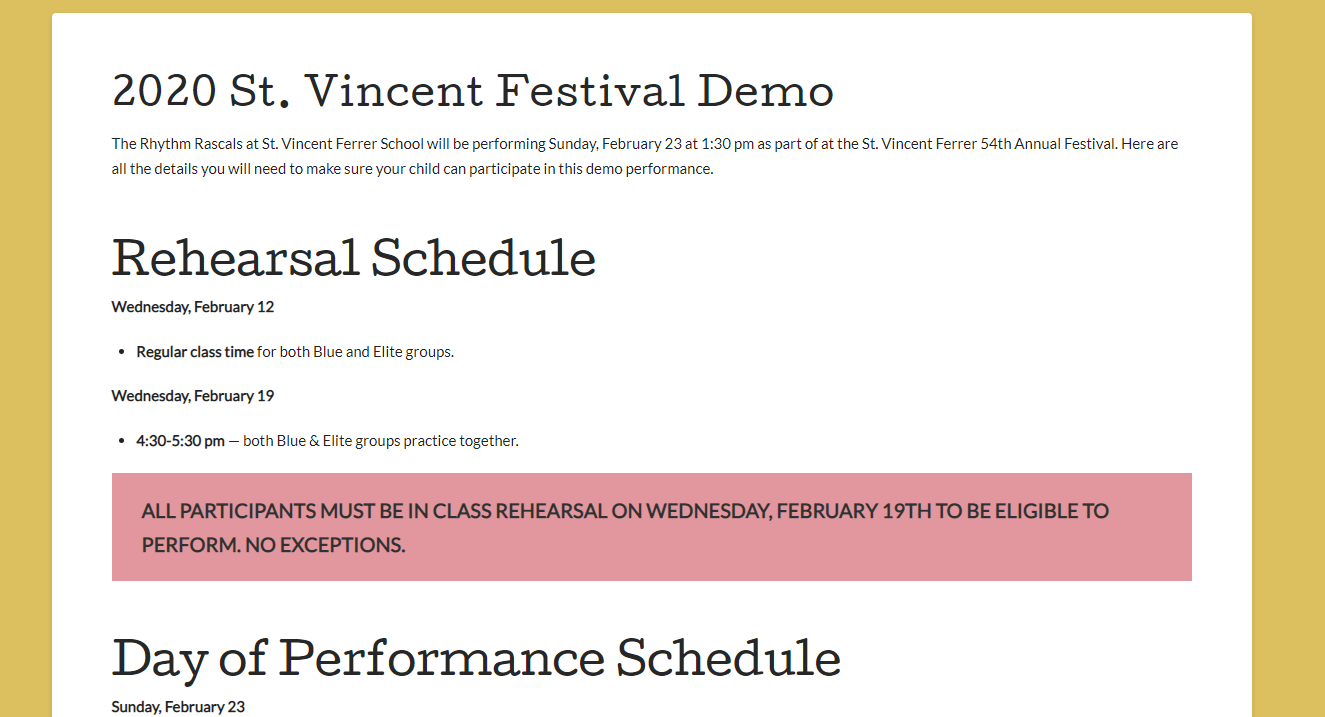
I am using Cornerstone to create all my pages, but was trying not to for the regular posts. For the pages, I ended up having to adjust all my h2, h3 etc, to be 0.8 em or .5 em to make them smaller. What I don’t understand is why, by default, my H2s are larger than my H1 and how to fix it. In the example, the 2020 heading is the blot post title (which then becomes the H1). The other 2 headings are H2.

Also, I’d ideally like to make my H1 Cutive and the rest of my headings Lato. How do I do that?

Hi @pforastiero,

In that case, you may add this to X > Theme Options > CSS:

.single-post .entry-wrap h1 {
    font-size: 20px;
}

.single-post .entry-wrap h2 {
    font-size: 18px;
}

.single-post .entry-wrap h3 {
    font-size: 16px;
}

.single-post .entry-wrap h4 {
    font-size: 14px;
}

.single-post .entry-wrap h5 {
    font-size: 13px;
}

.single-post .entry-wrap h6 {
    font-size: 12px;
}

Hope this helps.

This worked perfectly thank you. One more font problem, though… My font size aren’t decreasing on the smaller screen sizes, so they’re huge on mobile.

Hi @pforastiero,

Please adjust the font-size value on the CSS code given above and use em or rem unit.

CSS units for font-size: px | em | rem

Cheers!

thanks, that worked!

You’re welcome!
We’re glad we were able to help you out.

This topic was automatically closed 10 days after the last reply. New replies are no longer allowed.