Portfolio from Cloud demo: error and white

Hello everyone.

I installed the complete Integrity Business Demo content, but when I launch the portfolio site, I get this error (see attachted screenshot). I deactivated the few Plugins I use, but no luck.

Also, I see no possibility to alter any of the design settings for portfolio, i.e. I’d like to have a dark background color and remove the social media icons… Is there a way?

Pro v4, child theme, WP 5.6

Thanks for your help
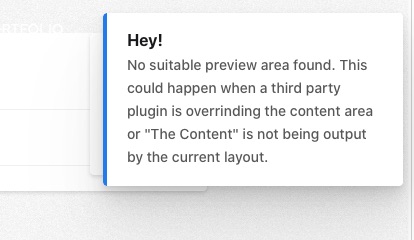
web-area

Hello @MarcNathmann,

Thanks for writing in! Please be advised that you cannot edit the portfolio page, single portfolio items, or any page that uses the Layout - Portfolio. If you want to have your own Portfolio layout, you will have to create your own layout using the new Layout Builder that we have just released in Pro 4.0. To get acquainted with the Layout Builder, please check out the following video tutorials:

Release Notes:

Hope this helps.

This topic was automatically closed 10 days after the last reply. New replies are no longer allowed.