How to edit type of accordian element

Can you let me know how to edit the accordian element? I’ve read the page on how to edit, but don’t see the customizations that it list. I would like to use the accordian demo that is laid out in the second attached picture. The one I currently have has an arrow I would like to remove (I’m not even sure how to move the text to align).

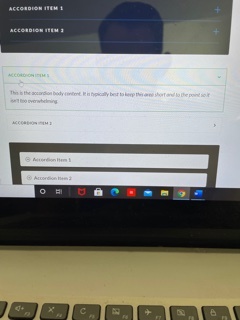
Accordian - not centered or formatted Accordian - how to

Hey Raymond,

Thanks for writing in!

The accordion styles on this dem: https://demo.theme.co/elements/#accordion can be achieved by adjusting the styles in the accordion element settings. You can check out the documentation here: https://theme.co/docs/accordion to get familiar with the accordion element. If you don’t see some of the accordion element style options, you need to turn on the Advanced Mode by going to the Settings > Preferences > Advanced Mode


Hope this helps.

Hi @ruenel, I have the advanced mode checked, but I’m still not seeing the options for these other accordion layouts. I’ve read the document through several times and reviewed the different pages, but I’m not sure what I’m missing or why I’m not seeing it?

Hi Raymond,

I have checked the Accordion element and found the options are showing into it. I have created a Test page and added an Accordion element, please find the URL in the secure note.

Hope it helps.
Thanks

Hi @tristup, thank you! I was finally able to see how to make the changes. I appreciate the detailed pictures. The only thing that I can’t figure out is how to line up my text with the icon horizontally. Yours is perfectly lined up, but my text (you can see in pic) is above the icon. I can’t figure out how to adjust vertically so they line up horizontally.

Hey Raymond,

To align the text with the icon, either remove the <p></p> tags from the titles or you can add the following code in the Element CSS of the Accordion element:

$el .x-acc-header .x-acc-header-text p {
    margin: 0;
}

Please note that the code provided above serves as a guide only and is to help you in getting started so implementing it and maintaining the code will be out of our support scope and for further maintenance for new possible versions of the theme that may cause the customization to break, you will need to hire a developer.

Hope this helps!

Thank you, @nabeel! That did the trick!

Hi Raymond,

Glad that we are able to help you.

Thanks

This topic was automatically closed 10 days after the last reply. New replies are no longer allowed.