Hi!
I would like to hide the logo on my page, but I would like to keep the header under the Revolution slider. I found one CSS for hiding it, but it changed to header to be on the top of the page.
Thank you!
Hi!
I would like to hide the logo on my page, but I would like to keep the header under the Revolution slider. I found one CSS for hiding it, but it changed to header to be on the top of the page.
Thank you!
Hey Anni,
Hiding the logo is not a feature offered in X. I’d recommend staying away from custom CSS if you’re not into coding because we do not provide custom CSS as part of our theme support nor we fix custom code issues. We’re sorry if this wasn’t clarified in the threads where you found the CSS.
The official solution to this is to upgrade X to Pro so you can use the Header Builder which will allow you to add the elements you only need in the Header bar.
Thank you for understanding.
I understand, earlier I have got nice codes from you. But understand it´s a lot of work. I will think another solution.
Hey @anni,
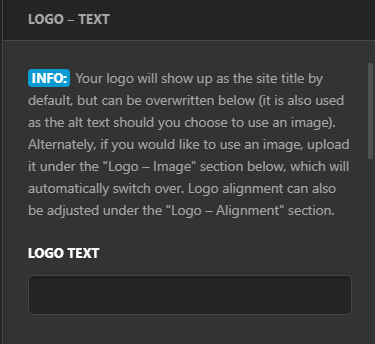
To hide the logo, you’ll need to remove the Logo - Image and Logo Text via Theme Options > Header
Then you also need to remove the Site Title via Appearance > Customize > Site Identity
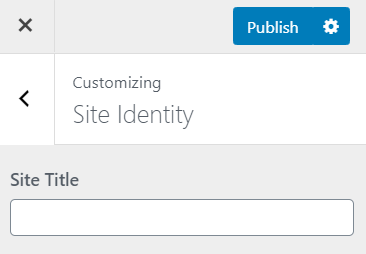
This will completely remove the logo from the header. However if you need more in-depth changes, consider upgrading to Pro please see https://theme.co/docs/converting-from-x-to-pro and https://theme.co/docs/the-difference-between-x-pro
Hope this helps!
Ah, it works like that  Thank you!
Glad we could help,
Cheers!
This topic was automatically closed 10 days after the last reply. New replies are no longer allowed.
