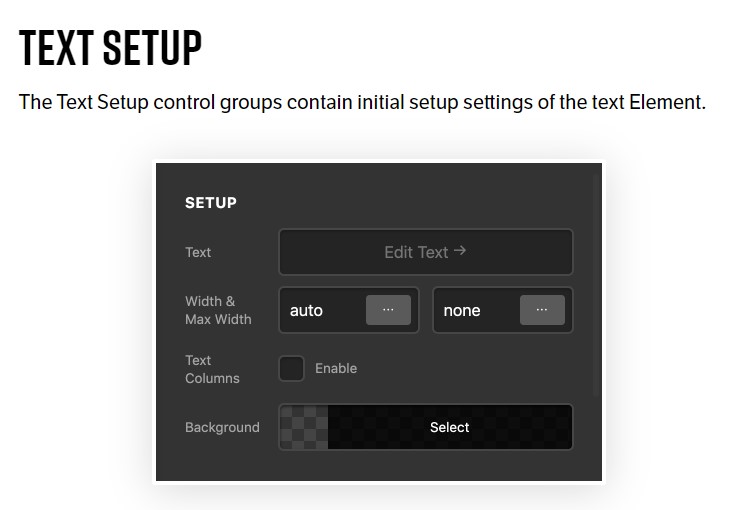
How to access the setup of the text element in the left panel?
I need to assign the width of the text element without css.
Thank you
Hi Oriol,
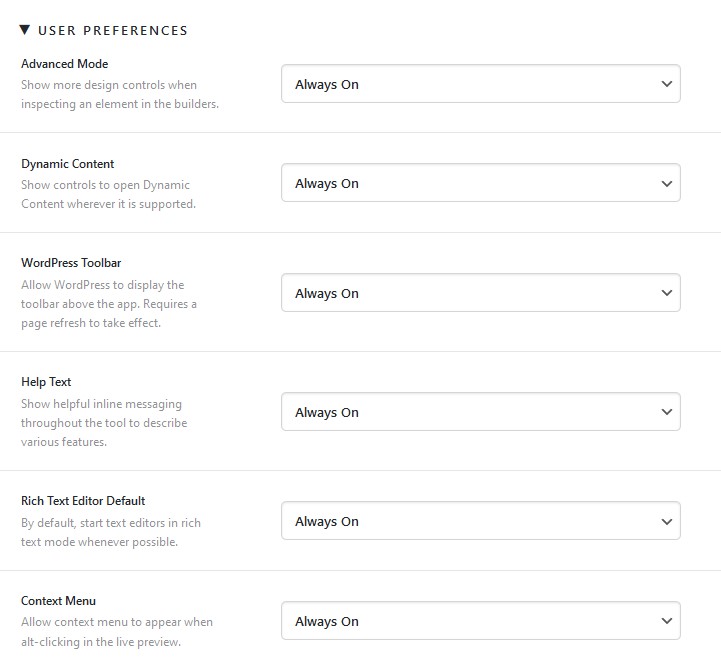
You need to enable the Advanced Mode to see the extra options in Cornerstone. Kindly read the Advanced Mode article for more information.
Hi Christopher, I am using the X theme and I don’t have Advanced Mode in settings.
To use all the elements it is necessary to configure the permissions
Thanks for your answer.
Oriole
Hi Oriole,
That is not the correct place to enable the Advanced Mode, you need to go to X > Theme Options and click the cog icon at the left-bottom of the screen and in the modal you will see the Advanced Mode feature.
kindly get back to us with the result of the steps above and URL/User/Pass of your WordPress dashboard using the Secure Note functionality of the post to follow up the case if you still have problems.

Thank you.
This topic was automatically closed 10 days after the last reply. New replies are no longer allowed.