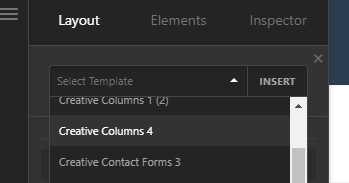
Could this be recreated in slider revolution - Creative Columns 4

I want to use this setup for a group of 4 individuals. But i am unsure if I would be able to put a video in each section instead of a still image. I was thinking maybe trying to recreate it in revolution slider. Im pretty new to all of this and bare with me if this is a silly question.

https://demo.theme.co/designcloud/content/creative-columns-4/#
Hi @dbahsee,

Thanks for reaching out.

It’s possible, but re-creating sthe responsive column that breaks into different counts might be a challenging. The revolution slider may scale it down as part of its responsive feature, so the resulting effect isn’t going to be exact as the demo.

Thanks!

what would i look into, if I wanted to edit the demo content to replace image with video content instead?

Hi @dbahsee,

You’ll have to import Creative Columns 4 from Design Cloud , please check this https://theme.co/docs/design-cloud

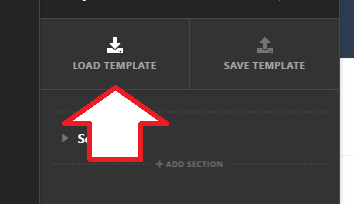
Once it’s imported, a template of it will be saved on your site in which you can then load to your preferred page.

image

image

Once loaded, you can simply inspect the column and change its background, like in this screenshot

Thanks!

Would I be able to use this as a header for a page or must it stay as content as shown in the template manager.

Hello @dbahsee,

The Creative Columns 4 is a content template. Please go to Pro > Global Blocks and create a new block. You can then load the Creative Columns 4 template. Save the block and take note of the global block shortcode. You may use the global block shortcode in your custom header. And you can simply assign the header to the pages.

Hope this helps.

i am still fairly new to this , so this code created from my black [cs_gb id=732] would get entered where, because I am not seeing the field for that… still messing around and trying to learn so mo apologies

Hello @dbahsee,

To learn more about Global Blocks, please check this out:

And once you have the global block shortcode, go to Pro > Headers and edit your custom header. In one of your containers, insert a content area element. This is where you insert the shortcode. To get acquainted with the header builder, please check this out:

And then you can also check out our Youtube Tutorials here:

And perhaps, it would also worth to check out the Flexbox option and how it works:

This topic was automatically closed 10 days after the last reply. New replies are no longer allowed.