Cornerstone resolving shortcodes twice

Hi support.

I’m using Active Member 360 as my membership software with Pro.

Been using it since 2016 and it have worked perfectly until under a year ago.

I’ve just had a support conversation with their support team because i have this problem:

Their shortcodes for changing and sending paswords to users won’t show in Cornerstone. All other shodecodes works but the password ones.

They have looked at the issue but they have found, that it is because Cornerstone is resolving shortcodes twice on the rendered page which is a problem because their password shortcodes only can resolve once per page before they are hidden. I will screenshot the message here:


Can you help me fix this? Just bought a new support licence just for this, so really crossing my fingers :slight_smile:

Hey @coedam,

Cornerstone is composed of shortcodes and sometimes, shortcodes inside shortcodes won’t work.

My answer would be for shortcode problems in general so this is not guaranteed to fix your problem but it would be worth a try. Try the steps below.

  1. Save your page as a template using the Template Manager.
  2. Create a Single Layout and assign it to your page using the Layout Builder.
  3. Load the page template you’ve saved previously to the Single Layout.
  4. Repeat the steps for your other page.

Your pages will use the Single Layout instead if the Content Builder.

Hope that helps.

Hi there.

Thank you very much for the help.

I’ve tried to follow the instructions, but it don’t seem to work:

Can you see if i’ve done anything wrong?

Or do you have another idea on how to experiment with finding a fix?

Really appreciate all ideas, willing to try everything!

Hey @coedam,

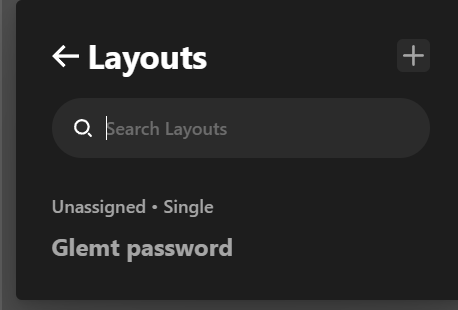
The Layout you created is not yet assigned to a page.

image

Please review step 2 in my previous reply.

We’ll continue checking if that doesn’t work. Just assign the Layout to the page.

Thanks.

Hi again.

After i tried it i tried a lot of new things again.

I’ve made a new test for you on a new URL:

Hey @coedam,

It looks like you don’t know how to use the Layout Builder. You still have not assigned your Layout to the page.

I’ve assigned your layout to the test page and the shortcode shows up.

I’d strongly recommend you learn how to use the Layout Builder including assigning pages. Check the documentation here: https://theme.co/docs/layout-builder-overview

Thanks.

It worked!

Thank you very much, you saved my week! :slight_smile:

Hello @coedam,

Glad that we were able to help you. Please feel free to open a new thread if you have any more concerns.

Thanks

This topic was automatically closed 10 days after the last reply. New replies are no longer allowed.