WPML: URLs in Component Parameter fields

I’m trying to figure out the best approach to this problem.

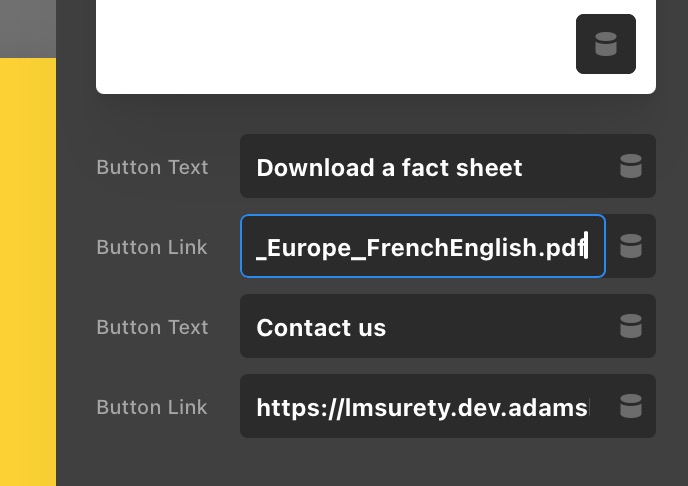
in our components, we have URLs entered into parameter fields
image

specifically, we have a link to an PDF in English and need to update the translated page to the French version of the PDF.

I believe that Media Translation would (should?) work on this if we actually used a media file or native WP link.

is there a way I can get the URLs to display on the translation page?

I’ve read through a handful of other posts and it sounds as though a filter might exist that exposes the URLs for translation, but I wanted to confirm everything before blindly trying code snippets when I’m not 100% positive that’s what they’re for.

@Charlie?


Hey @splaquet,

We would be happy to double check your site if we can log in. You can create a secure note in your next reply with the following info:
– Link to your site
– WP login URL
– WP username
– WP password
– WP Administrator Role
– Confirmation that we can access and make changes to your site

To know how to create a secure note, please check this out: How The Forum Works

image

Best Regards.

thanks guys, appreciated. secure note added.

@ruenel… any chance you’ve been able to take a peek? if not, think it’ll happen sometime soon?

Hi @splaquet,

I have referred this to our developers, and it appears that Components aren’t translatable themselves, and parameters aren’t either, right now. We are waiting for WPML 5.0 to be released, which will add layout translation support (headers, footers, singles), and then WPML will tackle Components and parameters.

Cheers.

I revisited this thread, just to make sure I didn’t miss a reply.

@ruenel, I just noticed this … WPML v5 has been released. they’ve actually been rapidly releasing and they have v5.1.0 out

Hey @splaquet,

Thank you for updating us. Please let us know if WPML 5.0 fixed the issue.

it has not. same as before. I was simply alerting to the fact that wpml v5 had been released… and was hoping for a response/resolution.

more specifically

ButtonText works as expected in WPML, allowing for translation.

ButtonLink does not work, not providing the option for translation. We use direct links to PDFs hosted externally on a DAM, as well as reference different pages/articles depending on language. I can understand why this might be setup this way, but having the control to choose to update would be better IMO.

I’m assuming this is how "type" : "link" is setup by design? @Charlie?

"ButtonText" : {
    "label"       : "CTA Button Text",
    "type"        : "text",
    "initial"     : "Download Now",
    "placeholder" : "Click Me"
  },
  "ButtonLink" : {
    "label"       : "CTA Link",
    "type"        : "link",
    "initial"     : "#",
    "placeholder" : "#"
  }

I also might have just answered my own question. I’m not sure where I found "type" : "link", but I’m seeing that docs reference URLs/links as "type" : "text".

I’ll give it a go!

Hey @splaquet,

Kindly let us know if the "type" : "link" works for you.

I will also bump our developers on this.

Cheers.

I’ve been able to narrow down the problem. it is exclusive to full URLs, not URIs. I tried adding a URL w/ and w/o the https:// prefix and I was clearly able to discover that (as seen in the screenshots).

Also, I added type=“file” to both DC:param (using type:text in the backend parameters, which might explain why so many other fields opened up? I haven’t seen this on the translation screen, before adding the type=“file”.

image


I’m told by WPML they are starting work on getting Components translated. After that I think we’ll work on getting parameters translatable. Have a great weekend.