When ‘blog’ or ‘contact’ is selected, the menu doesn’t underline those words as if it was the current selection.
I actually just figured it out. In the menu, I put ‘blog’ before ‘contact’, but on the homepage those sections are not in that same order. One I switched ‘contact’ with ‘blog’ in the menu it fixed the problem.
There are still 2 problems with this. Firstly, I would like ‘contact’ to be last in the menu, but I would like the contact section to be before the blog section. Second, when you click blog, it is still not underlined and I think its because the blog section isn’t large enough and the contact section is still showing.
edit: I set up the homepage to display the problem I’m talking about. I made the blog section larger, so the menu can sit on top of it. You’re welcome to go check it out, to see what I’m talking about.
I got rid of the blog section, but you should still test this out.
Hello Khomiko,
Thanks for writing in!
I have checked out your site and I could not replicate the issue.
Everything is in place and in order. This is what I am seeing:
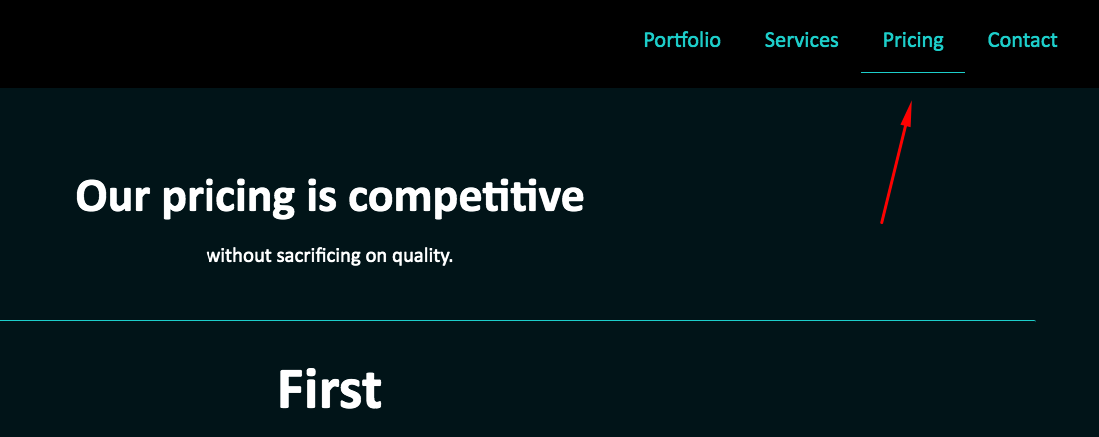
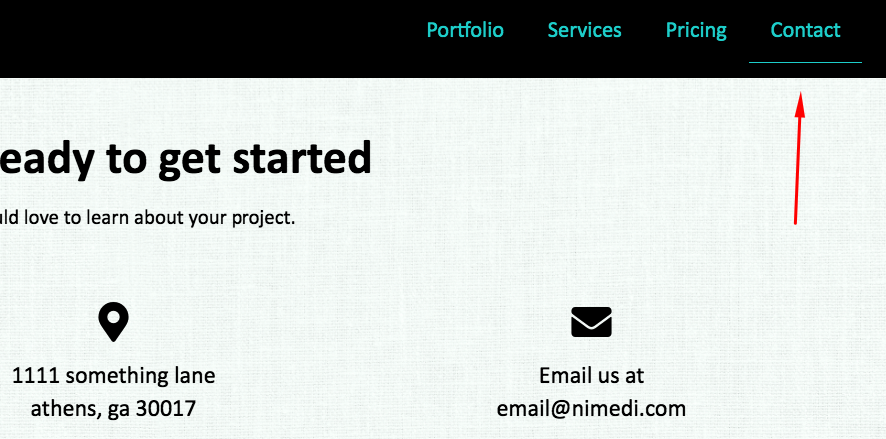
Please clear your browser cache and check the site again.
I edited the last post before you responded. I said I removed blog. You will have to do testing on your own end. Thank you.
Hi Khomiko,
I see what you mean, the only solution would be increasing the height of the last section. The section will only consider as active if it reaches the top (minus the offset) of the fold. One page navigation is based on ScrollSpy library so it will only mark the item active when the target section touchers or overlap with it.
The workaround for this is like what you did, increase the height of your last section. You can add this to the section’s Row CSS Element area.
$el {
	min-height: 100vh;
}
Thanks,
Yes, I figured that out. The other problem is if you have your section in a different order than in your menu. For example, earlier I had the contact section before the blog section on the page. On the menu I had the contact after the blog though. If the menu and sections on the page are out of order then the menu doesnt underline at all. Thank you.
You are most welcome!
This topic was automatically closed 10 days after the last reply. New replies are no longer allowed.