Trigger to apply _cornerstone_data

Hello.

What is the trigger that makes the post meta _cornerstone_data get applied on page load?

We are working through a page-revision project. We duplicate the post, make our edits, then copy the duplicate over the original. All is well and any Pro edits to the duplicate are copied over the original, but the modified page no longer loads the _cornerstone_data so there is no formatting. It seems like there is a flag that should cause the page to include that content and we are missing that trigger on our copy over.

In our current progress, the updated original post can be opened in Pro and the styles are the updated styles, and saving the post causes it to display correctly. Something is happening on the ‘save’ hook in the Pro editor that we are missing.

Thank you
Hi @redpupmedia,

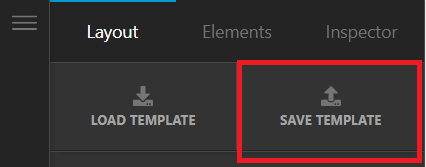
Thank you for reaching out to us. An easier and a correct way to duplicate any Cornerstone page/post without losing any formatting is to Save Template in Cornerstone (see screenshot below) and the Load this template to any page where you want this to be duplicated.

image

To learn more about the Template Manager, please see https://theme.co/docs/template-manager

Hope this helps!

Thank you @nabeel

Yes, the Pro Template system is wonderful.

For our current project, it is not the optimal solution.

How does a post decide whether it should use _cornerstone_data or the post_content?

Thank you

Hi @redpupmedia,

Did you update your changes outside the Pro Editor? If yes, then the data save outside the Pro Editor is not available when you edit the page using the Pro Editor because only save data in Pro Editor can be loaded when you edit the page in Pro Editor. I suggest that everything you update in your page or post is inside the Pro Editor.

Hope that helps.

Thank you.

This topic was automatically closed 10 days after the last reply. New replies are no longer allowed.