OH MY GOD. SUPPORT SUPPORT SUPPORT. hELP hELP HELP. THIS IS RIDICULOUS ALMOST 24HRS SINCE I’VE BEEN TRYING TO GET SUPPORT AND NO HELP. REALLY BAD FIRST TIME CUSTOMER EXPERIENCE. WHENEVER YOU ALL DECIDE TO RESPOND. I WILL LEAVE MY LOGIN DETAILS AND THE ISSUES I CANNOT FIX PLEASE. I DID NOT SLEEP AT ALL LAST NIGHT AS I BEEN UP TRYING TO FIGURE IT OUT UNTIL NOW.
Hello Marjorie,
Thanks for writing in! It is our goal to respond to all product support questions within 24 hours, although typically much sooner. All questions are answered in the order received, and it is always our goal to respond as fast as possible.
For more details on how you can get support, please check out this documentation article:
1.) To be familiar with our color picker, please check out this demo:

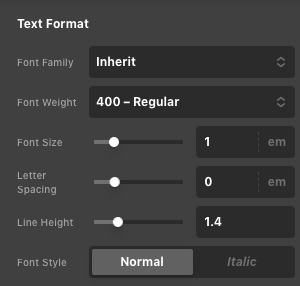
2.) In the headline element, there is an HTML tag selector that you can use. You will have to change this to h2 or h3 and then use the Text Format option in the headline element to make the font size smaller.

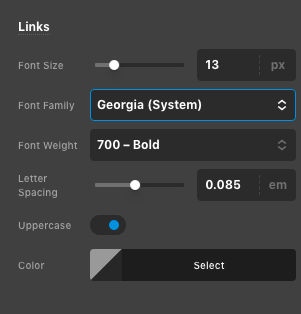
3.) To change the font family of your menu item, you will have to go to X > Theme Options > Headers > Links option settings.
4.) We cannot check this because your given credentials do not work for us.
5.) Please make sure to insert the correct and valid HTML code to avoid conflict on the page. We need access to your check the markup.
6.) To create a blog index, you will have to create a normal page entitled “Blog” and then you go to Settings > Reading > Font Pae Displays . You will have to assign the newly created Blog page as your “Posts Page”. For more details, kindly check this out:
Hope this helps. Kindly let us know.
This topic was automatically closed 10 days after the last reply. New replies are no longer allowed.