Hello @MediaDeskNM,
Thanks for writing in!
Your text are too small because you are using 0.9880000000000001em for the font-size value of the text elements. Kindly edit your pages and change it to 1em. Let the responsive typography adjust the font sizes in the respective screen sizes. Kindly go to Pro > Theme Options > Typography > Root Font Size. Use “Stepped” and make sure that you have set the root font sizes for each screen size. For more details, kindly check this out:
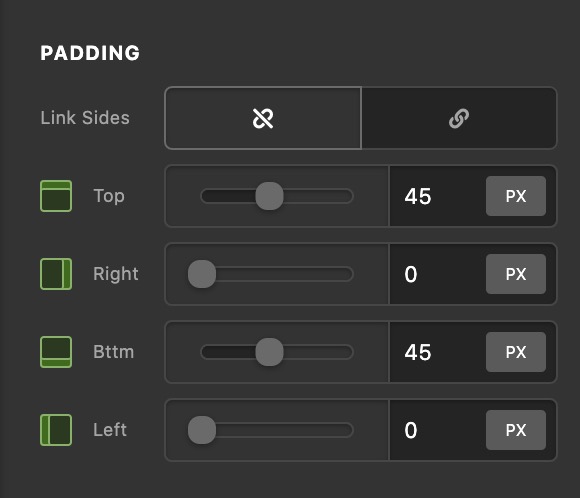
By the way, I noticed that you have added different values for the left and right padding of your section elements. Please have it removed and set the section padding to 0 only. Your current setup values created issues in smaller screens.
Best Regards.
