Hi team,
how is it possible to hover over an image to bring up a text describing the image?
Thanks
Hello @ferlo61,
Thanks for writing in!
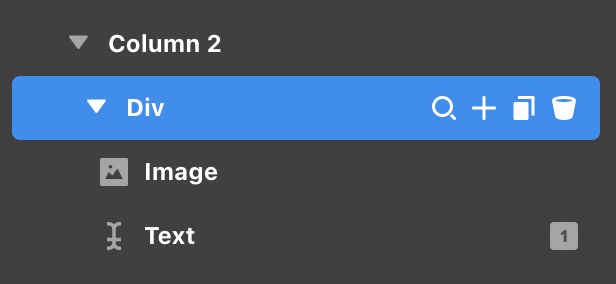
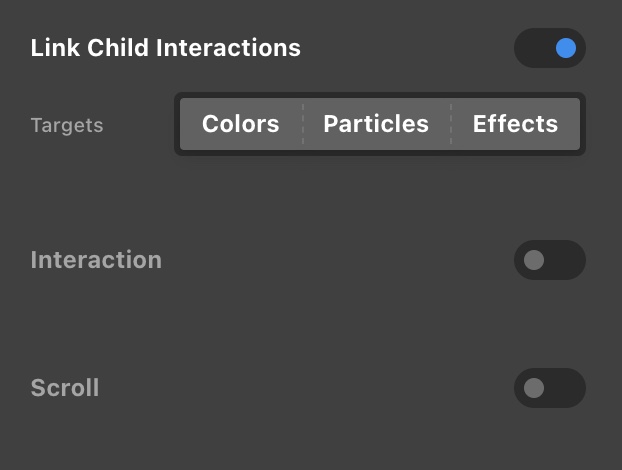
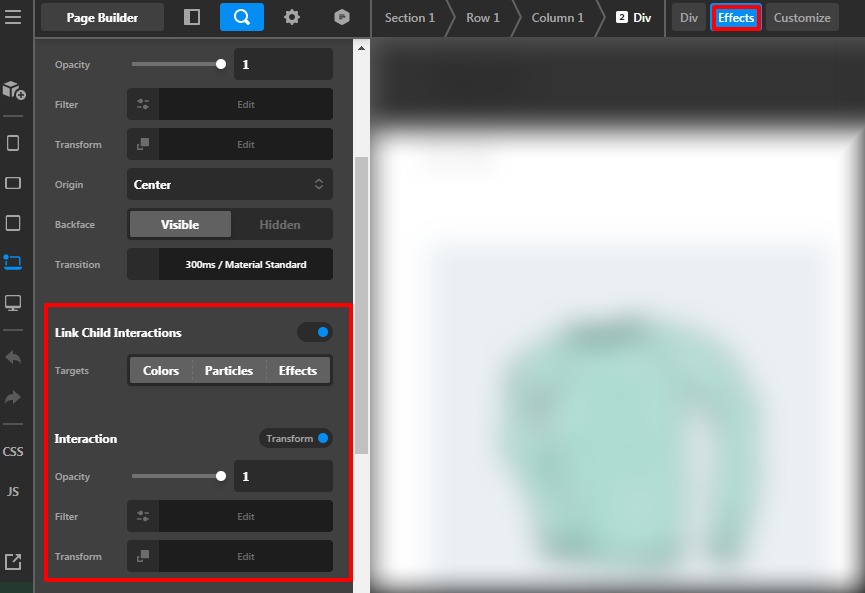
You can insert an image element and a text element inside a DIV element. You can then enable the Effects module Link Child Interaction in the DIV element and on the text elements set the opacity that when you hover over the DIV, the text will display.
Sample Image and text on hover:
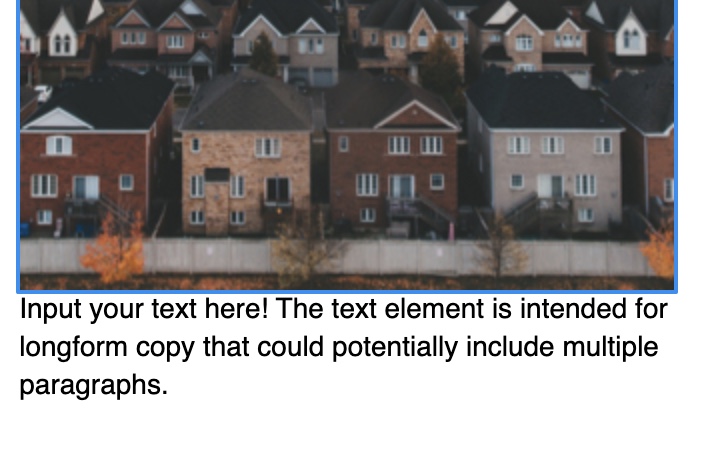
Effects setting in the DIV element:
Effects setting in the text element:

For more details about the Effects module, kindly check this out:
Or you can check out this video tutorial:

Best Regards.
Thanks for the answer but maybe I have explained myself badly. I don’t want the text to be below the image but to hover over the image.
Thanks for your patience!
Hello @ferlo61,
You need to set the setting as mentioned by the @ruenel then you need to go to the Text element —>Customize —>Element CSS. Now add this custom CSS code to display the text on the top of the image on the hover.
$el.x-text {
    position: absolute;
    top: 12vw;
}
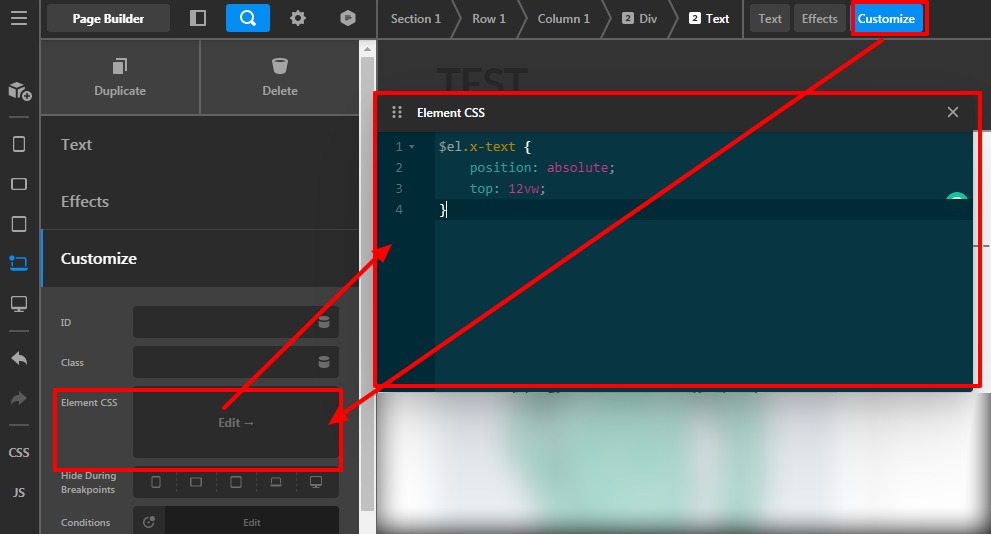
Please feel free to change the top position value as per your design.
Please note that the code provided above serves as a guide only and it would ultimately be your responsibility to take it from here. If you are unfamiliar with code and resolving potential conflicts, you may opt-in on our One service for further assistance.
Thanks
Ok so far everything ok but I would like the text to appear on hover.
Thanks!
Hello @ferlo61,
Yes, you can achieve it by following the above steps that is been mentioned by the @ruenel.
- Your structure should be like this. Please have a look at the given screenshot.
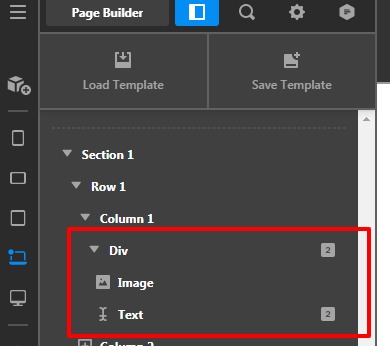
-
Now go to the Div element and your setting should be like this. Please have a look at the given screenshot.
-
Go to the Text element set the opacity 0 and on interaction or for the hover opacity should be set as 1
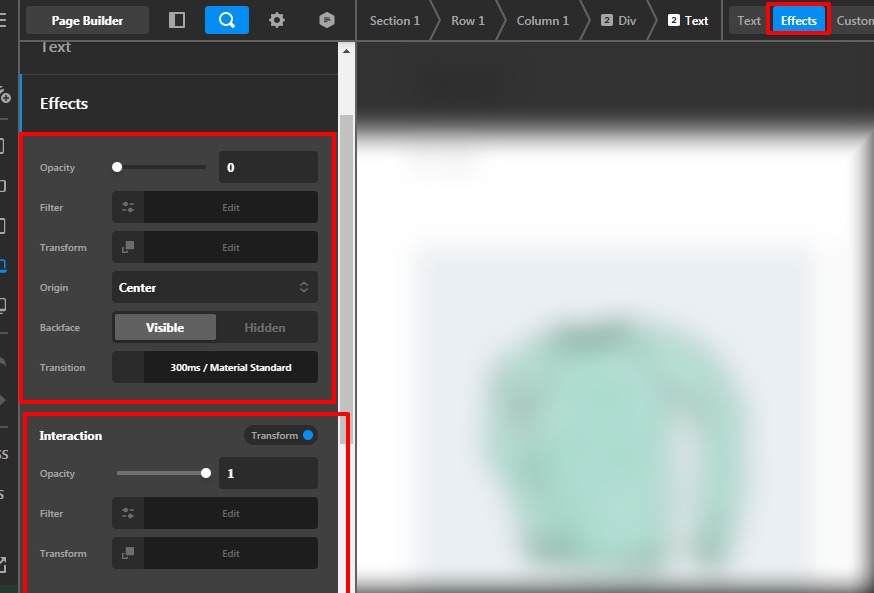
Add the custom CSS that is been mentioned in the above posts.
Thanks
Very well, now it works perfectly. One last request: is it possible that the text space overlaps the image perfectly when hovering the mouse?
Thank you very much for your patience!
Massimo
Hey Massimo,
You need to edit the Top value in the code provided by Prakash previously. Regretfully, we can’t go deep into custom codes so you might want to take advantage of One as Prakash also mentioned.
Thanks.
This topic was automatically closed 10 days after the last reply. New replies are no longer allowed.