Received error message: “Uh-Oh, Template file not formatted correctly” when loading to file manager. The template from which it comes from has the same versions of Cornerstone & X.
I have tried deactivating all plug-ins except for Cornerstone as well.
Thought I’d share how we figured out the fix for the template that wouldn’t load. The template was for a page that has 10 sections. After trying a number of suggestions from other posts on this forum, we made a template for just one of the sections and tried loading that. It worked. We then made a template for 2-3 sections at a time, until we found the section that was causing the problem. The issue turned out to be two images that used the “Insert from URL” option in the Add Media dialogue .
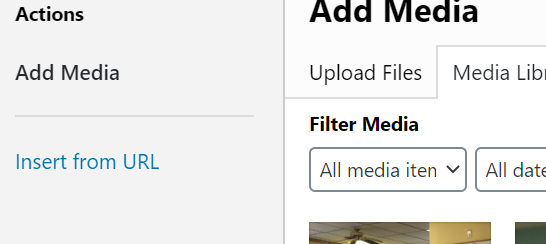
We took out the images, and the template for that section loaded correctly. Hope this helps others who experience the same issue.
Alison
Hello Tara,
Thanks for writing in! You might be happening PHP timeout limit or have a limited PHP Max upload limit. Please check out this documentation here to increase your PHP time limit:
And to increase your PHP Max upload, check this out:
If this is not helping, please go to X > Status, copy the results and paste it in your next reply. And if possible, to better assist you with your issue, kindly provide us access to your site so that we can check your settings. Please create a secure note with the following info:
– Link to your site
– WordPress Admin username / password
To know how to create a secure note, please check this out: https://theme.co/docs/getting-support

Best Regards.
This topic was automatically closed 10 days after the last reply. New replies are no longer allowed.