Hey @lisacole1,
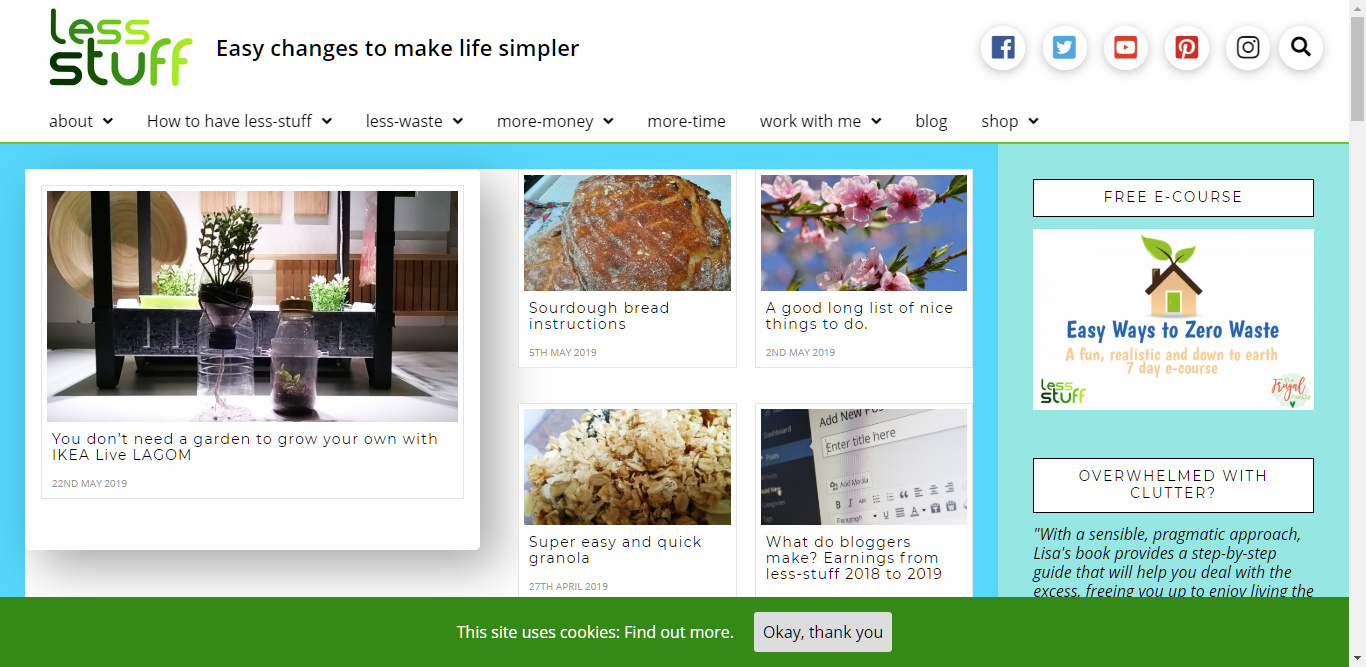
The white space is composed of margins coming from different elements according to the design of Ethos. I strongly recommend that you use the Blank No Container page template and setup a Marginless Column Row split in 2/3 + 1/3 Column setup then use the Widget Area element to display the sidebar.
If you wish to eliminate the space using your current setup, follow the items in the list below:
- First Section’s top margin. It’s currently set to
2em
- Ethos’ Page Templates with sidebar should only have white background by design because it has spaces around the content. If you wish to eliminate the spaces, please add this code in your page’s Content CSS or Theme Options > CSS if you wish to apply globally.
.page-template-template-layout-content-sidebar .x-container>.offset,
.page-template-template-layout-content-sidebar .entry-content {
    margin-top: 0;
}
.page-template-template-layout-content-sidebar .x-sidebar {
    padding-top: 35px;
    padding-right: 35px;
}
.page-template-template-layout-content-sidebar .x-main {
    padding-right: 0 !important;
}

.page-template-template-layout-content-sidebar .x-container.max.width.main {
    width: 100%;
    max-width: 100%;
}
@media (max-width: 979px) {
.x-sidebar.left, .x-sidebar.right {
    padding: 35px;
}
}
If you’ll use a Page Template with sidebar on the left, you need to change the selector of the page template to page-template-template-layout-sidebar-content and padding-right to padding-left.
Your page should look like this:
Hope that helps.
