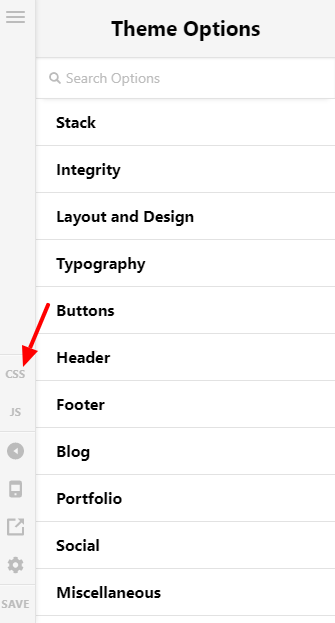
Hi @olefischer89,
I will give you two ways on how to solve your issues.
1.) First, on the blog single page with the help of CSS, we can make the featured image smaller, just use the code below.
Add the code below on Pro > Theme Options > CSS
.single .has-post-thumbnail .entry-featured {
width: 50%;
}
To center the image use this code:
.single .has-post-thumbnail .entry-featured {
width: 50%;
margin: 0 auto !important;
}
2.) Second, we can remove the featured image on the single blog page, and use the PRO builder, to do that follow the instructions below.
Add the code below on Pro > Theme Options > CSS
.single .has-post-thumbnail .entry-featured{
 display: none;
 }
then go to Pro > Settings and enable the Posts type
That’s it, Pro builder is now enabled in your posts pages.
Please note that providing custom code is outside the scope of our theme support. Issues that will arise from the use of custom codes should be forwarded to a 3rd party developer.
Thank you.