Scroll top anchor button not visible on Mac

Hi there

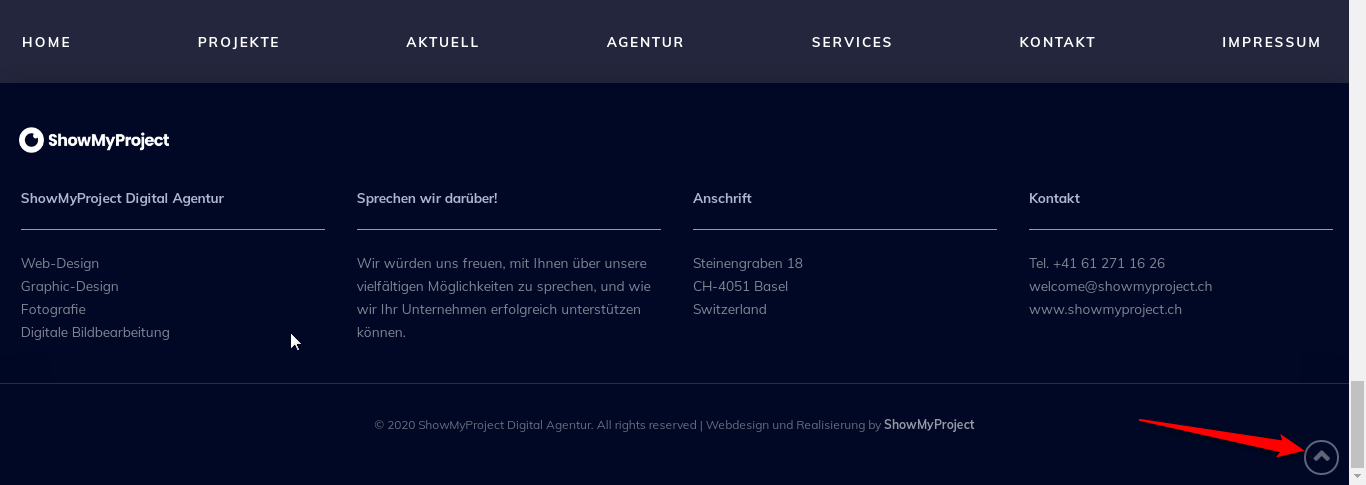
I have enabled the scroll top anchor button on bottom right after 75% of page. On my Windows desktop it works well but on my Macbook Pro the scroll top anchor button is not showing.

Wit all my other X and Pro Pages it works on all devices.

Any idea, what could be the problem?

Or is there a possibility, how I could build a customized scroll top button with Pro?

Thank you very much for your help!
Hi Felix,

Thank you for writing in, but I can’t replicate the issue and I don’t see a related thread to this. It could be your browser settings, or caching related.

Please try clearing your browser’s cache and all your caching plugins/feature (I see you have LiteSpeed Cache).

If the issue persists, please provide us the MacOS version you have, and what browser and what version, so we can try to replicate it.

Thanks,

Hi Friech

Thank you very much for you reply. I noticed today, that the scroll-top-button is also desapeared on my Windows Desktop. Strangely in the wysiwyg Preview of Pro-Builder the button will show correctly.

I have tried emtying the cache but no luck…

Thank you very much for your help!

Hi Felix,

I still cant replicate that issue on my end,


Is that the site you’re working on? Please clarify.

Thanks,

Hi Friech

Oh, sorry for the confusion, the page I am working on is this one:
https://bluewhite.showmyproject.ch

I have noticed, that on some pages the scroll-top button appears as on:
https://bluewhite.showmyproject.ch/kontakt/
https://bluewhite.showmyproject.ch/impressionen/

There must be a problem on all the other pages, which makes the button disappear.

Thank you very much for your help!

…and as I said, in the wysiwyg preview of Pro-Builder the button will show correctly on every page.

Thanks again!

Hey Felix,

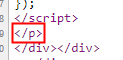
This could be a result of broken HTML. Please check your content for HTML syntax errors especially above the Besichtigung vereinbaren button.

image

To help you find that tray end p tag, save your page as a template and load it in a test page. Then, narrow down the causes by removing sections one by one until the issue’s fixed.

Thanks.

Hi Christian

Thank you very much for your help! This problem comes from the section with the Essential Grid above the Button “Besichtigung vereinbaren”. I only don’t understand why the Grid doesn’t make this mistake all the time. Sometimes the scroll-top button appears. I have spend hours to find the problem. I didn’t change any HTML in the Essential Grid, only the CSS for the blue color.

Thanks again!

Hey Felix,

If you’ve inserted the Essential Grid shortcode to a Text element, WordPress could have wrapped it with a p tag and caused an issue with the overall output of the page.

Thanks.

Hi Christian

No, unfortunately not. I have just checked the shortcode in the text elements of Pro.

I don’t know what to do…

Thanks anyway.

Hi Felix,

Would you please kindly change the Text Element and instead use the Raw Content element and paste the shortcode of Essential Grid there?

I also think you can wrap the Essential Grid shortcode inside a div tag to avoid the auto-generation of p tag:

<div>[essential grid shortcode]</div>

Thank you.

Hi Christopher

Thank you very much for your help. I tried your suggestion but it didn’t make a difference.

Thank you anyway.

Hello Felix,

Please remove the text element where you have inserted the Essential grid shortcode. Use only the raw content element or the classic Essential Grid element to avoid any broken html.

We would love to know if this has worked for you. Thank you.

Hi Ruenel

Thank you very much for your help. I did as you said but it also didn’t make any difference.

Thank you anyway.

Hello Felix,

Scroll-to-top anchor shows up if I add ?nocache parameter in the URL

Please clear all your caching features (plugin, server-side, CDN, and browser’s cache) to see the changes immediately. This will also help you to avoid any potential errors.

Cheers!

Hi Friech

Thank you very much for your help. There must be a other problem because on some pages the button appears (“Kontakt” and “Impressionen”).

If I remove the essential grid, the button appears as well and disappears again if adding the essential grid.

Sometimes the button appears also on this page, even as it has the essential grid implemented:
https://bluewhite.showmyproject.ch/mietflaechen/

Thanks again.

Hello Felix,

Please go to X/Pro > Theme Options > Miscellaneous and set the “When to show the Scroll Top Anchor” option to 25. This should display the scroll top anchor as soon as you scroll 25% of the page.

We would love to know if this has worked for you. Thank you.

Hi Ruenel

Great Idea! That works! I tried the highest possible % value which is 55%. With 60% the button already don’t show up. But even with 55% the button appears only at he very end of the page, which is ok for me.

Any idea what could be the problem? If not, no problem - for me it’s fine like it is now!

Thank you all of you for your great help!

Hi Felix,

We are glad that the problem is fixed. It seems that the Grid had something to do with that but we are not sure. Anyways, we are happy that you managed to handle the problem.

Thank you.

This topic was automatically closed 10 days after the last reply. New replies are no longer allowed.