I want to remove all drop shadows from all buttons globally on our site. Theme Options does not have a setting for shadows. How do I get this done?
Hi @ScottM,
Thank you for reaching out to us. You can make use of the Element Preset feature, you can design a button the way you want it and save the settings by pressing the Save Preset button:
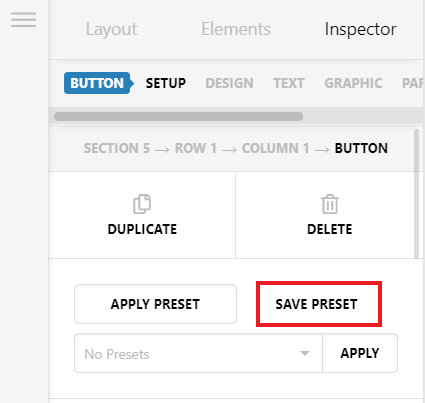
You can then apply this preset to all of your buttons to have the same settings globally. To learn more about Presets please see https://theme.co/docs/template-manager#element-presets
Alternatively you can use custom to remove the shadow globally, for example you can add the following
.x-anchor-button {
    box-shadow: none !important;
}
But this is not a recommended way to override the element’s settings using custom CSS so I’d suggest to use the first method to remove the shadow globally.
Hope this helps!
This topic was automatically closed 10 days after the last reply. New replies are no longer allowed.