Hey Jenni,
We’re sorry that you experienced this issue. This happened because our demo site’s address has been changed and when you imported the Integrity Demo, the Background Pattern is linking to our demo site.
If you want to continue using the demo background pattern, open this: https://demo.theme.co/integrity-9/wp-content/uploads/sites/32/2013/06/bg-integrity-91.jpg. Then, download or save the image in your computer then upload it in Theme Options > Layout and Design > Background Pattern.
You can also link to the image. To do that, use the Insert from URL option.
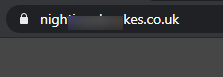
To show you that it works, I used the latter method and now the padlock is back.
Hope that helps.


