I’m obviously doing something wrong, but I’ve been unable to figure it out.
I’m trying to use this setting


which appears to work with IS and IS NOT


but it doesn’t hide when I actually use it
I’m obviously doing something wrong, but I’ve been unable to figure it out.
I’m trying to use this setting
which appears to work with IS and IS NOT
but it doesn’t hide when I actually use it
Hello @splaquet,
Thanks for writing to us.
To help you with your concerns, we need to check your settings. I would request please share the admin login details. Meanwhile, I would suggest you troubleshoot a few of the common issues before we investigate your settings. Please share your details in a secure note. Please provide the following details
You can find the Secure Note button at the bottom of your posts
Thanks
I can confirm that it’s a Cornerstone setting and not a common issue. More accurately, it’s probably a User Error 
I was testing out some Cornerstone Settings for User Roles and accidentally deactivated Admin access to Elements  …and then left for vacation, leaving this post open and ultimately automatically closing after 10 days of inactivity.
Hello @splaquet,
You forgot to enable a Looper Consumer:
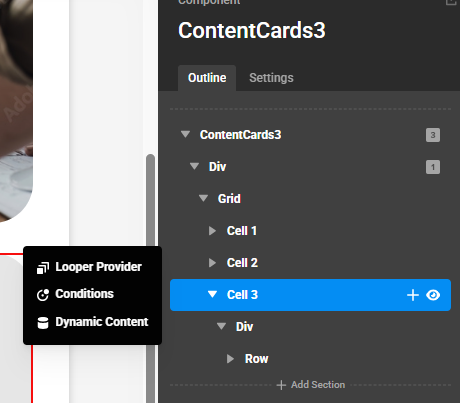
By the way, I cannot edit the elements in the Component. Please double check it.
Thanks.
This topic was automatically closed 10 days after the last reply. New replies are no longer allowed.


