Pagination not working with job listing looper in archive layout

Pagination works for the first 6 pages but 7-9 take you back to the first page and don’t display jobs as expected.

Here is my layout:
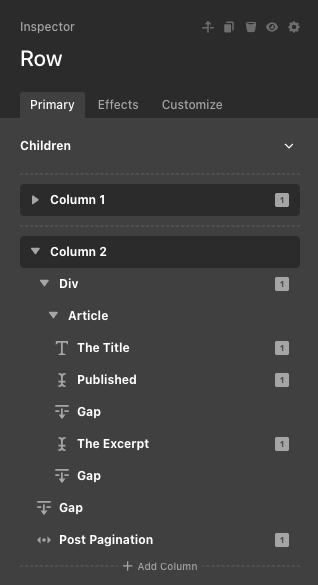
My looper is set here:

I have a condition on the layout:
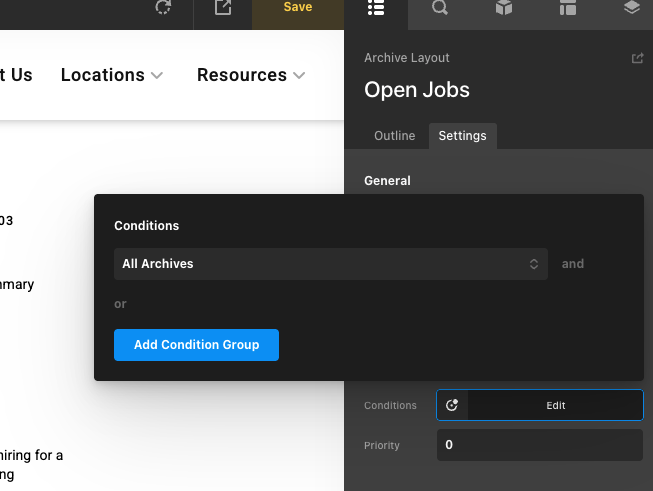
image

How can I fix this issue? I have even changed the condition to Post Type is Job Listing but it didn’t help.

Right now it is displaying 30 of 44 jobs.

Hello @pbentoncron,

Thanks for writing to us.

In order to help you with your concerns, we need to check your settings. I would request please share the admin login details meanwhile, I would suggest you troubleshoot a few of the common issues before we investigate your settings. Please share your details in a secure note. Please provide the following details

  • WordPress Login URL
  • Admin-level username and password
  • Exact page URL

You can find the Secure Note button at the bottom of your posts

Thanks

Hi @prakash_s,

I added a secure note. I looked through common issues but it was not relevant to my situation.

Thank you!

Hey Philip,

Regretfully, we cannot login because of the 2 factor authentication.

  • See the secure note below.

Thanks.

Hi @ruenel,

I have temporarily disabled 2FA. Let me know if this gets you in.

Thank you!

Hi Philip,

Unfortunately, the given credentials are not working. Can you please check and send it once again?

Thanks

Sometimes it does that randomly. Visit the url in a new window or incognito and try the credentials again. I just tested on my end and it worked. Sorry for the inconvenience. @tristup

Hello Philip,

I am another staff member. I tried to access your site dashboard, but the credentials you have given are not working at the moment on my end. Please share the correct login URL and details so we can check it on our end.

Thanks

My apologies once again. I have disabled the site security plugin altogether. I will add a secure note with updated details for logging in. @prakash_s

Hello Philip,

Please remove the condition you added in your Post Pagination element.

In your Looper Consumer, set it to “All”.

Now, you have 36 Job Listings, and in your Settings > Reading > Blog pages show at most, the value is 5. Therefore, there will be 8 pages that will be displayed in your Post Pagination.

And by the way, please assign this layout correctly so we can view the archive page in a live URL.
image

Kindly let us know how it goes.

Hi @ruenel,

Thank you for your guidance. I have done as you said and I bumped up the value from 5 to 10 and now I have 4 pages showing all jobs.

This issue has now been solved.

Hi Philip,

Glad that we are able to help you.

Thanks

This topic was automatically closed 10 days after the last reply. New replies are no longer allowed.