Hi Guys,
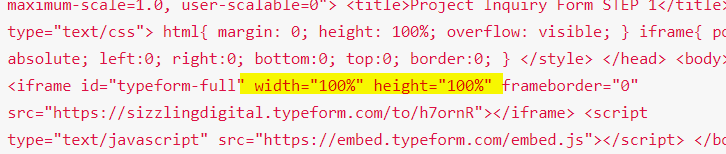
I’m trying to embed a Typeform, using the ‘full-page’ embed code option they provide:
<html> <head> <meta name="viewport" content="width=device-width, initial-scale=1.0, maximum-scale=1.0, user-scalable=0"> <title>Project Inquiry Form STEP 1</title> <style type="text/css"> html{ margin: 0; height: 100%; overflow: visible; } iframe{ position: absolute; left:0; right:0; bottom:0; top:0; border:0; } </style> </head> <body> <iframe id="typeform-full" width="100%" height="100%" frameborder="0" src="https://sizzlingdigital.typeform.com/to/h7ornR"></iframe> <script type="text/javascript" src="https://embed.typeform.com/embed.js"></script> </body> </html>
I’ve set the page attributes as: Blank, No Container, No Header, No Footer and also set the Row Inner Container to ‘off’
As you can see, the embed is working at full width, as it should be, but the height of the row/section is oddly very limited… I’ve tried adjusting the overflow: to ‘visible’ in the embed code itself as well… https://pmtvideo.com/get-started
Is there a way to set the page/section/row height to a min? or 100% etc.?
Thanks!