How can I move the top bar statement “integrated practice management for tomorrow” right aligned and lowere and to the right of the logo? They want it on the same level/line as the logo but to the right, bold, and the text larger.
they want it to look like this:
You may have to download the PDF from google docs.
Hi @spencey,
That document that you have included only has text pages so I am not sure what kind of layout you are trying to achieve.
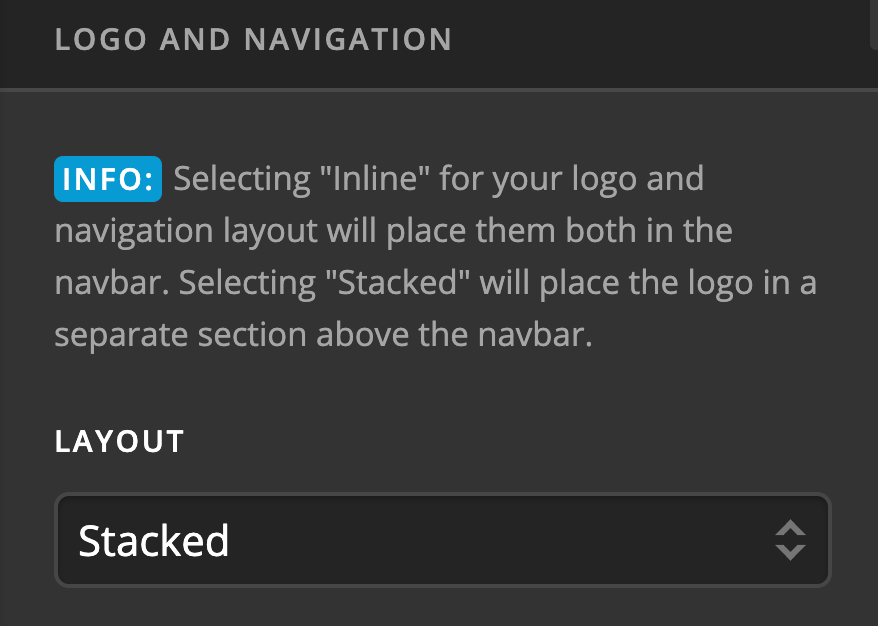
But based on the description you mentioned, firstly, try setting the Header layout to Stacked in X > Theme Options > Header : Layout.
Once you’ve done this, the logo should be above the main navigation area and centered just like here:
Now, moving the topbar content to a different area does not have an out of the box option and will require some customization to the header files of the theme through the child theme.
If you want to proceed, you will have to override the default theme code through the child theme.
Please install and activate the child theme. If you do not have the child theme installed yet, you can download it from here. Once you have it installed and activated, please login through FTP then go to wp-content/themes/x-child then go to this file path:
framework/legacy/cranium/headers/views/global
If any of those directory are not yet created, feel free to manually create then until you get to the global directory.
Once you are in the global directory, create the file _navbar.php. Edit the file and add this code:
<?php

// =============================================================================
// VIEWS/GLOBAL/_NAVBAR.PHP
// -----------------------------------------------------------------------------
// Outputs the navbar.
// =============================================================================

$navbar_position = x_get_navbar_positioning();
$logo_nav_layout = x_get_logo_navigation_layout();
$is_one_page_nav = x_is_one_page_navigation();

?>

<?php if ( ( $navbar_position == 'static-top' || $navbar_position == 'fixed-top' || $is_one_page_nav ) && $logo_nav_layout == 'stacked' ) : ?>

  <div class="x-logobar">
    <div class="x-logobar-inner">
      <div class="x-container max width">
        <?php x_get_view( 'global', '_brand' ); ?>

        <?php if ( x_get_option( 'x_topbar_content' ) != '' ) : ?>
          <p class="p-info"><?php echo x_get_option( 'x_topbar_content' ); ?></p>
        <?php endif; ?>
      </div>
    </div>
  </div>

  <div class="x-navbar-wrap">
    <div class="<?php x_navbar_class(); ?>">
      <div class="x-navbar-inner">
        <div class="x-container max width">
          <?php x_get_view( 'global', '_nav', 'primary' ); ?>
        </div>
      </div>
    </div>
  </div>

<?php else : ?>

  <div class="x-navbar-wrap">
    <div class="<?php x_navbar_class(); ?>">
      <div class="x-navbar-inner">
        <div class="x-container max width">
          <?php x_get_view( 'global', '_brand' ); ?>
          <?php x_get_view( 'global', '_nav', 'primary' ); ?>
        </div>
      </div>
    </div>
  </div>

<?php endif; ?>
Once you have added the code above, the topbar content should display below the logo.
The next thing you need to do is to hide the topbar from where it is currently showing. You can do so by adding this code in X > Theme Options > CSS:

.x-topbar {
    display: none;
}
Then to change the alignment of the logo to the left and the topbar content to the right, add these additional codes:
.masthead-stacked .x-brand {
    float: left;
}

.masthead-stacked .p-info {
    float: right;
    font-weight: 700;
    font-size: 20px;
}
Doing the steps above should help you get started with your desired header layout.
However, please note that further customization from here goes beyond the scope of our support.
It would be best to acquaint yourself with the basics of website development such as Custom CSS and theme overriding through the child theme.
Here are some links that might be helpful:
- Intro to CSS - https://goo.gl/mFuWQT
- How to get CSS selectors - https://goo.gl/BmoH39
- Get Started With Viewing And Changing CSS - https://goo.gl/7xFhDa
- Wordpress Chid Theme - https://developer.wordpress.org/themes/advanced-topics/child-themes/
Hope this helps you get started.
I uploaded the document and you can see it here:
Hi @spencey,
The previous suggestion I have posted should help you get started with the layout you are aiming for the header so kindly thoroughly go over it.
In case you are not sure how to proceed it would be best to get in touch with a developer to get it done.
Hope this helps.
This topic was automatically closed 10 days after the last reply. New replies are no longer allowed.