Moving Pro Theme from localhost to live site

Hi,

So I have a live site currently NOT using Pro Theme - it’s using a custom theme written from scratch. I have an exact clone of this that I have just imported via AI1 to a Wordpress installation that I have just set up on localhost (Docker)

I’d now like to develop a new theme for the site using Pro Theme on my localhost. When I’m ready, I’d then like to move the theme I have developed from the localhost to the live site.

How would I do this? I have seen lots of recommendations to use AI1 (which i have) for the migration but this is no good for me as it overwrites everything - all database tables - users, posts, pages, everything. If I was to do this, I’d lose any changes that I made to the live site while I was developing the local theme - and the development might take a few weeks or months even. I just want the Pro Theme I have developed locally to be moved on to my live site, without it destroying any of the content that already lives on the live site.

Is this possible?
Hello @davidfs,

Thanks for writing to us.

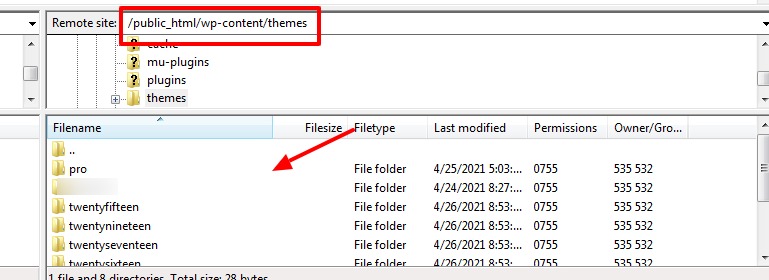
In case if you want to upload only your customized Pro theme without data then you can use FTP or Cpanel to access the file of the severe. After that, you can manually upload your customized theme to this path /wp-content/themes/

Hope it helps
Thanks

Thanks for that. I think I tried that and it just seemed to move the generic pro theme install rather than the changes I made on my site. It was like I just installed Pro Theme direct from the themeco website. I didnt have my custom header or any of the other changes I made.

Is that right? Maybe I didn’t do it properly?

Hey @davidfs,

To properly migrate your theme from local to live environment, I’d suggest you to follow this guide here https://theme.co/docs/how-to-migrate-your-site

Hope this helps!

??? That doesn’t work at all. Like I said in the first message, I can’t use the AI1 plugin as it overwrites everything - all database tables - users, posts, pages, everything. If I was to do this, I’d lose any changes that I made to the live site while I was developing the local theme.

So are you telling me it’s not possible to customise the Pro theme locally (ie. change appearance settings, create custom header and so on) and then move that over to my live site WITHOUT overwriting everything that currently exists on the live site?

Hi David,

What you have in mind is possible, but it’s not efficient as a complete migration.

Using the Template Manager you can save your custom Header, Footer, Content, and Layout, Then you can upload that template to your live site using the Template Manager, so that means your live site needs to be in PRO as well. And you need to do the assignment of header, footer, layout manually.

For the Theme Options configurations, you can see the Theme Options Manager Import/Export feature under PRO > Validation.

This should work, but not as straightforward as doing a complete migration.

Hope it helps,
Cheers.

Perfect, thank you! That is exactly what I was looking for. I knew about the header/footer import but the piece I was missing was the Theme Options Manager import/export.

It’s fine that it’s a bit more manual as I’ll likely only do it once or very occasionally. Once I have the live site on Pro theme with a reasonably complete theme then I’ll likely continue any further development on the live site. I’m just doing it locally for now so I can get things to a reasonable place before I move it over, as the site already has visitors, content etc…

Glad to hear that, we are delighted to assist you with this.

Cheers!

This topic was automatically closed 10 days after the last reply. New replies are no longer allowed.