Modern Events Calendar license still not activated

Hi, I’m aware that there have been a few threads on this so have delayed making one to see if the issue resolved itself. Unfortunately it hasn’t.

I’m on Pro 6.9.8 and updated MEC to 7.37.0 over a week ago. The pro license I need is still not activated, meaning my client isn’t able to accept bookings.

In the last thread on the topic, I saw that the “delay is usually just the cached license check waiting to refresh in the background”. Is there a way for me to force this? I have tried deactivating and reactivating the MEC plugin via the Validations page, checked for plugin conflicts etc.

Thanks in advance.
Hello @ShaunCoward,

Thanks for writing to us

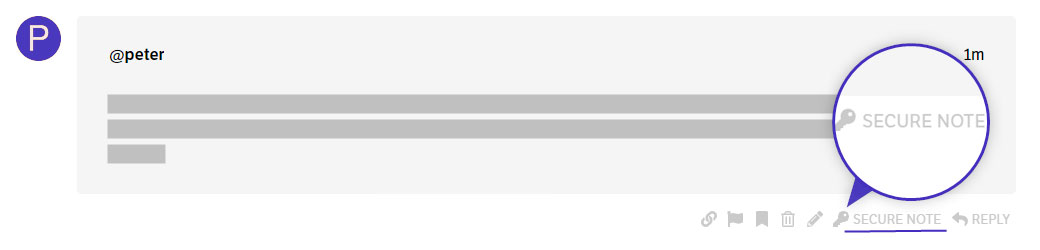
To help you with your concerns, we need to check your settings. Please share the admin login details. Meanwhile, I would suggest you troubleshoot a few of the common issues before we investigate your settings. Please share your details in a secure note. Please provide the following details

  • WordPress Login URL
  • Admin-level username and password

You can find the Secure Note button at the bottom of your posts

Thanks

Secure note added.

Hello @ShaunCoward,

Please share the Pro license key assigned to this site in a Secure Note. I checked your Themeco dashboard but couldn’t find the domain you listed, so having the key will help us locate the license and verify your setup.

Thanks

Hi there, the license key actually belongs to the client, don’t know if that makes any difference. I’ll attach it to this message, please let me know if you need any more info. Thanks.

Hey @ShaunCoward,

Thank you for the license key and for your patience. I understand Modern Events Calendar Pro is still not activated on https://www.art-base.co.uk/ after updating to 7.37.0, and that your client cannot accept bookings as a result. We have reviewed the notice on your site and tested the same versions on our side. Please review the steps below.

  1. What we found – On a test site with Pro 6.9.8 and Modern Events Calendar 7.37.0, the plugin activates through the Pro license without a purchase code, and M.E. Calendar > License Activation shows a green “Bundle license” panel. Your site instead shows “This site could not reach the license server”. This means the activation request your site sends to the Modern Events Calendar license server is not getting a valid reply, so your license has not been checked yet. There is nothing to change on the license itself, and no purchase code is needed.

  2. Clear all caches – Please clear every cache layer: any caching plugin, the server or object cache in your hosting panel, and Cloudflare or another CDN if one is in use. Then reload the WordPress dashboard. Other users who were still seeing the notice after updating reported that this resolved it.

  3. Check for a blocked connection – Go to Tools > Site Health and look for a warning that HTTP requests are blocked, and check any security or firewall plugin for a setting that restricts outgoing connections. Then please ask your hosting provider to run the command below from the server and send you the result. A working connection returns {"error":"missing_fields"} with status 400. A timeout, a connection error, or an HTML “blocked” page confirms the request is being stopped, either by the server’s outbound firewall or because the server’s IP address is being rejected.


curl -i -X POST https://my.webnus.net/api/v3/activation2/license/claim

  1. About forcing the check – The activation request runs in the background when an administrator opens the dashboard, and it is retried at increasing intervals (from one hour up to one week) for roughly ten days. Deactivating and reactivating the plugin does not start a new attempt, and there is no manual button for it. Once your host confirms the connection works, please reply here so we can check whether a further attempt is still scheduled for your site.

Best Regards.

Thank you for the detailed response. I will go through the steps and report back tomorrow.

You are most welcome, @ShaunCoward.

Here is the response to the command in step three from my hosting company (in the secure note just in case).

It won’t let me paste it as a secure note so here it is:

curl -i -X POST https://my.webnus.net/api/v3/activation2/license/claim
HTTP/2 400
date: Fri, 06 Nov 2026 13:00:25 GMT
content-type: application/json
report-to: {“group”:“cf-nel”,“max_age”:604800,“endpoints”:[{“url”:“https://a.nel.cloudflare.com/report/v4?s=MxXv6U6RvXM3FRhhROqIR4feJqrzcS2wBpNrXz4dPl3lbAYeqOE80u%2BK0Kfn0L%2FTZ7e2ozzFa5j4TZyNBqjRCi%2BHmgBpoTUWnOfRAXvLARfOl26GQ0gsSXt0i%2BrUFJy1VC7oCHRdNKpyGig%3D”}]}
vary: Accept-Encoding
x-frame-options: SAMEORIGIN
alt-svc: h3=":443"; ma=86400
cf-cache-status: DYNAMIC
nel: {“report_to”:“cf-nel”,“success_fraction”:0.0,“max_age”:604800}
strict-transport-security: max-age=2592000
x-content-type-options: nosniff
server: cloudflare
cf-ray: a56447f05fd714e7-LHR

Just to say I have the same problem, on one of my sites and clearing all caches had no effect. it still gives the error

“The license server could not be reached, so your purchase code could not be checked. Please try again in a few minutes. If it keeps failing, contact support.”

what do you think @charlie ?

Hello Scot,

I would suggest you please open a separate thread and share the credentials there so we can check it on our end.

Thanks

Still waiting for a response or acknowledgement to my post above, in which I posted the response to the command in step three. All available caches have been cleared.

My hosting provider said I have SSH enabled on the account and that you should be able to create an SSH key in cPanel and log in, and take a look yourselves. You can run any commands in the terminal, as needed.

As of this moment, I am still getting the message: “The license server could not be reached, so your purchase code could not be checked. Please try again in a few minutes. If it keeps failing, contact support.”.