Hi there, so our mobile page for our corporate is good to go and working! However, up at the top right the little hamburger menu is not showing. I have the menu assigned, but not sure why this isn’t showing. Can you please advise how I can get that to show? Thank you
Hello Ashley,
Thanks for writing to us.
To help you with your concerns, we need to check the settings. Please share the exact page URL so we can check it on our end.
Thanks
the page is revealed.com/events/
each page is connected through our locations, and we need that menu up to show how to go back to each location.
Hello Ashley,
I checked the header, and it seems that there is no hamburger menu for small screens on the custom header.
Thanks
Hi there, How do I make that have a menu for smaller screens?
Hello Ashley,
In your Custom Header, add a Navigation Dropdown element, then go to its Customize tab. Under Hide During Breakpoints, select the desktop and laptop breakpoint icons so the element is hidden on larger displays and only visible on mobile screens.

Hope it helps
Thanks
I understand how to hide it from the larger screens, as I do that often. But how do I get the specific locations only menu that I created to be under the hamburger menu rather then all of the ones shown on our location pages.
Hello Ashley,
You can create a menu from the WordPress Dashboard -> Appearance -> Menu. Now you need to go to the Custom Header ->Navigation menu element->Menu tab->Setup->Menu->Select the created menu from the dropdown. Please ensure you have purged all the server cache and clear your browser cache and check it.

Thanks
Hi There, when I go to click on the magnifying glass for that locations only header it shows that there is nothing selected and I cannot get to where you are showing in this photo. What am I supposed to select in order to get this up.
Hello Ashley,
Please watch this video to learn how to select the menu in the custom header using the Navigation menu element.
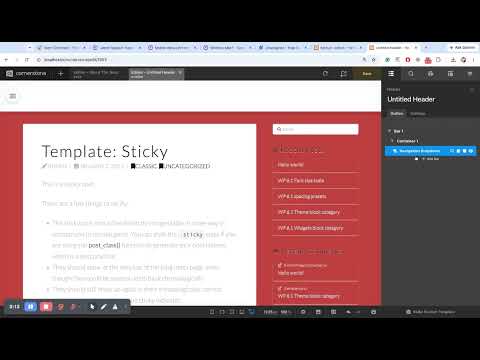
Hope it helps
Thanks
This helps, thank you ! However, I am trying to copy the same style from our other headers, however when I go to do navigation layered it doesnt have the other editing options like our other headers such as off canvas and toggle
Hello Ashley,
To help you with your concern, please share your details in a secure note. Please provide the following details
- WordPress Login URL
- Admin-level username and password
- Exact Header URL
You can find the Secure Note button at the bottom of your posts
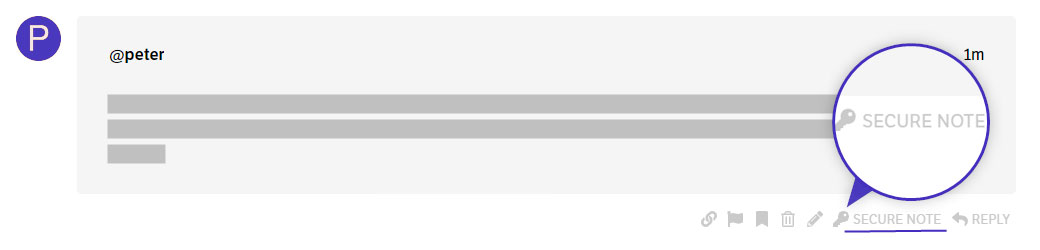
Thanks
I have shared the secure note. Thank you
Hello Ashley,
I suggest using the Off Canvas element and then adding the Navigation layer element inside the Off Canvas element, or using the Navigation Off Canvas element instead.
Thanks
Hi there, I understand this but what I don’t get is why this one is different than our San Diego header or hawaii header or all of our other headers? I want to ensure every header its the same so all of our menus look the same on our website.
Hi There, I ended up just duplicating the other headers. Thank you for your help.

