Hello Theme.co team,
I can not find some shortcodes in my element library like “Author”, “Block Grid”, “Callout”, “Clear” “Code” and many others. Do I have to install something?
Thank you very much!
Hi Willibald33,
Thanks for writing in! If you mean the shortcode manager icon that is appearing in this screenshot on that forum thread:
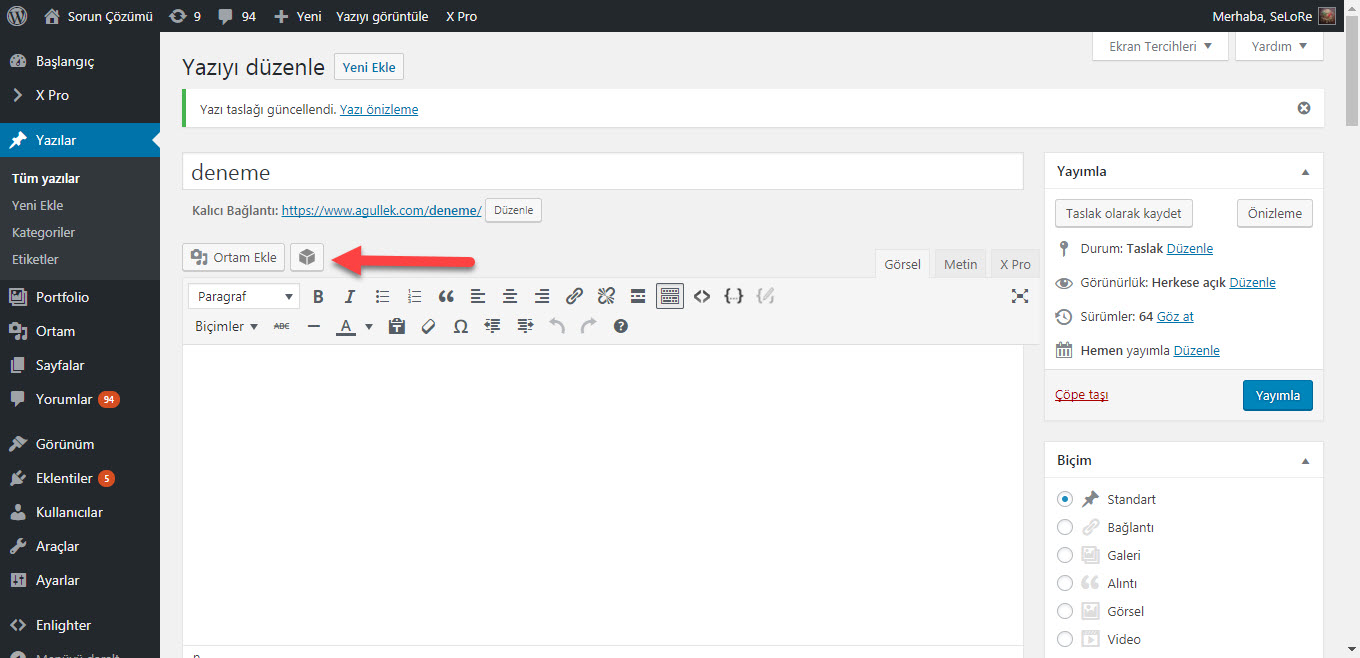
Then, you can show it again from (Pro > Settings > Show Legacy Shortcode Generator). One thing to note here is that it will not work with V2 elements, only the classic ones.
Thanks.
Hi Alaa,
thank you for your answer! I mean the library inside Cornerstone (see picture).
Thank you for your reply!

Thanks Willibald33 for the clarification. Please make sure that “All Elements” is selected under (X > Settings > Content Builder Elements). If you are sure “All Elements” is selected there and you still have this issue, then please send us your WordPress Dashboard login details in a “Secure Note” so we can investigate this issue.
Thanks.
Hi Steffen,
The elements that you have mentioned in your initial post do not have V2 versions yet, only classic.
You may use the Classic Author, Classic Block Grid, and so on which you can find on Cornerstone.
Hope this helps.
Hi Jade,
thanks a lot! This helps.
We are delighted to assist you with this.
Cheers!
This topic was automatically closed 10 days after the last reply. New replies are no longer allowed.