Hello, how i can make this rounded colored square on one item of my menu like on home item in my attachment?
This is example of desktop version page.
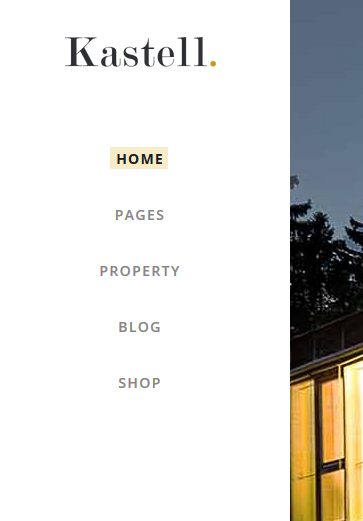
Hello @Luketina,
You can add a class to the menu item then add a custom CSS to set a background color to that menu item.
To do this, please go to WP Admin > Appearance > Menus then click on the Screen Options link on the top right part of the page.

Once click, you should see a collapsed panel. Make sure that CSS Classes is active under Show advanced menu properties.

Go to your menu items and you should see the CSS Classes (optional) field under the menu item settings:

Add a class to the menu item that you want to target. In this example, we will use the class highlight to the menu item.
Once the menu is saved, go to X > Theme Options > CSS then add this code:

.x-navbar .desktop .x-nav>li.highlight a span {
    background-color: green;
    display: inline-block;
}
Feel free to change the value in the code above.
Hope this helps.
1 Like
Many thanks, i have one more question.
How i can add icon to single menu item on desktop version? I try with appearance-menu- and on menu item i try to set icon by clicking to icon primary and choosing from drop down menu but there is no change on my menu ?
Hi Zvonimir,
In the standard header (of X), you need to add the icon as part of the Navigation Label manually. You can follow the instruction provided here.
Hope it helps,
Cheers!
1 Like
Great, thanks!
You’re most welcome,
Cheers!
This topic was automatically closed 10 days after the last reply. New replies are no longer allowed.