Hey,
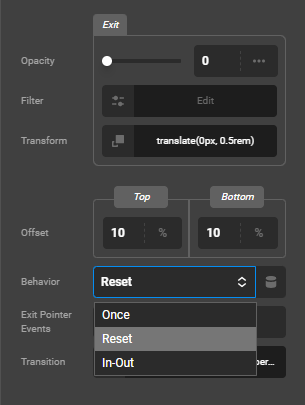
I have both a Scroll and Interaction transform effect on a column. Both work in the CS builder but they don’t work on the front-end. Can you not have a Scroll and Interaction effect on the same element?
Hey,
I have both a Scroll and Interaction transform effect on a column. Both work in the CS builder but they don’t work on the front-end. Can you not have a Scroll and Interaction effect on the same element?
Hey @JvP,
Please share a screenshot of your setup or exact settings so we can replicate it on our side and determine if there’s an issue.
Thanks.
Hello @JvP,
It might be the issue of broken HTML. I would suggest you please clone the page and delete the content section one by one to check which section is causing the issue. If it doesn’t work, we need to check your settings. I would request please share the admin login details meanwhile I would suggest you troubleshoot a few of the common issues before we investigate your settings. Please share your details in a secure note. Please provide the following details
You can find the Secure Note button at the bottom of your posts
Thanks
Hope it helps
Thanks
I’m seeing a PHP notice and warning in the debug log. Don’t know if they’re related though.
PHP Notice: Function WP_Styles::add was incorrectly called. The style with the handle "x-child-theme" is inserted with dependencies that are not registered: x-theme. For more information, read Debugging in WordPress. (This message was added in version 6.9.1.) in /wp-includes/functions.php on line 6131
PHP Warning: Array to string conversion in /wp-content/themes/pro/cornerstone/includes/integration/Twig/vendor/twig/twig/src/Template.php on line 336
Using the latest stable version of Pro with your provided child theme on WordPress 6.9.1, running PHP 8.4.18.
I’ll continue with the troubleshooting steps you described and report back later.
I have a toggleable element in my card design (column) which opens a modal. If you have any effects active on any element inside the modal, then the card’s effects are interfered with. There’s a slider in my modal with interactive effects on the next/prev buttons and that causes the hover effect on the card to not work.
There’s funky stuff going on with Effects and toggleables as also discussed in my other post here.
It really feels like a bug.
Hey @JvP,
I replicated your setup in my test site and it works. This means that there’s something conflicting on your site. Please kindly share the URL of the page having the issue and a screenshot of the element with effects. Also, we need your site login credentials at this point.
Thanks.
Alright, I’ve put the info in a secure note. Thanks for taking a look.
Hey @JvP,
Your page in Cornerstone looks empty (see screenshot in the secure note). Please record a video how we can see the issue.
Thanks.
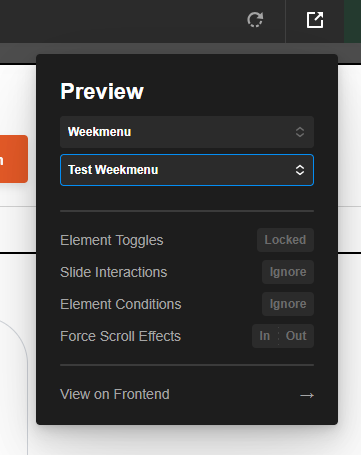
Ok, can you try it again now? You should also set the preview to the correct post type:
I suspect the Hummingbird plugin is causing the issue. Kindly clear all caches and optimizations and deactivate that plugin then test again.
Thanks.
I think it has something to do with the slider that’s in the modal.
Hey @JvP,
None of the Behavior options helped. I believe there’s a conflict with the Transform you applied to the Interaction. The Scroll effect doesn’t work well in Preview. I don’t see it. I only see the Interaction. Would you mind telling us what exact animation you’re looking for in Scroll maybe your setting is incorrect.
I tried tweaking the setting and the Interaction worked. That means it’s a conflict in Transform effects.
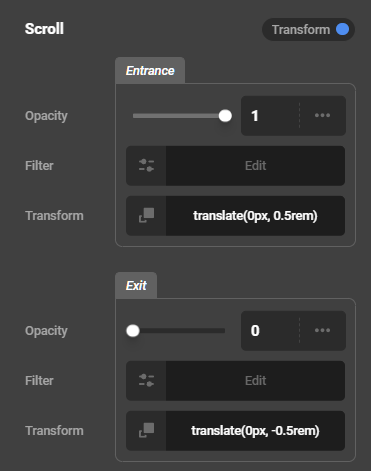
Just a very standard entry transform effect when the element scrolls into view, and a transform effect when you hover over the card, both on the Y-axis. The transforms work properly in the CS preview but they don’t on the front-end. So far I’ve noticed that it may have something to do with elements that are inside the modal. If you remove all the elements from the modal that have an effect or just disable their effects, then the card’s effects work on the front-end.
Hey @JvP,
It’s best that we test this without any 3rd party plugins so please copy your site to a staging server and provide the staging URL.
Thanks.