On my Home page, I have an image in Section 1 that’s 1200 X 400, but it only appears as 300 X 300. How do I get the image to expand the width of the page?
Hey @eutaw,
It looks like the access was changed. I got logged out right after I’ve logged in then I could not log in after.

Please ensure that you’re using the Fullwidth image. You can see that option when setting or changing the image in the Image element.
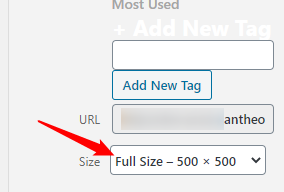
Also note that in large screens like a 1920px screen, your 1200px image will not be fullwidth. You must use a 1920px image or larger. Our theme does not support scaling up the image as that would pixelate or make the image blurry.
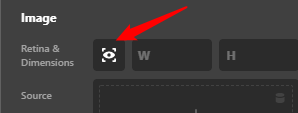
If you wish to use the Retina option, your image must be double in size so you must have a 4k resolution image to display fullwidth in a Full HD screen.
Hope that helps.
I have deactivated Retina and added the following css to the element, but that did not work.
$el img{width:100%;}
Sorry about the login change. I’ve added the new password to Secure note.
Hello @eutaw,
You need to set the Display to block.
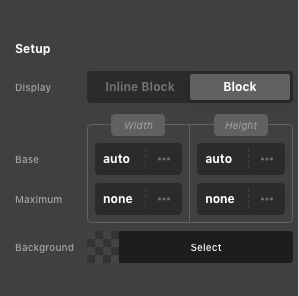
You might not be seeing some of the element styling options. You need to enable the “Advanced Mode”.
This topic was automatically closed 10 days after the last reply. New replies are no longer allowed.