The google maps on the X theme have stopped working. How can I fix this?
Hey @spencey,
This is not an issue with X but rather Google Maps now requires that you pay for Google Maps usage. Please contact Google Maps support for this.

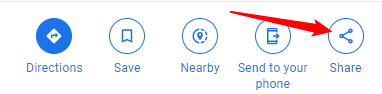
In case, you don’t want the paid Google Maps version, just go to Google Maps and click on the Share button to get the Embed code.
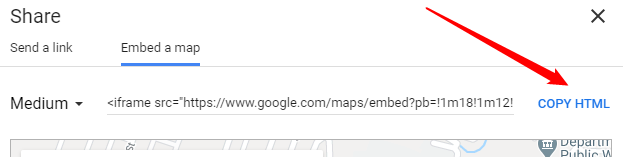
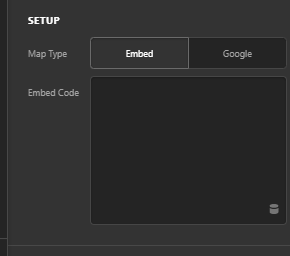
Insert the embed code in the Map element.
Thanks.
In order to change this element type without deleting it first or will I have to delete it and reinsert it? Also will it keep the sizing the same of the element? the client loves the size and characteristics of the element.
Hello @spencey,
You do not delete the element. Simply switch the Map Type from “Google” to just “Embed” and then embed the map embed code which you have provided in the Share icon. You can see it in the screenshots below:
Hope this makes sense to you.
This topic was automatically closed 10 days after the last reply. New replies are no longer allowed.