Footer background missing

Hi, The footer of my website has a background image with a color overlay. Today it just disappeared. When I am in the editor it is there but after I save then view the website, it shows a white background. It does the same thing with all sample footer templates as well. Is it an issue with the latest theme update?

I really need this taken care of ASAP. Thoughts?
Hi @brewerben,

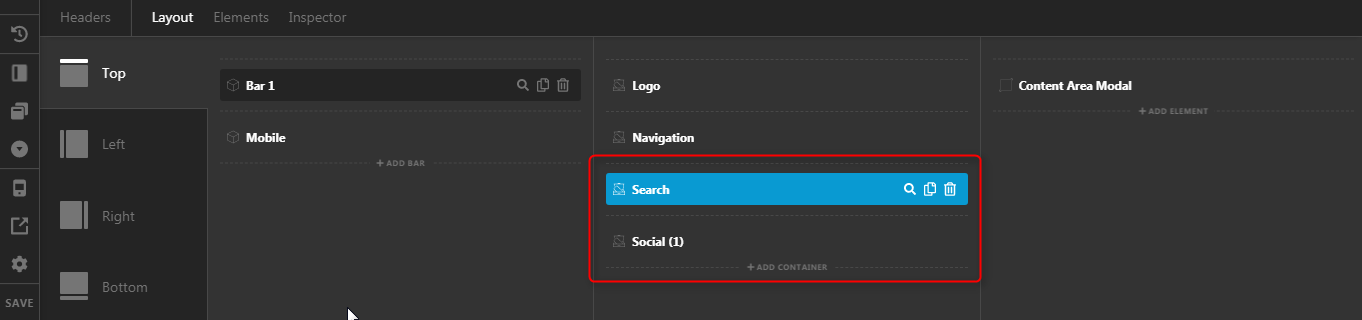
Thank you for writing in, after more than an hour of looking, I found the issue. This may sound does not make sense but the issue is on the Header. You have invalid CSS on these two containers that are causing the footer issue.


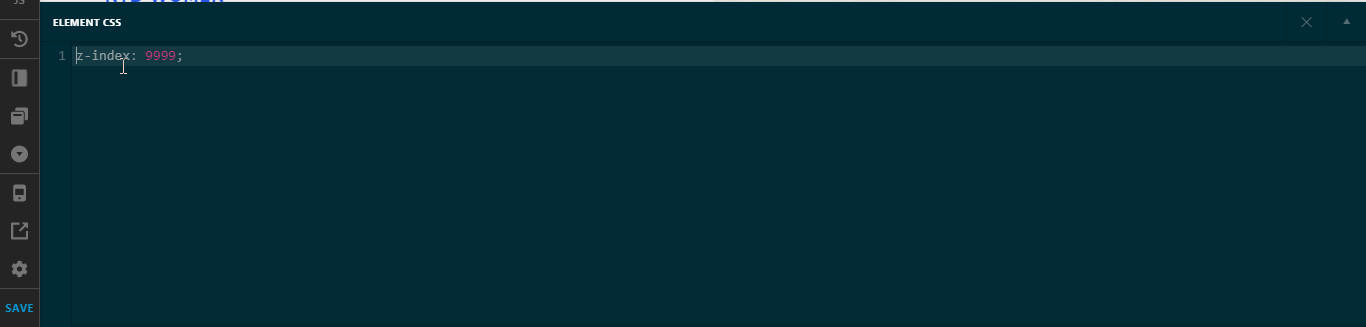
On the Element CSS area of those containers, you added z-index: 9999; which is invalid, the correct syntax is $el {z-index: 9999;}

I did commented out those CSS and the footer is fixed now. Please be careful about using the Element CSS as those are very hard to track if it has a syntax error.

Features - Element CSS

Hope it helps,
Cheers!

Thank you so much! That is crazy because I havent touched any css in the header. No idea how that got there or any reason why someone else would have tried to code that in, but obviously it was there.

Again, thank you @friech !

-Ben

We are happy to help,

Cheers!

This topic was automatically closed 10 days after the last reply. New replies are no longer allowed.