Everything italics after customizer import. Changing font styles don't work &

  1. All text have gone italics after importing the customizer options from another site. Also, changing the font styles from the customizer don’t work. Please don’t give me CSS solutions for this. I could have done that already. This seems to be a bug. This issue is since 2015 looking at the posts https://theme.co/apex/forums/topic/all-typography-in-italics/, https://theme.co/apex/forums/topic/all-typography-in-italics-despite-regular-setting/ & https://theme.co/apex/forums/topic/font-questions-header-locked-different-italics/

  2. Google fonts aren’t working from the customizer. This also only happens when I import customizer settings.

  3. Blog layout is set to be shown full width(without sidebar) & masonry along with full width option. But still the layout isn’t masonry as seen in the attached image. However, it works when I use global content layout, which I do not want. I want it to be full width & masonry.
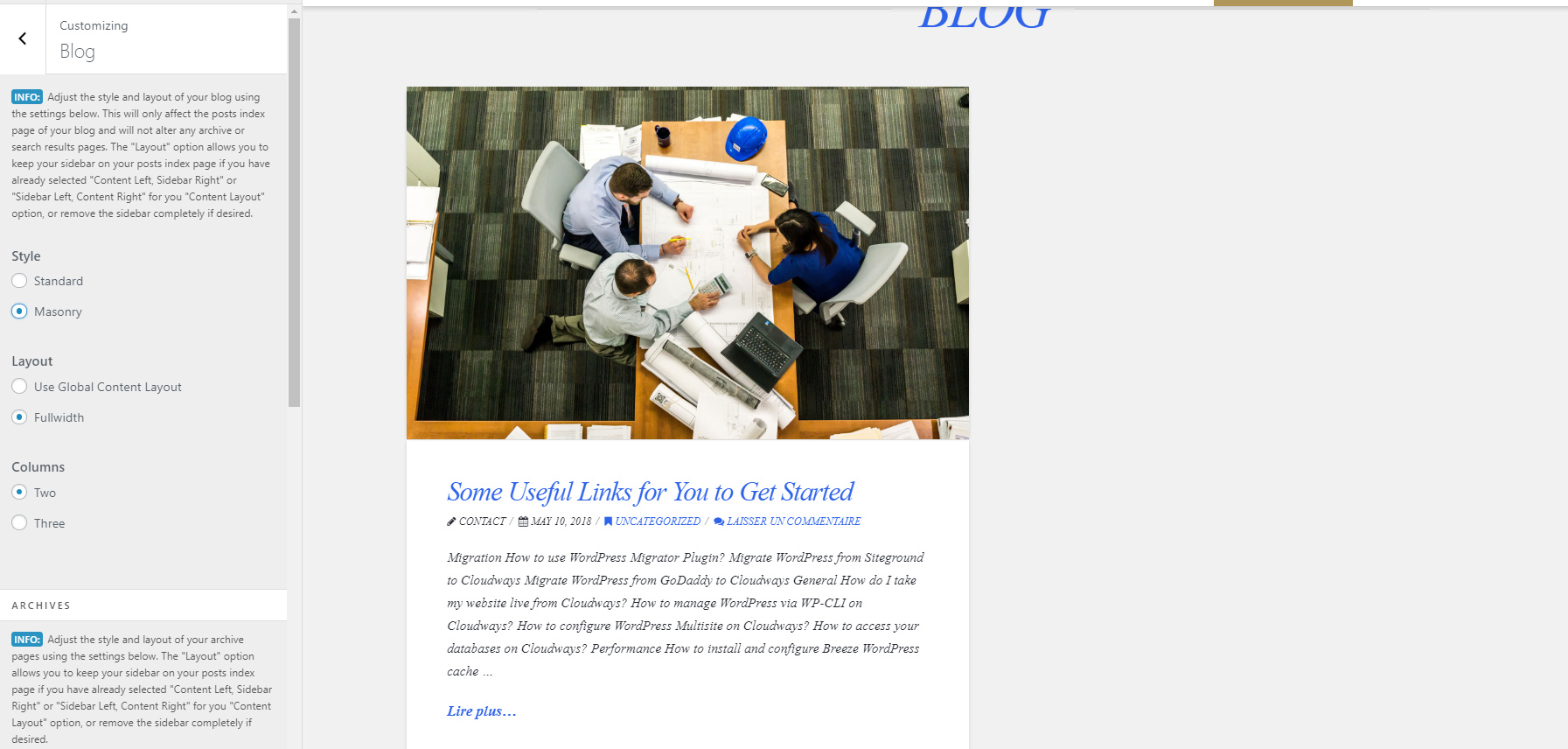
I have noticed the same issue on multiple websites.
Please do NOT give me CSS fixes, I know how to do it that way. Point me to the correct solution.

I am attaching the details in the secure note for you to check. Thanks,

Hi @faizan

Thanks for writing in and sorry to hear you’re having this issue.

It’s known bug and it’s already on our list, please check this related thread https://theme.co/apex/forum/t/imported-settings-turned-all-font-to-italics/30553/11

The solution for now is, yes, a temporary custom CSS.

Thanks for understanding.

Are you sure this problem is because of the customizer settings import?

For now, please provide, the solutions for all these issues.

Also, please give an ETA of the update.

Hi there,

Yes it is, and that’s because some options has imported value of string "true" instead of boolean of true. And it can cause issues to any part of the Theme Options saved values, including filterable index and layout (I saw similar issue just once).

I’m not sure about the ETA, but it could be sooner :slight_smile: But still, it may only fix new imports.

The temporary work around for now is custom CSS which you don’t prefer. But do you still have the copy of your imported file? Maybe I can set values there and test it in my installation.

Thanks!

What’s the best way to change font with this bug?

Hi there,

I checked and the CSS you applied is okay too

* {
    text-shadow: none !important;
    font-style: normal !important;
}

As temporary workaround for blog layout, please add this code to your child theme’s functions.php

  function x_get_content_layout() {

    $content_layout = x_get_option( 'x_layout_content' );

    if ( $content_layout != 'full-width' ) {
      if ( is_home() ) {
        $opt    = x_get_option( 'x_blog_layout' );
        $layout = ( $opt == 'sidebar' ) ? $content_layout : $opt;
      } elseif ( is_singular( 'post' ) ) {
        $meta   = get_post_meta( get_the_ID(), '_x_post_layout', true );
        $layout = ( $meta == 'on' ) ? 'full-width' : $content_layout;
      } elseif ( x_is_portfolio_item() ) {
        $layout = 'full-width';
      } elseif ( x_is_portfolio() ) {
        $meta   = get_post_meta( get_the_ID(), '_x_portfolio_layout', true );
        $layout = ( $meta == 'sidebar' ) ? $content_layout : $meta;
      } elseif ( is_page_template( 'template-layout-content-sidebar.php' ) ) {
        $layout = 'content-sidebar';
      } elseif ( is_page_template( 'template-layout-sidebar-content.php' ) ) {
        $layout = 'sidebar-content';
      } elseif ( is_page_template( 'template-layout-full-width.php' ) ) {
        $layout = 'full-width';
      } elseif ( is_archive() ) {
        if ( x_is_shop() || x_is_product_category() || x_is_product_tag() ) {
          $opt    = x_get_option( 'x_woocommerce_shop_layout_content' );
          $layout = ( $opt == 'sidebar' ) ? $content_layout : $opt;
        } else {
          $opt    = x_get_option( 'x_archive_layout' );
          $layout = ( $opt == 'sidebar' ) ? $content_layout : $opt;
        }
      } elseif ( x_is_product() ) {
        $layout = 'full-width';
      } elseif ( x_is_bbpress() ) {
        $opt    = x_get_option( 'x_bbpress_layout_content' );
        $layout = ( $opt == 'sidebar' ) ? $content_layout : $opt;
      } elseif ( x_is_buddypress() ) {
        $opt    = x_get_option( 'x_buddypress_layout_content' );
        $layout = ( $opt == 'sidebar' ) ? $content_layout : $opt;
      } elseif ( is_404() ) {
        $layout = 'full-width';
      } else {
        $layout = $content_layout;
      }
    } else {
      $layout = $content_layout;
    }
    if( is_home() ) return 'content-sidebar';
    return $layout;

  }

And further checking, the blog layout issue isn’t related to import. It works that way of you set your global layout to full-width. But we have existing feature request for that.

Thanks!

This topic was automatically closed 10 days after the last reply. New replies are no longer allowed.