I am having a really strange problem with Envira Gallery on my client’s website. There are 33 pages for their various projects that all have Envira galleries on them and they are working just fine. However, the Clients page also has an Envira Gallery on it, but the gallery does not show up on the front end. I have tried creating a new page and adding an Envira Gallery, and the gallery does not show up on that page either. I updated the Envira Gallery plugin and that created a new problem rather than solving the problem. The new problem is that now if I select the Envira gallery titled Client Logos for a page, any page, it makes the page completely white and blank, except for the main navigation. However, if I select any other gallery for a page, the page content comes back, but the gallery still does not show up. What the heck is going on here?? Why does Envira Gallery work on all the other 33 pages such as http://asv1.com/our-work/2016-bugaboo-abc-show/ but not the Clients page, or any other new page I try to put an Envira Gallery on??
I’ve created a new Clients page which has no gallery on it, but rather a message for visitors, because the site live. You can see the problem I am talking about by visiting a page called Clients Old.
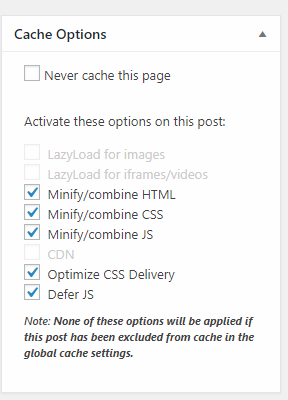
My versions of X Theme and Cornerstone are up to date, as is Envira Gallery. I do use WP Rocket, but I have cleared its cache and my browser cache numerous times. Please help!
Thanks,
Rayna