Edge - Pro Header Submenu on the top

Hi there,

  • during our testing with different browsers, we noticed that the submenu is placed on the top of the screen, normaly it should be some deeper


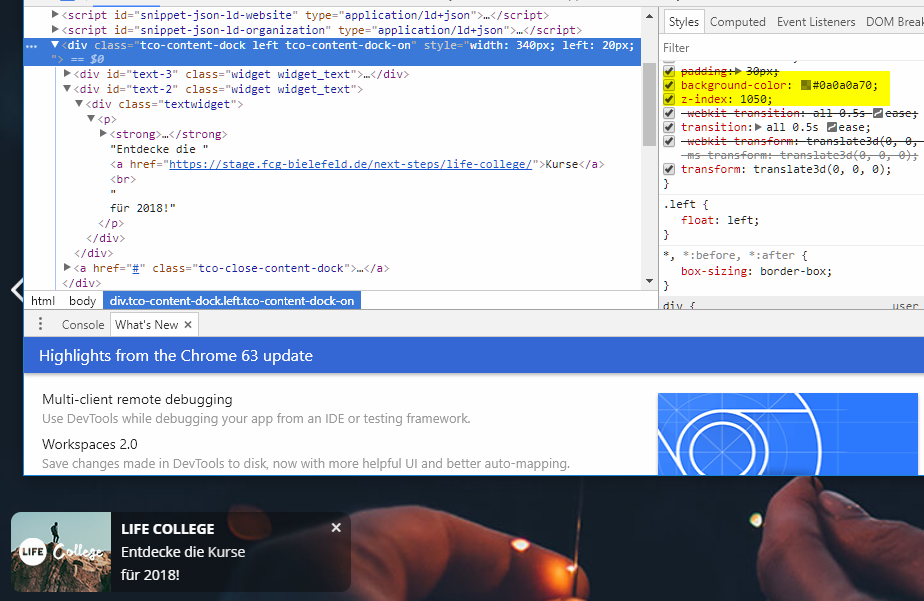
  • Further we noticed a problem, where the backgroundcolor (#0a0a0a70) is not taken, theres only white in the content-dock. Maybe better using of rgba… ?

I’m glad for help.
Link to Homepage
Hey @kevin_hermann,

Based on your screenshot, you’re using IE and not Edge.

  1. The sub-menu position is a known issue in Pro. The current solution is to use CSS. Please follow the instruction provided in this thread.

  2. The background color value could not be read by IE. Please use RGBA.

Thanks.

1 Like

Ok thank you very much, working well!

I noticed, that the submenu-entries are centered in Internet Explorer.
It should be positioned left. Is there a fix for that?

Hi there,

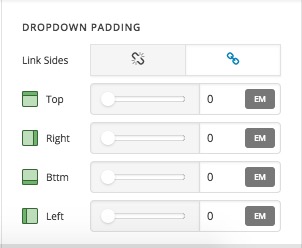
Please make sure that the version of IE you test the case on is 11 as we do not support the older versions. Try to use the Dropdown padding options in the InlineNavigation element to adjust the padding:

And make sure that the Sblinks section of the Inline Navigation options are set to Start for the Flex Layout:

Thank you.

1 Like

This topic was automatically closed 10 days after the last reply. New replies are no longer allowed.