Header displaying differently with IE

Hello there,

I’m sorry that i still have that kind of question but…

In this website :
http://dev2.ch-alpes-isere.fr/

i have trouble with the header and the navigation menu.
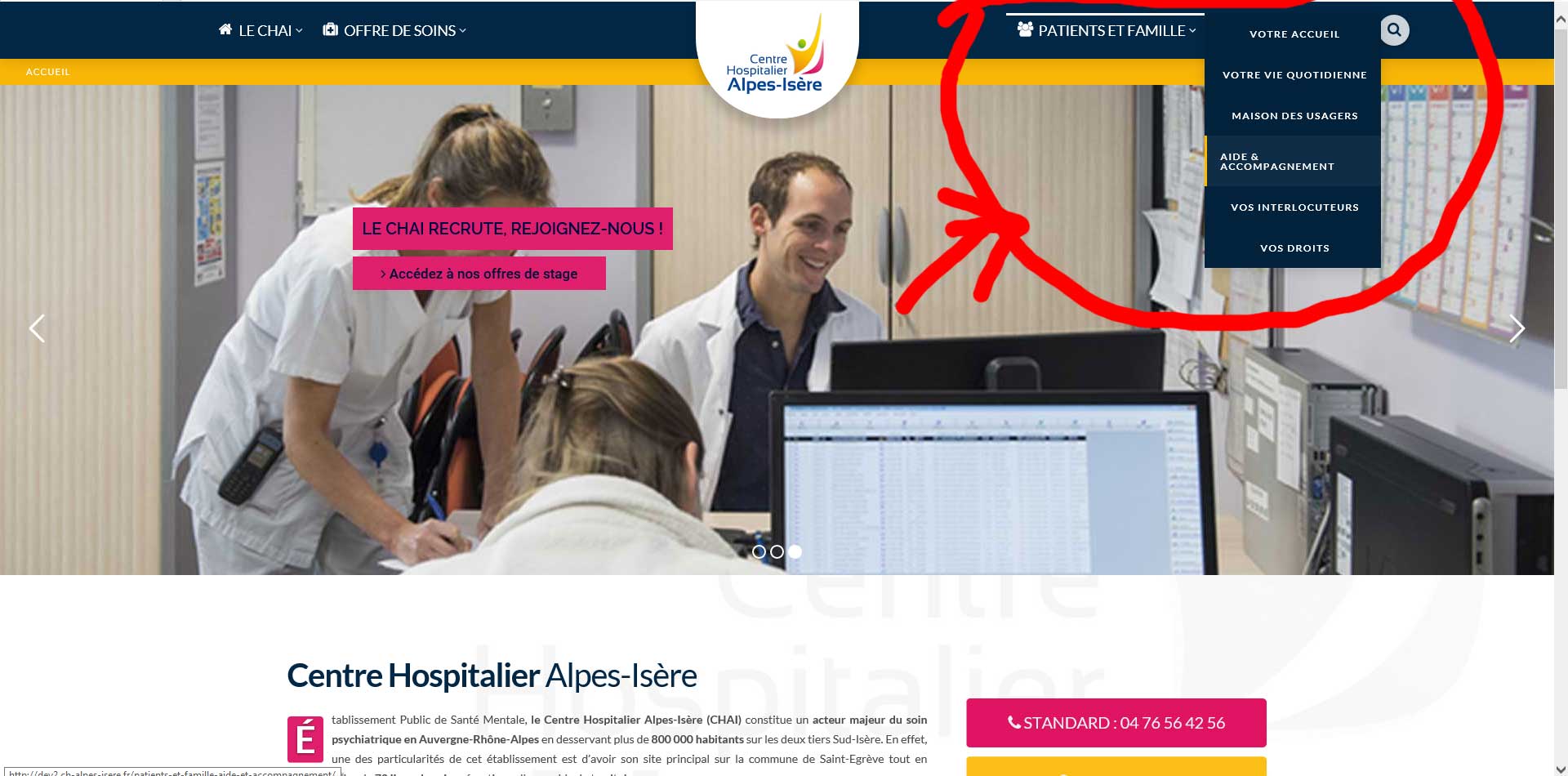
When i open the menu, the links are displayed to the left. Instead, it should look like this :
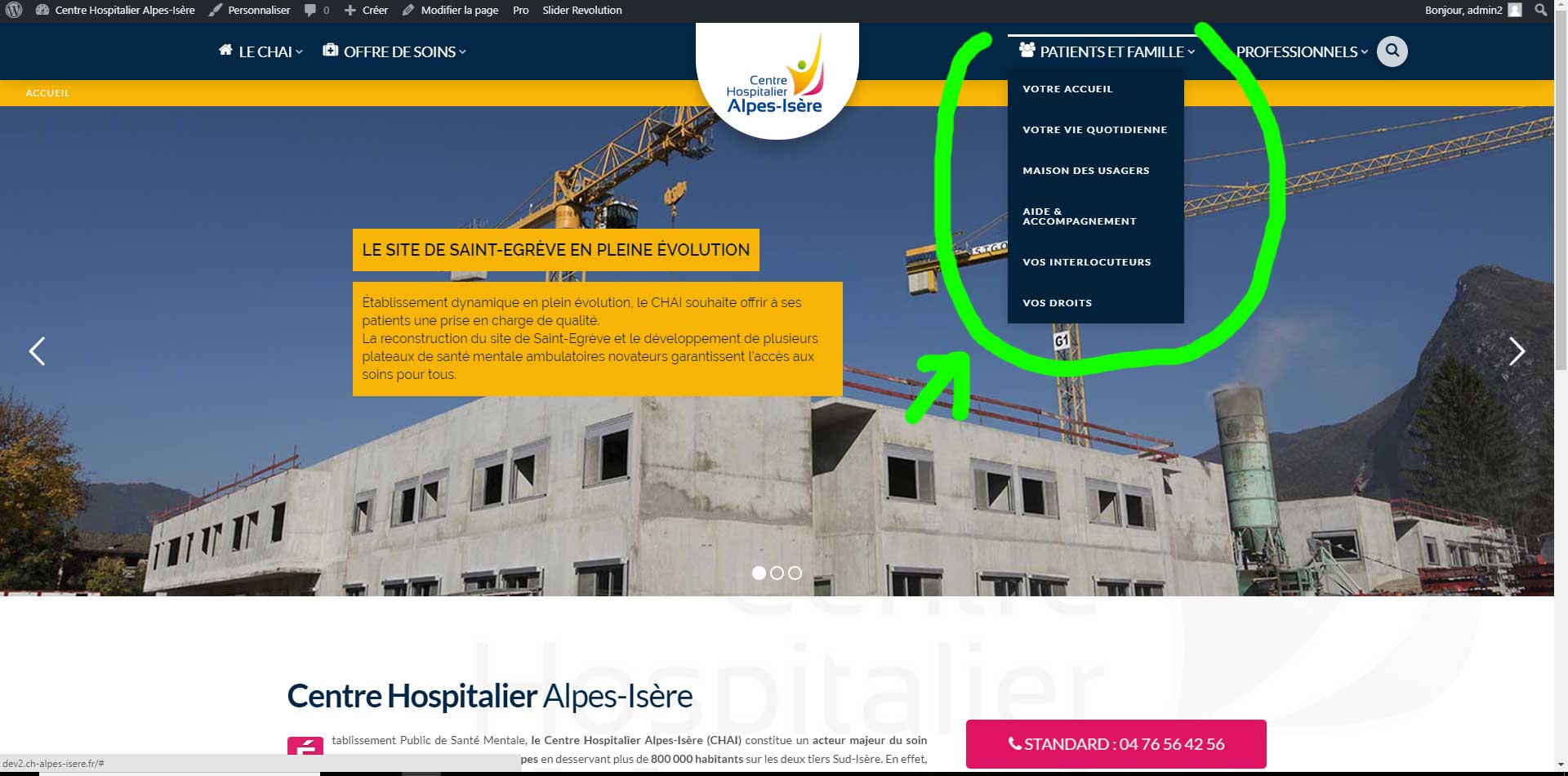
It works fine on : Chrome, firefox, edge, but not IE.

Can you please help me ? Thank you very much.

Hi there,

Would you please kindly confirm that the problem you see is in the IE version 11? As we do not support versions older than 11.

Also please consider as the header builder uses the flexbox feature of the CSS3. IE 11 has few bugs rendering that display mode, especially if you set the flex property to auto. So by changing the parameters of the header builder in the reflex section, you may find a middle ground which will work ok with IE 11.

Thank you.

Hello,

i can confirm that this is on IE 11.
I’ll try to mess with the flexbox feature and keep you in touch with this. Thank you very much for the quick answer.

EDIT : Ok so i’ve run few tests and it seems like even without AUTO values IE doesn’t like the flex at all. Any idea to fix it ?

Hey @Thaelys,

Please add this code in your Header CSS or in Appearance > Theme Options > Global CSS.

.hm3 .x-dropdown, .hm7 .x-dropdown {
	top: 50px;
	left: 0;
}

The code is unique to your specific bar currently. Also, 50px is the height of your bar. To apply the solution for others, please assign a class to your bar and replace the hmX part of the code like this.

.my-class .x-dropdown {
	top: 50px;
	left: 0;
}

Thanks.

Hello,

It works fine. Thank you for the help, as i’m not so familiar with flex stuff i didn’t know i could do this instead. Thank you very much.

Keep up with the good work.

This is a known issue in Pro and an official fix might be available if our development team figures out a solution.

Thanks.

This topic was automatically closed 10 days after the last reply. New replies are no longer allowed.