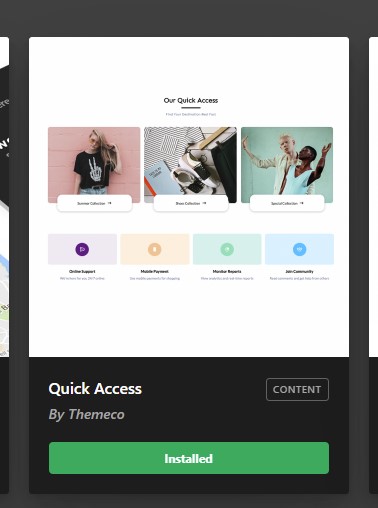
Design cloud content issue (Quick Access)

Hi,
I have a problem to visualize the “quick access” element (downloaded from Design Cloud) on my page. Every other element seems to work properly. I tried with the troubleshooting process (disabling plugins, cleaning up the cache and so on…) but the problem is still there.

In frontend I just don’t see the element, excpet from the title. In the backend the whole block says: “Undefined Element: this element could not render because its definition is missing. You migh nees to activate a plugin.”

Could you give me some support? Am I doing something wrong?

Hi Giacomo,

Thanks for reaching out.
Unfortunately, the issue can’t be replicated at our end after importing the Quick access content. Can you please provide login credentials for your site in a secure note to investigate your issue further, including:

– WordPress Site URL & Login URL
– Specific Page URL, where you are having this issue.
– WordPress Admin username/password

To create a secure note, click the key icon underneath any of your posts.

Thanks

I created an access for you and put it on the secure note of this reply, thank you for your support

Hello Giacomo,

Thanks for sharing the credentials I checked your site dashboard it seems that design cloud templates are working fine. I went ahead and imported one template to your server.
Design-Cloud-X

I went ahead and created one page called “Themeco Test” at your server and imported the template into the page and it seems that it is working fine as well. Can you please tell me which template you are trying to import? Please find the page URL in the secure note.

Thanks

Hi!
First of all, thank you for your help! I’ll try to explain myself better.

The element titled “Quick access”, that I downloaded from Design Cloud, doesn’t work properly in any of the pages I placed it in.

As you can see from the screenshots, it does not appear in the pages and displays an error in the backend.

“Quick Access” element is the only one which gives me problems.

Hello Giacomo,

Your issue is a suspected bug in the recent release of the theme. Please check out the reply of @Alexander, our lead developer, in this thread:

Best Regards.

Thank you!
Problem solved. I didn’t find that thread, thank you for the advice!

Best regards

Ok! Glad to hear you got it worked out.

This topic was automatically closed 10 days after the last reply. New replies are no longer allowed.