Hello after updating my website with new cornerstone version it alle looks different and very old And weird.
Look image below… Does anyone know what happened?

Hey @zia,
That’s the new interface of the Theme Options and also the Builders. If you want to bring it back to the side, just click and hold on to the Theme Options label area and drop it on the side in the blue section shown in the screenshot below.
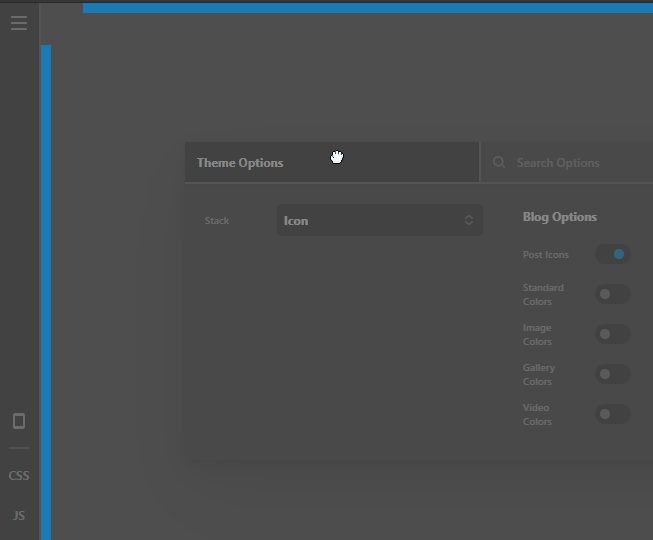
Please also check out the new features of our theme and builders here https://theme.co/docs/changelog/pro-4
We also have new tutorial videos in our Youtube Channel
So you won’t get surprised, if you’re not doing it already, test theme and plugin updates in a staging copy of your website. This is a standard or best practice for website owners.
Hope that helps.
1 Like
Hi @christian ,
May I make a suggestion? With the new Cornerstone update I am not able to search within the global CSS. cmd+F isn’t working for me. And with about 1500lines of css this is reaallllyyy annoying.
Anything I do wrong? Or is this feature really missing?
Thanks for clearing this up!
Hi @maxpage91,
No, that feature does still exist and should be working. In the first instance, can you follow the steps in our troubleshooting article here, and then if after following that, the culprit has not been found, please open up a new thread of your own, outline the problem and steps already taken, and add login credentials (including the login URL) in a secure note. Do not post them here as they can be seen by the original poster.
Thanks!
This topic was automatically closed 10 days after the last reply. New replies are no longer allowed.