see image, i tried everything, cant get it to go full screen with no gap. what am i doing wrong???

Hey Rachel,
Thanks for writing in! You are using a default page template that is why you have a container and some spacing. You will edit to edit your page and change the page template to Blank - No Container | Header, Footer.
Please edit your page and in the Page editing screen, change the page template to Blank - No Container | Header, Footer.
You can find it in the Page Attribute meta box:

And if you are editing in Cornerstone, find the Gear icon so that you can get to the Page Settings.

To know more about the different page templates in the theme, please check this out:
Please let us know if this works out for you.
Ok, it worked now. i was actually using 'fullwidth option so i didnt think there ought to be an issue. Thanks
Hi Rachel,
You’re welcome and it’s our pleasure to help you. If you have any other concerns, feel free to reach us.
Thank you.
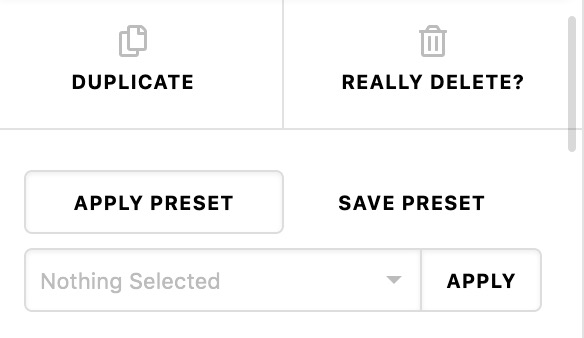
Hi, another quick question. is there a way to make the scroll bar on the right bigger? its a little annoying cause its too thin and is a bit of waste of time. thanks
Hello Rachel,
Regretfully we do not have any setting that will change the scrollbars. Just hover your mouse pointer inside the panel and you can scroll up and down with the mouse wheel or with the trackpad. In the next release, these will have to change. You can take a peek at the upcoming streamlined design of the panel for our next release version here:
Best Regards.
ok thank you. Is there a way I can message you privately re-purchasing the x pro
Hi Rachel,
If you need further assistance with your purchase, you can contact us at our sales department here:
Best Regards.
This topic was automatically closed 10 days after the last reply. New replies are no longer allowed.