Thank you! Ok, false alarm on the row styling being an issue. After a closer look all that is working correctly. The problem is actually that your mobile buttons are too big for the column.
If you for example add this CSS:
.x-col { overflow: hidden; }
That will prevent the contents of columns from making their size any larger. It’s not a great solution because it could lead to things looking slightly cut off. The widths of the columns themselves use flex-basis which is more forgiving, and will allow things to wrap like they do now under the condition that the column is wider than expected.
This issue starts to happen on mobile screens that are 410px or narrower. My poor man’s but super simple way of testing this kinda stuff is opening my browser’s developer tools and toggling it to appear to the side of my content. Then you can resize the panes and get experiment with crazy small sizes. For example:
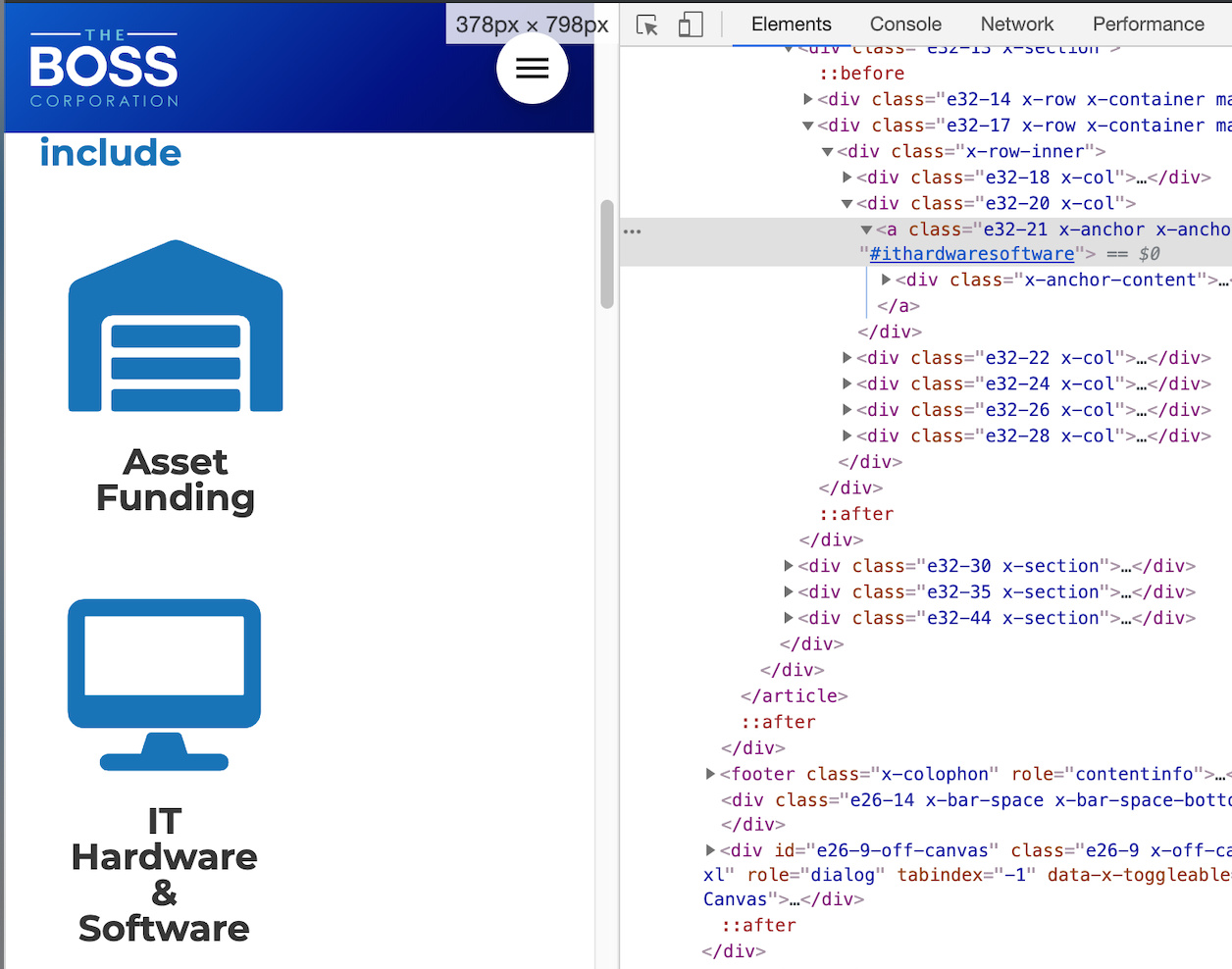
Getting this to look right is probably just a matter of playing with the font sizes until it scales correctly. You’ve just got a bit too much for those font sizes at screens that small. Try this element CSS on the row:
@media (max-width: 480px) {
    $el.x-row {
        font-size: 0.5rem;
    }
}
That should shrink it down. This is a great example of how powerful it would be to allow changing any style (particularly font size) at a per breakpoint level. Definitely on our roadmap.


