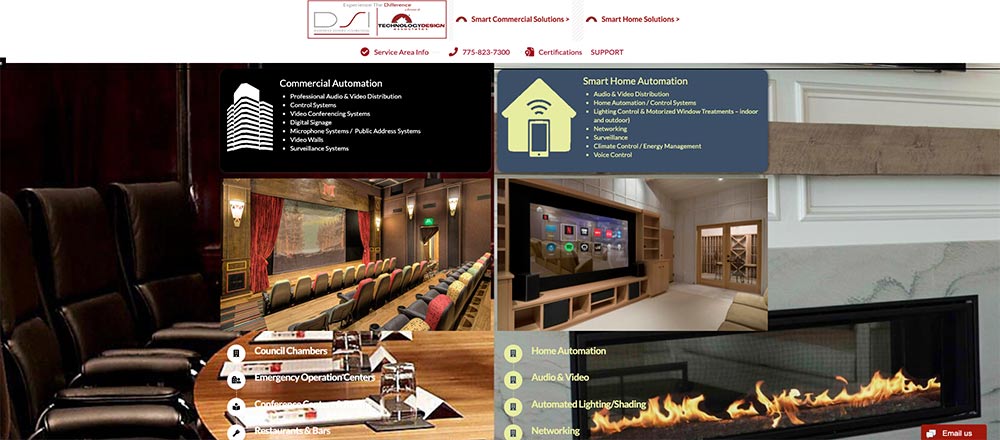


Hello @mcjensen,
Thanks for writing in! If you have inserted the background image in the body, you must add some paddings to the sections so that there are space to display the background image around the section. To better assist you with your issue, kindly provide us access to your site so that we can check your settings. Please create a secure note with the following info:
– Link to your site
– WordPress Admin username / password
To know how to create a secure note, please check this out: https://theme.co/docs/getting-support

Best Regards.
Hi @mcjensen,
Thanks for the credentials, I checked and that’s how background works, if the image aspect ratio (dimension) is larger than the content or viewport, then clipping will always occur. The same goes for images set as parallax background, parallax needs movement, and movement from one point to another point requires offset, and that offset is the negative space causing the clipping.
Instead, I recommend utilizing column backgrounds in the builder. That way, you can set a separate image background for each column, then you can simply increase the top and bottom padding of the column to match your preference.

Fixing the background-size that is set to the body isn’t doable as it’s implemented that way, to cover the viewport and clipping always happen since the image should always appear larger regardless of orientation, else, there will be big gaps where image and viewport size doesn’t match.
Thanks!

Thanks.
Hey @mcjensen,
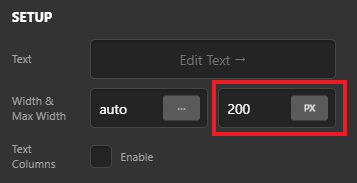
You can contain the element width by defining the Max-Width, e.g If you’re using Text element, you can define Max Width under Setup (see screenshot)
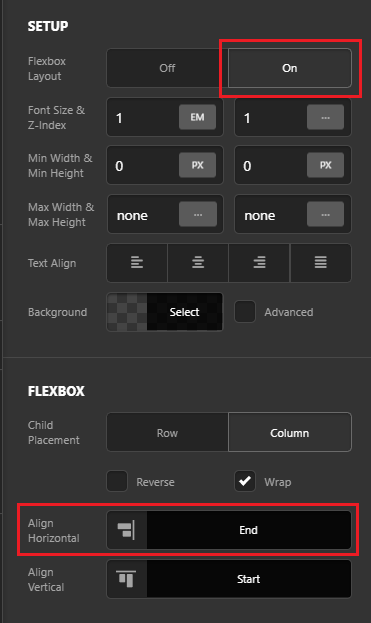
Now to align the elements left or right to column as in your screenshot. go to Column’s settings and turn on the Flexbox Layout then under Flexbox title, set the Align Horizontal to Start (to align left) or End (to align right) as you need (see screenshot)
Hope this helps!
This topic was automatically closed 10 days after the last reply. New replies are no longer allowed.
Hello @mcjensen,
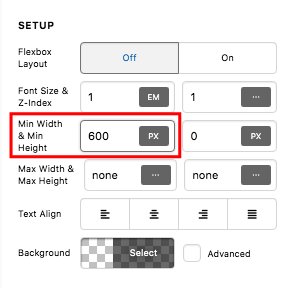
If you want to have a longer image background, you will have to set a minimum height for at least in one of the columns. You can do that in one of the column settings:
We would love to know if this has worked for you. Thank you.