I have found this on the Div element, and also on the Navigation Inline element.
One minor issue and one slightly more annoying issue:
-
The Flex control select menu is missing the Icons used to indicate different types of Flex
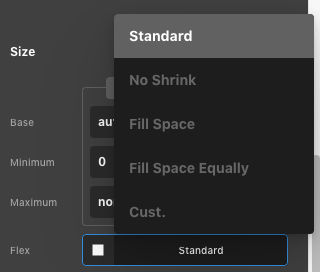
When compared with similar flex controls in the Flexbox section
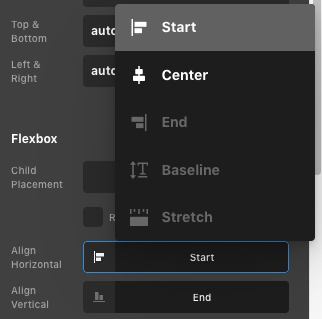
And also compared to how it looks in Pro 3.x
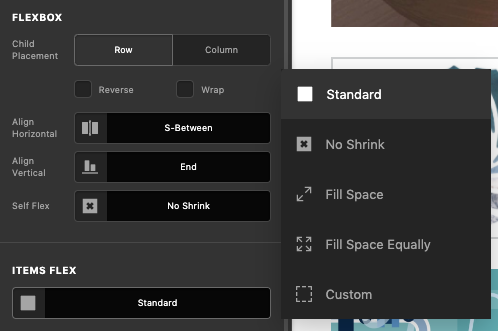
-
Slightly more annoying is that the select box does not disappear after making your selection and must be clicked off to hide it again.
-
The menu hovers above any other floating dialogue box, e.g. the Elements selector or Custom CSS window
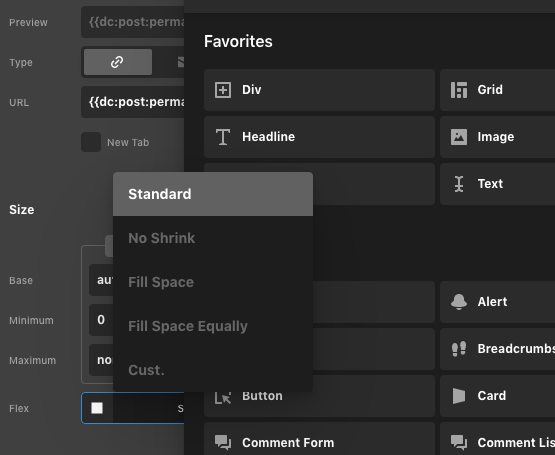
This last one isn’t necessarily an issue, however, I noticed that using the shortcut for hiding / showing the Elements library didn’t hide the Flex menu, leaving it floating over the top. Perhaps certain shortcuts to hide / show floating windows should also trigger menus like this one to hide away so that focus is sure to be brought to the newly-shown floating window?
Hope that makes sense and is helpful.
Cheers!