Hello Team,
First off: I’m seeing these release notes. Is this happening to anyone else?
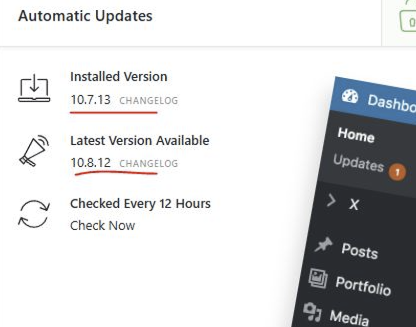
I need help with the following problem:
After updating the X Theme, Safari no longer displays the locally installed Google Fonts (font-family myUbuntu).
This affects all updates after X 10.8.1. I have repeatedly reverted the changes.
Features of the affected websites:
WordPress Multisites
WordPress Version: 5.8.13 (intended to be updated to WP 7.0.2)
On the original website = X Version: 10.8.1
On the staging site (= HTTP) = X Version: 10.8.12
In both versions:
WordPress Version: 5.8.13 (intended to be updated to WP 7.0.2. The initial test was performed and reverted due to problems)
Slider Revolution: Version 6.6.20 (Updates were performed in the past. The site became inaccessible each time with a PHP warning)
Tested and compared on both websites: Cornerstone - Globals – Fonts (Configuration)
Original Website Cornerstone 7.8.1 shows:
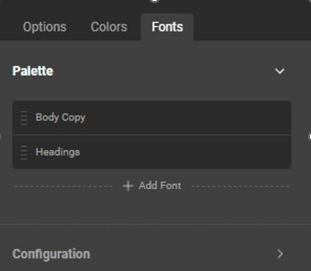
The Staging Site - Cornerstone 7.8.12 shows:
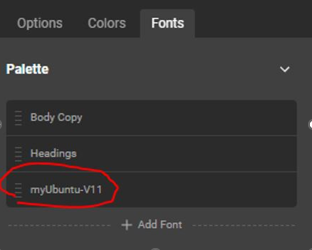
Why does this palette suddenly appear, and why is it V11 behind myUbuntu?
Is this the cause of the display problem in Safari?
I’ve read and tried various things, including the following:
In Options - Typography
- Toggling the Font Manager on and off
- Switching the Body and Content from Inherit to the Custom Fonts family.
None of this worked.
What can I do to make Safari display the embedded Ubuntu font?
Thank you for your help.

