I updated the theme and after that, the main header designed for the home page disappeared from the home page and I have the internal sites. I tried and i see the condition and i tried multiple with the header section and still have the same problem.
Hello @freeman3,
Thanks for writing to us.
In case if you want to set your custom header to the Home page and the same Header to any specific page. Please have a look at the given screenshot given below.
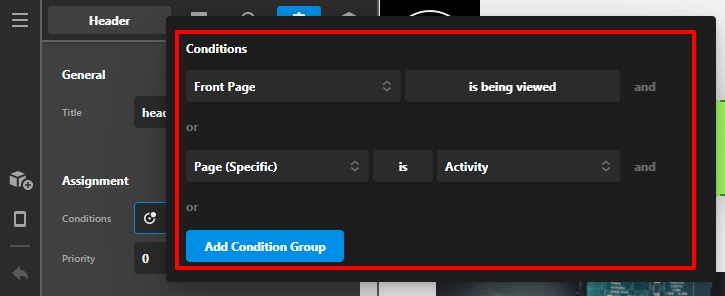
Please have a look at our doc about the conditional operator to learn more about how to set header codition.
In case if it doesn’t work for you, can please let us know which header you want to set for the Home page and which header you want internal pages.
Thanks
i tried this solution and still have the same problem, from the back panel i can see the header when i check the front end i can’t see the header.
Front end and i can not see the assigned header

backend and i can see the assigned header

Hi @freeman3,
I just check your homepage custom header and I found out that it has something to do with the Priority. The Priority comes into play if you have two assets that might potentially overlap in some instances, allowing you to specify which should take precedent over the other. In these cases, the layout with the lowest priority will be used. Since the homepage priority is set to 10 and the entire menu set to 0 then that’s the reason why your custom homepage header is not showing. To fix your issue, I change the priority from 10 to -1.
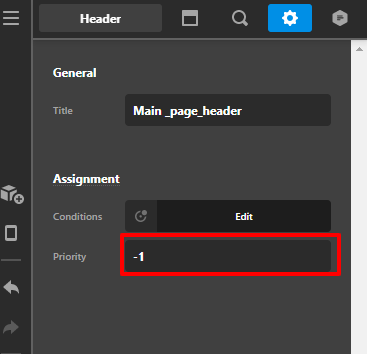
Then it is now showing properly on the front-end:

To know more about the conditions and assignments, please check this out:
Hope that helps.
Thank you.
This topic was automatically closed 10 days after the last reply. New replies are no longer allowed.