I saw a topic on this but it’s not clear enough.
I need to change the colour of web browser address bar on visiting my website.
How do I go about this?
Thanks
I saw a topic on this but it’s not clear enough.
I need to change the colour of web browser address bar on visiting my website.
How do I go about this?
Thanks
Hello Barry,
Thanks for writing in! Regretfully, your particular customization request, changing the colour of web browser address bar, is outside the scope of our support as this is not related to an issue with the theme and instead has to do with your customization of the browser itself. You might be interested in this articles instead:
If you have any further questions about the theme, we are more than happy to provide you with assistance on these inquiries.
Thank you for your understanding.
In a previous theme I was using, I was given a code to paste somewhere that performed the magic.
This is what I mean by browser address bar 
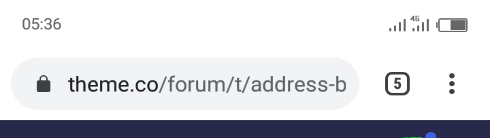
well, thanks.
Hi Barry,
You have to add the theme-color meta in the header area for this. Please install and activate the child theme and login through FTP then edit the functions.php then add this code:
add_action('wp_head', 'add_header_code');
function add_header_code(){
?>
    <meta name="theme-color" content="#ff6600" />

    <?php
};
Kindly note that since this is a custom code that changes the default behavior/display of the theme, you will be responsible to maintain or update the code in case you require further changes or if the code stops working in future updates. If you are uncertain how to proceed, it would be best to get in touch with a developer.
Hope this helps.
This topic was automatically closed 10 days after the last reply. New replies are no longer allowed.